
Software - TimeLOG Web / Synergy WF
Card Printing
SynergyPrinting Cards from Synergy Work Force
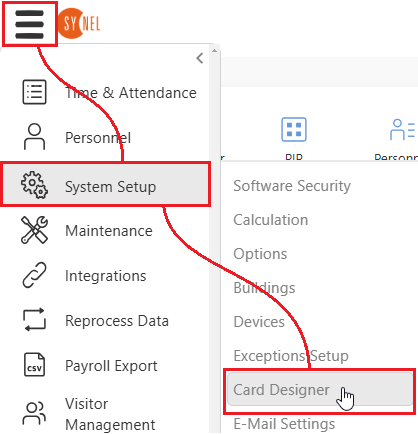
From the main screen go to Menu > System Setup > Card Designer
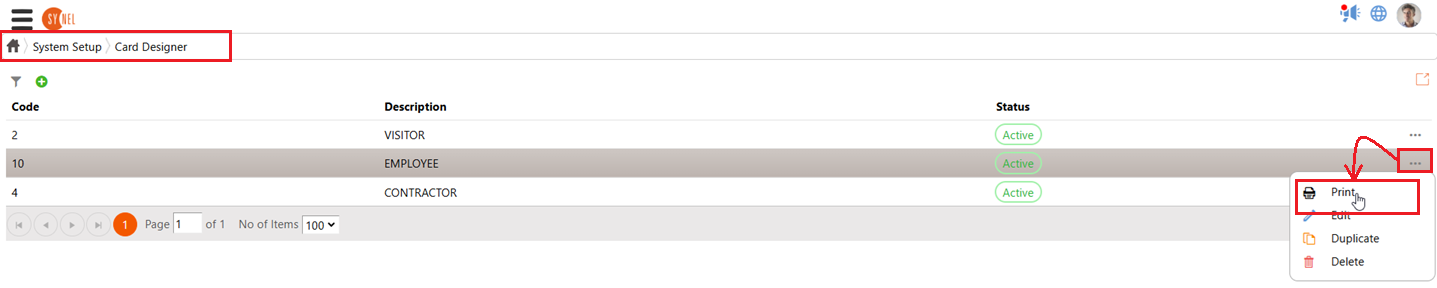
Choose the card that you want to print and click on the three small dots to the right of the screen and choose the Print option from the resulting dropdown menu.
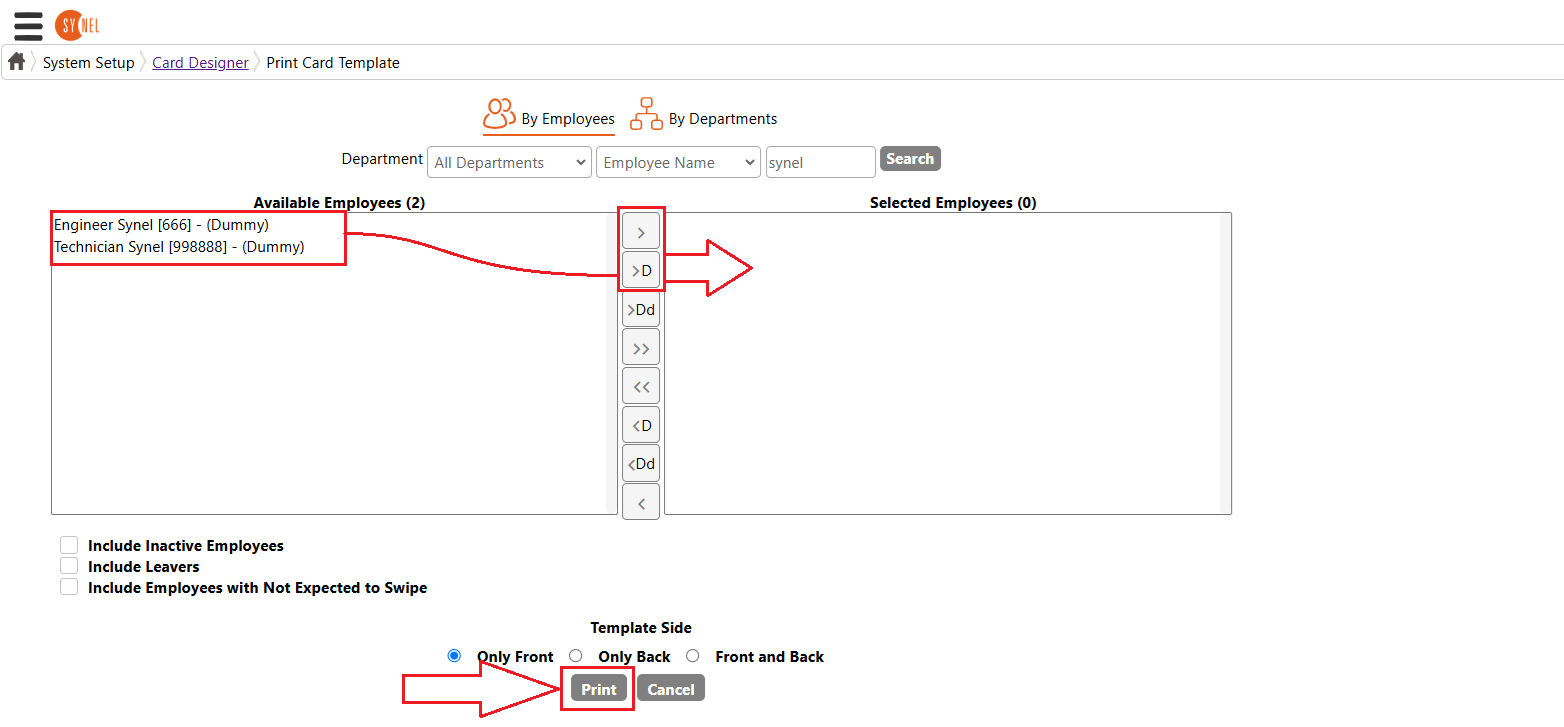
On the next screen choose the persons that you wish to print this card for then select them to the right hand pane. Then click 'Print' at the bottom.
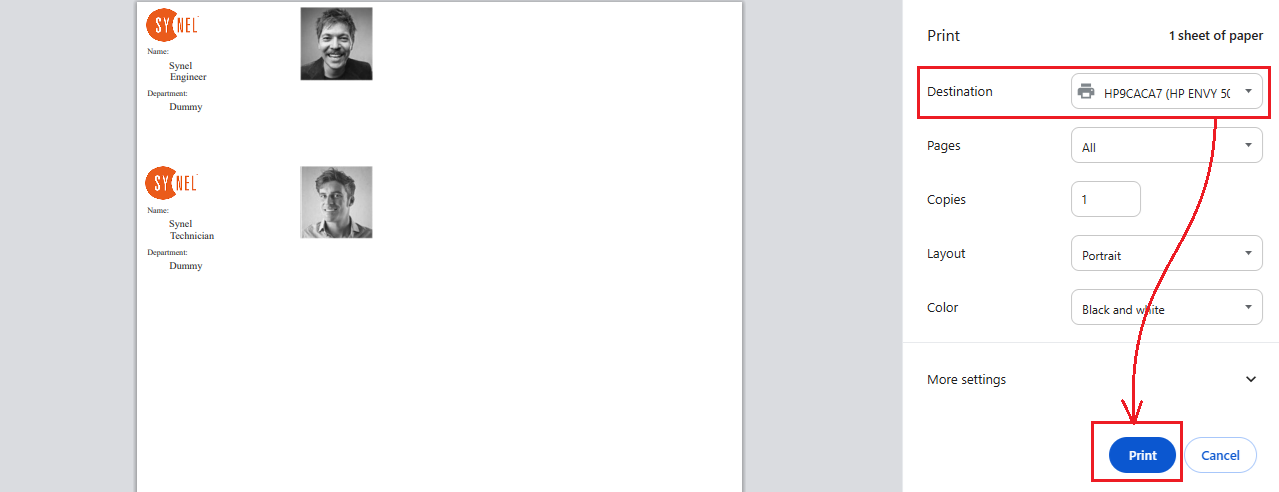
Your Print dialogue should appear and you can choose the printer to print to
From the main screen go to Menu > System Setup > Card Designer
Choose the card that you want to print and click on the three small dots to the right of the screen and choose the Print option from the resulting dropdown menu.
On the next screen choose the persons that you wish to print this card for then select them to the right hand pane. Then click 'Print' at the bottom.
Your Print dialogue should appear and you can choose the printer to print to