
Cashless Purchase Limits on Products
Cashless Purchase Limits on Products
You can limit the number of purchases per day per employee of any individual product
1. Find the product or create a new one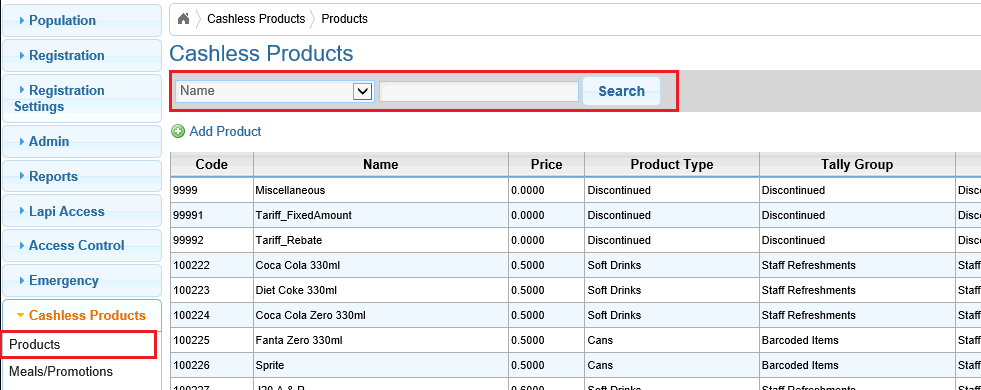
2. Click on the Purchase limit icon

3. edit the applicable purchase limit

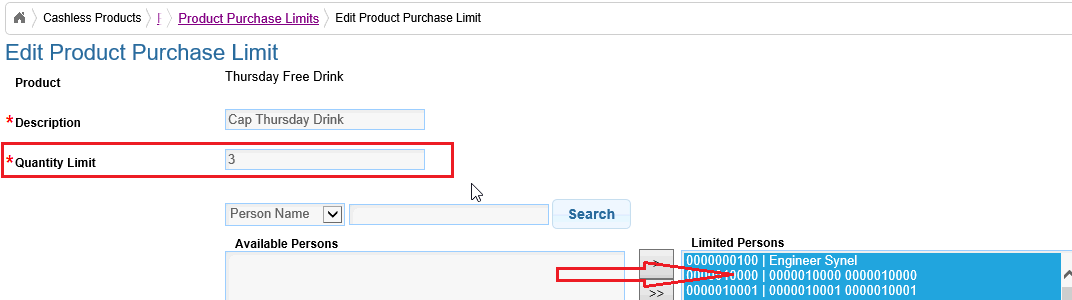
4. set the amount to limit to and then add the applicable persons to the right and click save
You can limit the number of purchases per day per employee of any individual product
1. Find the product or create a new one
2. Click on the Purchase limit icon
3. edit the applicable purchase limit
4. set the amount to limit to and then add the applicable persons to the right and click save