
Locating Fobs or Cards in Card Management
If you want to locate an employees fob or card, or you are struggling to find it when searching in the 'card management' page, please follow these steps to find them.
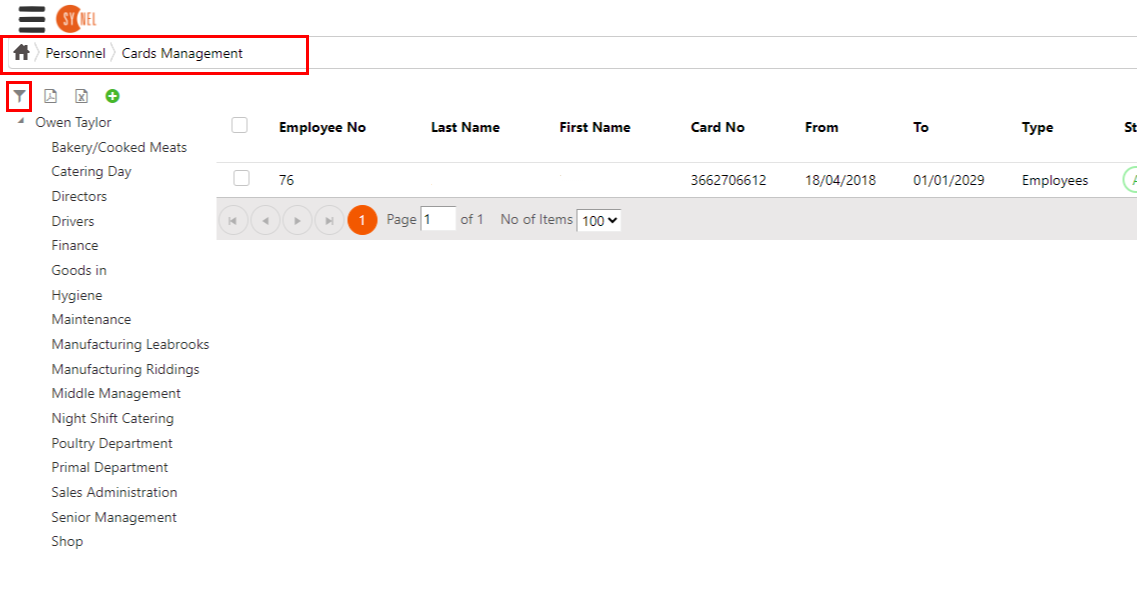
1. Navigate to the Menu > Personnel > Card Management screen and click on the button.
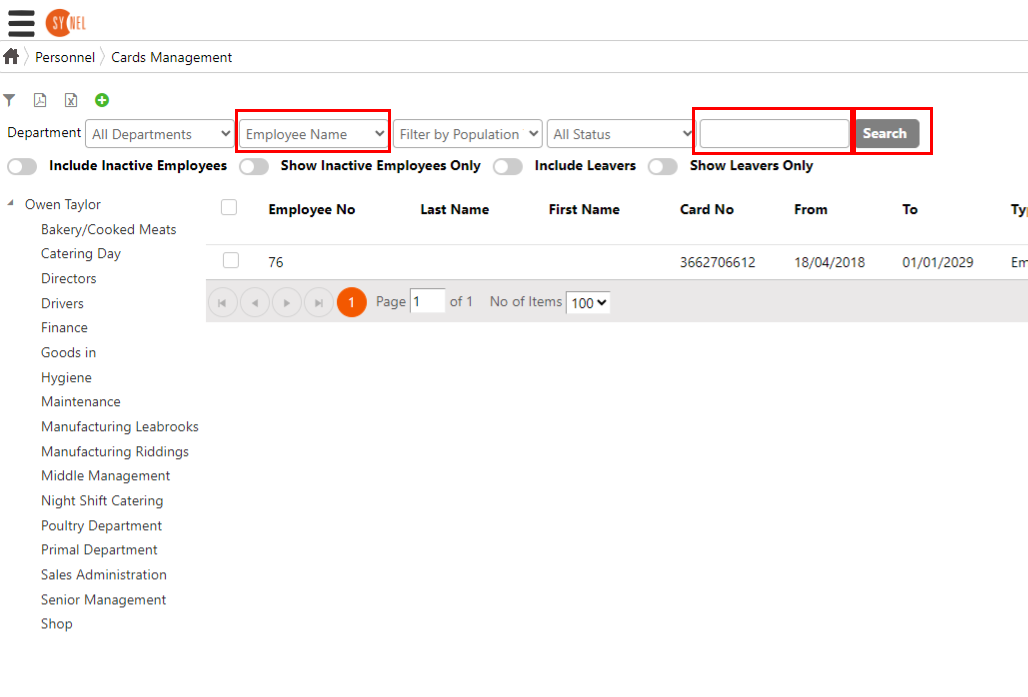
2. This will open a search bar, and find an employees fob or card by their name, employee ID or fob/card number. Click 'search' to show the results.
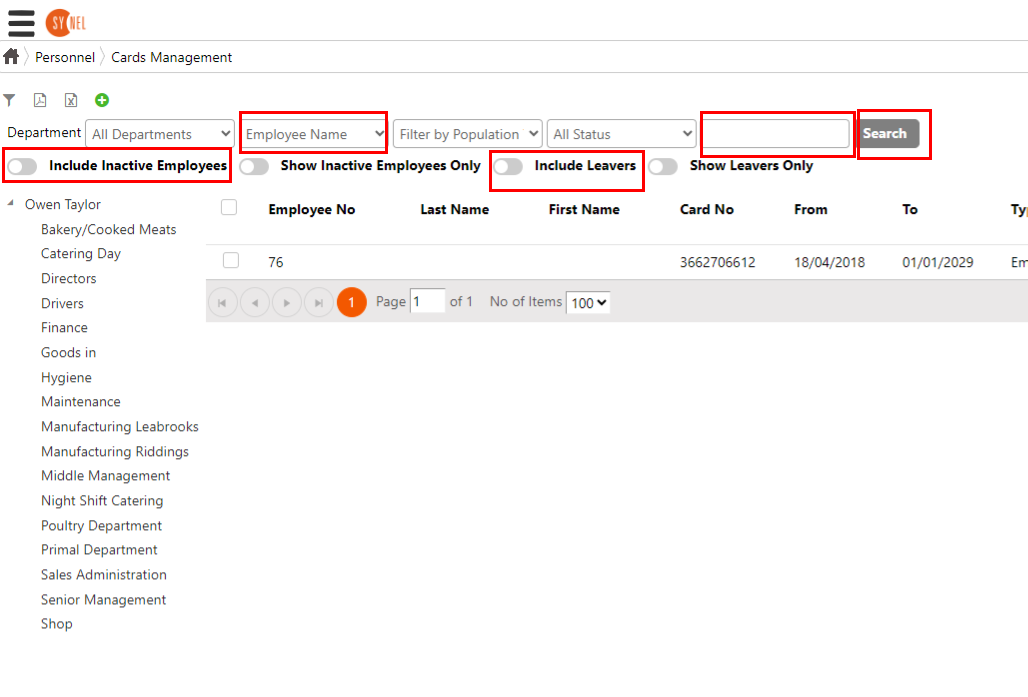
3. If the relevant fob or card you are trying to locate isn't showing in the results then click the filter button again to open the search bar and switch 'Include Inactive Employees' and 'Include Leavers' on (the bars will turn an orange colour to indicate they are on).
Click 'search' to show the results.
This should help you find the relevant fobs or cards for the employee(s).
1. Navigate to the Menu > Personnel > Card Management screen and click on the
button. 2. This will open a search bar, and find an employees fob or card by their name, employee ID or fob/card number. Click 'search' to show the results.
3. If the relevant fob or card you are trying to locate isn't showing in the results then click the filter
button again to open the search bar and switch 'Include Inactive Employees' and 'Include Leavers' on (the bars will turn an orange colour to indicate they are on). Click 'search' to show the results.
This should help you find the relevant fobs or cards for the employee(s).