
Events
Guard screen is a constantly updating, run down of what’s happening around the buildings/sites.
It is where all of the access control Events are displayed along with any instructions that accompany them.
Records include the location and reader for each transaction, the IP Address of the door controller, function (In/Out), Event type, Employee’s name and the badge number they used and the Date & Time of the Event.
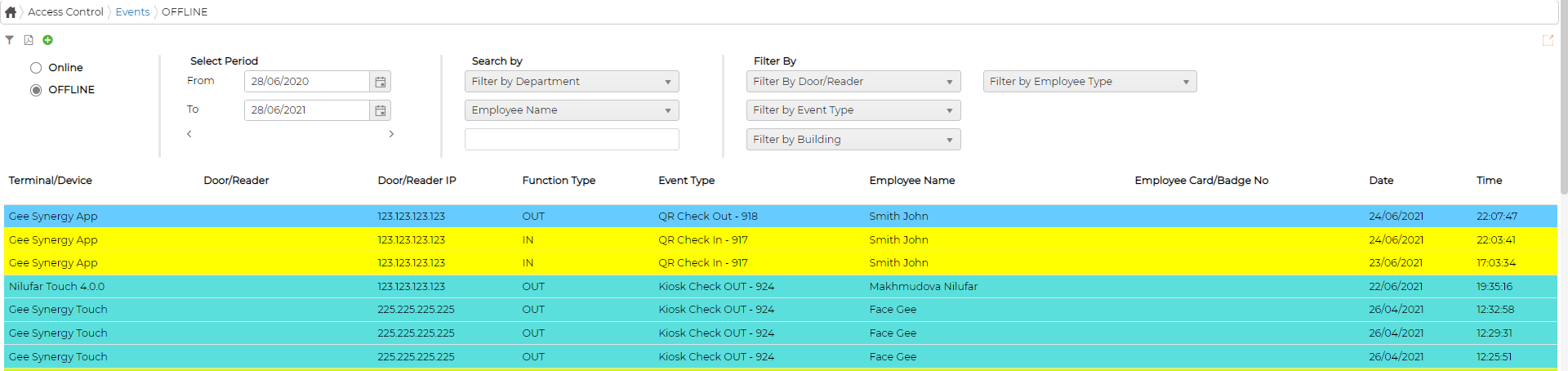
Screen also allows adding manual transaction if required.
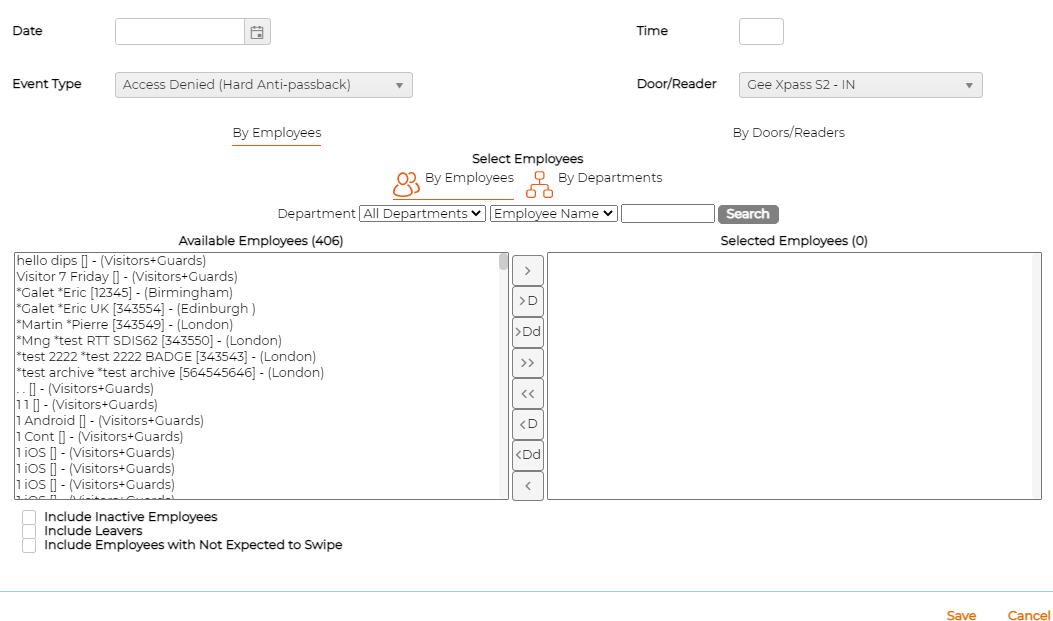
Click on icon to add manual Events
It is where all of the access control Events are displayed along with any instructions that accompany them.
Records include the location and reader for each transaction, the IP Address of the door controller, function (In/Out), Event type, Employee’s name and the badge number they used and the Date & Time of the Event.
Screen also allows adding manual transaction if required.
Click on
icon to add manual Events