
Custom Fields
System allows defining unlimited custom fields as required
To define custom fields, go to Menu - Personnel - Settings
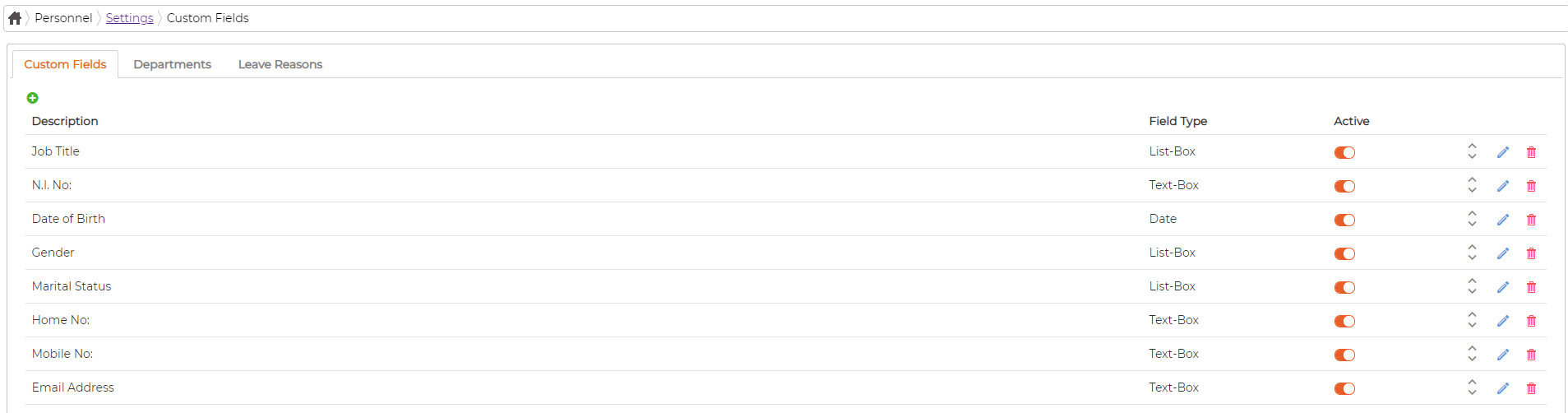
Add Custom Field
Click on icon to add new custom field, select field type, give a name and click save
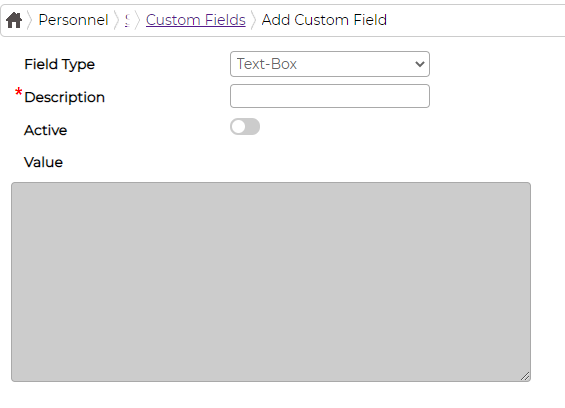
If selecting field type "List Box", user must fill value details separated by comma
Click on icon against the item to edit.
Click on icon against the item to delete it.Once item is deleted, associated data cannot be recovered and hence we recommend making them inactive instead. Click on
  icon against the item to move the item position up or down
To define custom fields, go to Menu - Personnel - Settings
Add Custom Field
Click on
icon to add new custom field, select field type, give a name and click saveIf selecting field type "List Box", user must fill value details separated by comma
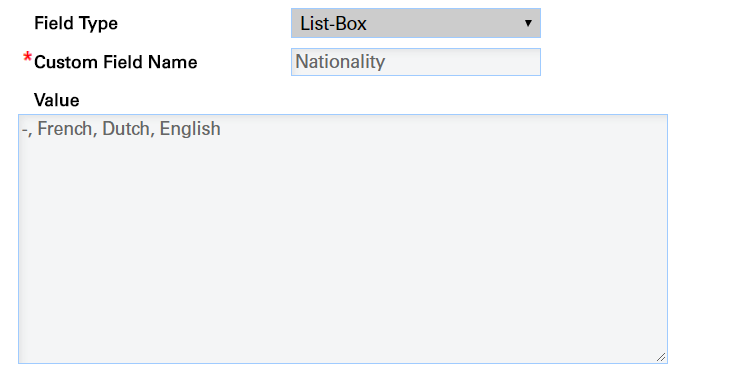
Click on
icon against the item to edit.Click on
icon against the item to delete it.Once item is deleted, associated data cannot be recovered and hence we recommend making them inactive instead. Click on icon against the item to move the item position up or down