Setup Active Directory access to SQL server for SWF components
SWFThe document describes how to setup Access Directory access to SQL Server for SWF components and avoid having username and password in configuration files connection strings.
Prerequisite
you need to have active user credentials. This user will be used for accessing SQL Server from all SWF components.
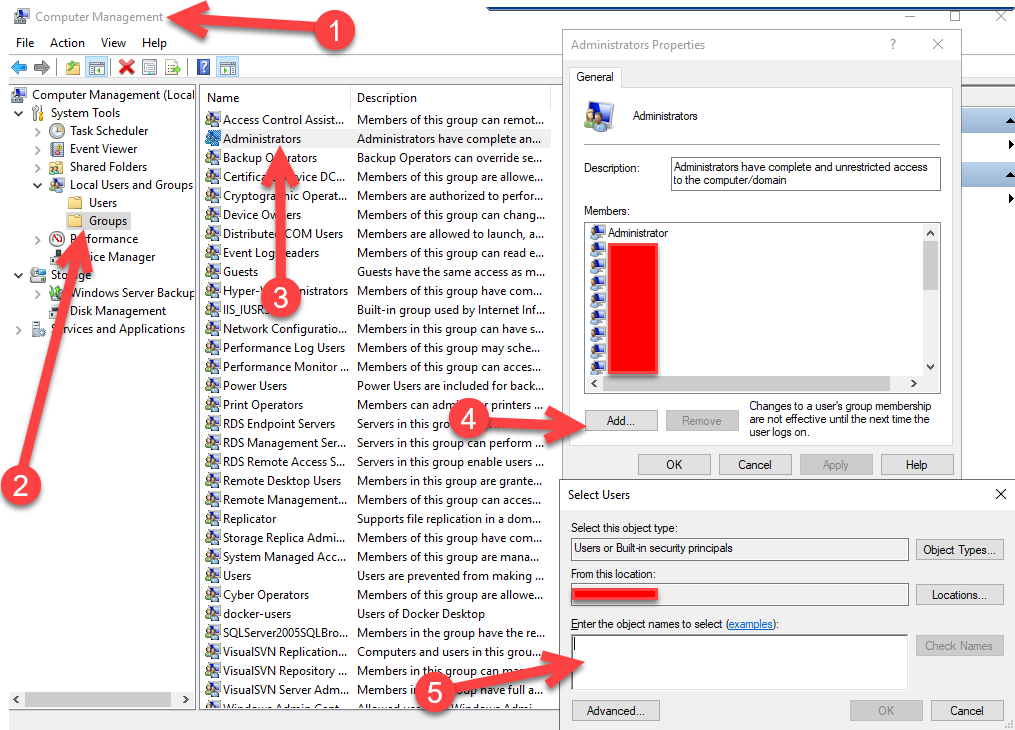
The first step is to add an AD user to the Administrators group on the server. This is needed to avoid any problems/errors while writing logs, creating log directories and accessing binaries.
Go to: Computer Management -> Local Users and Groups -> Groups -> Administrators
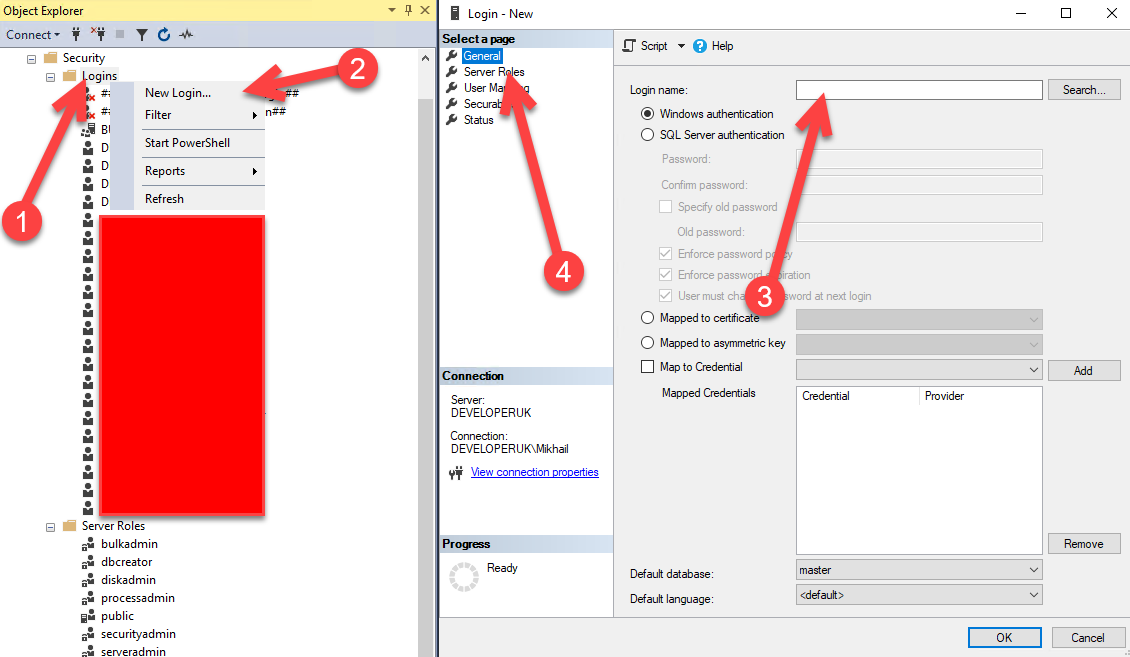
The next step is to add the AD user to SQL Server Login list.
Go to: SQL Server Management Studio -> Security -> Logins -> New Login
Make sure that you added the user to the role with at minimum permission to the target SWF database (or assign it to sysadmin or serveradmin for simplicity).
A further step is to configure the IIS Application Pools and Windows Services to use the identity of the AD user.
IIS Application Pool setup
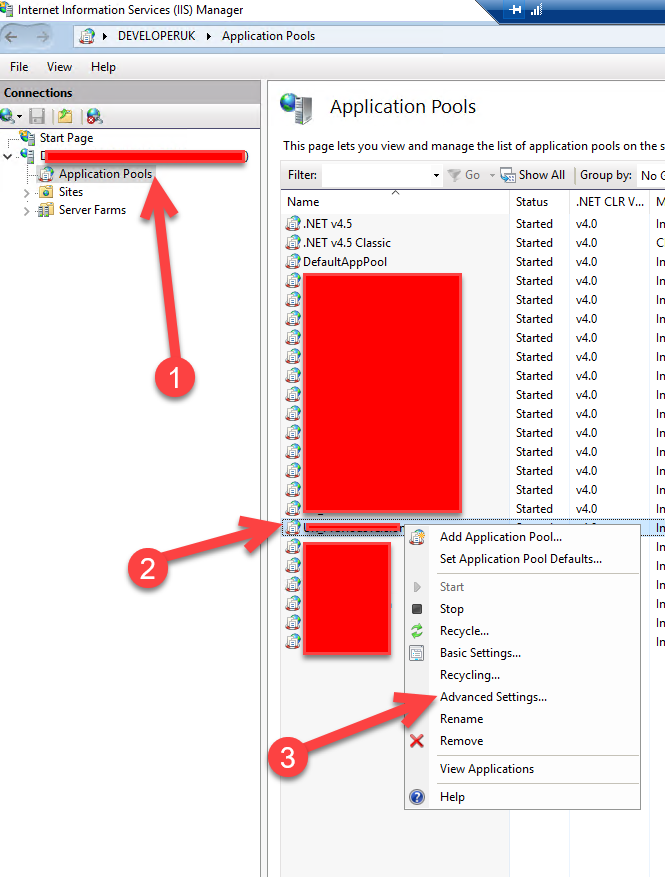
The following should be done for SWF Web Site and Web Services (I.e. Synergy WS, SY Face WS, etc.)
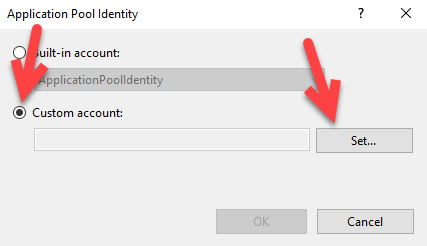
Go to: IIS -> Application Pools -> Advanced Settings of the Application Pool -> Identity
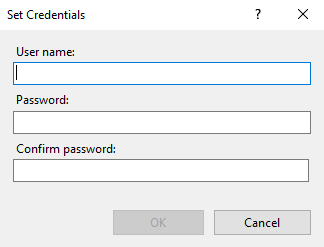
Enter the credentials of AD user (including domain)
Windows Services setup
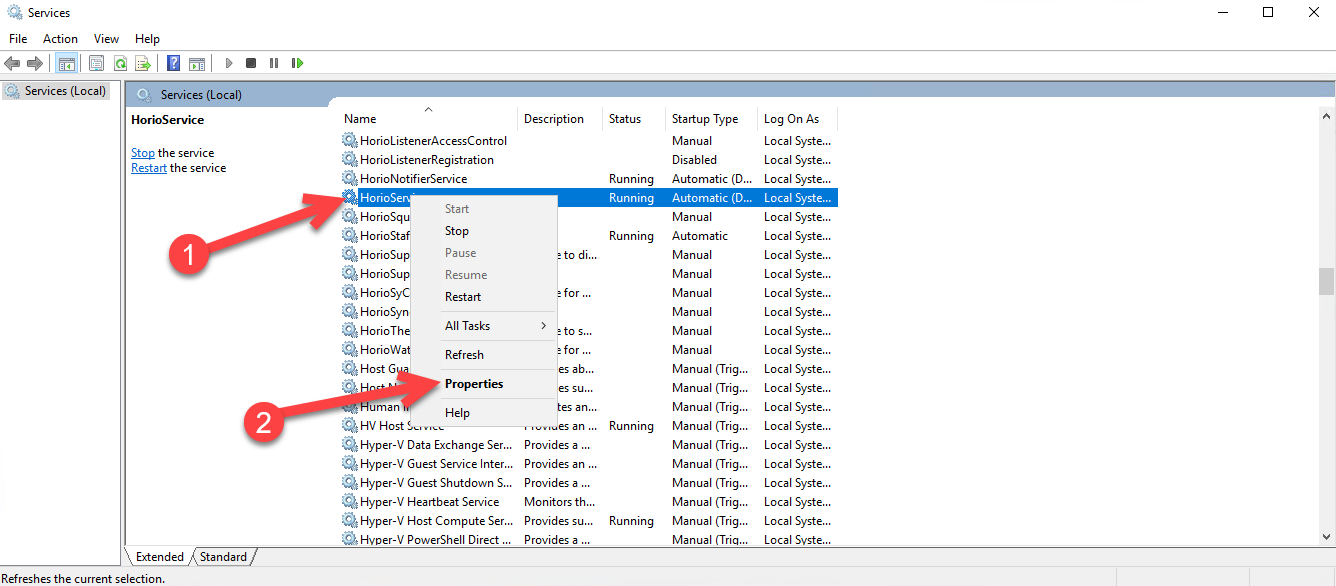
The following should be done for all SWF Windows services running on the server (I.e. HorioService, HorioIntegrationService, etc.)
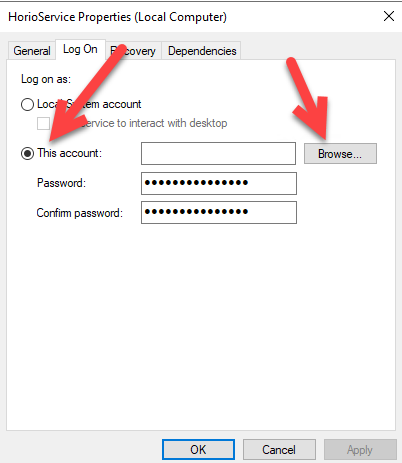
Go To: Services -> Properties of SWF service -> Log On tab
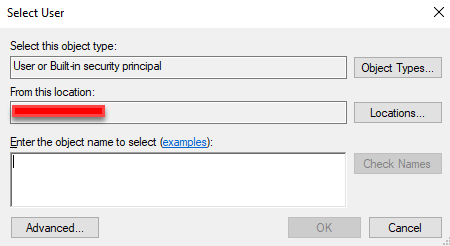
Pick the AD user
Final step is to adjust configuration (.config) files of website, web services and services and modify connection string to be as follows:
Data Source={SQL Server Host};Initial Catalog={Database Name};Integrated Security=true;