
Biostar Webservice Won't Start
BioStarIf the Biostar Webservice refuses to load there has probably been an update to the Java on the server,
locate and run the file called “BioStar2_JavaEnvironmentPathScript.bat” at Admin privileges,
See attachment for the .bat file.
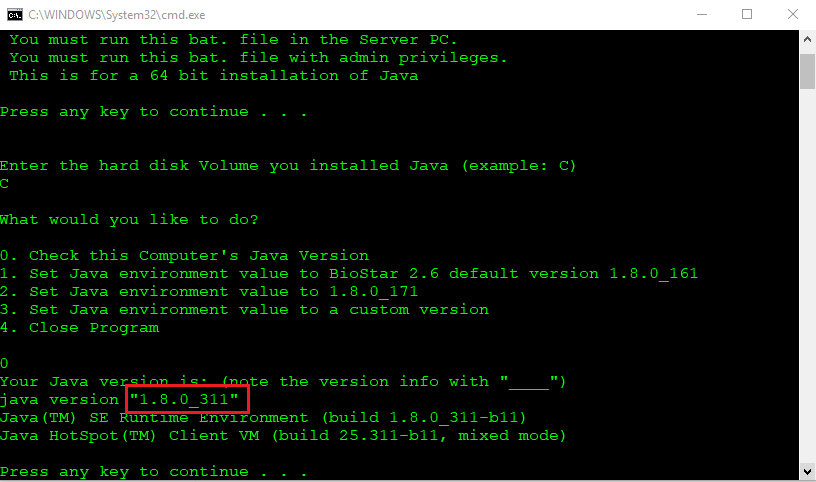
find out current version on C drive and then you apply it.
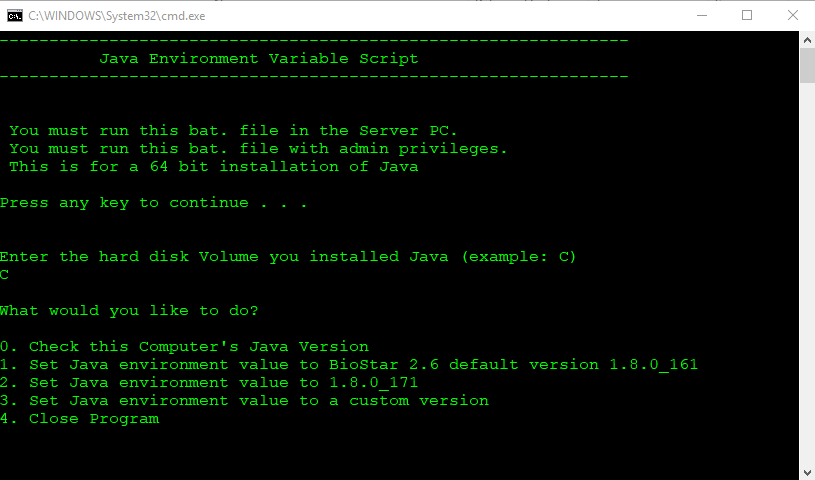
Choose option '0' to check the current PC version
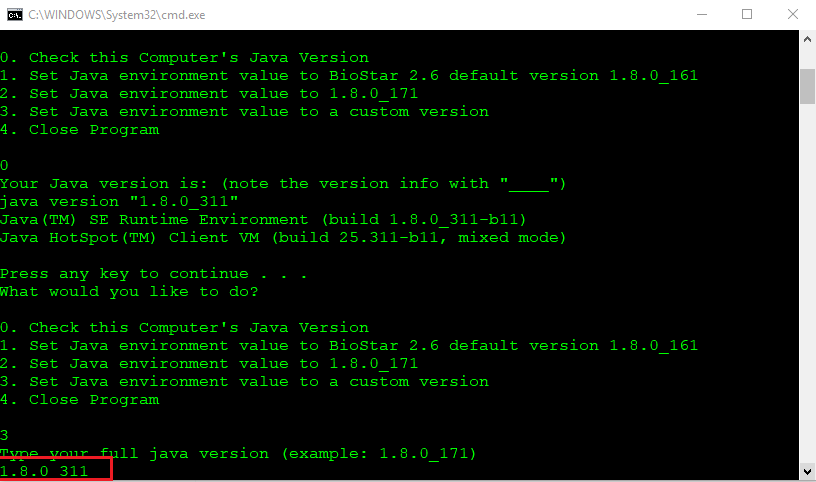
Set the version using option 3 and enter the version as in previous step
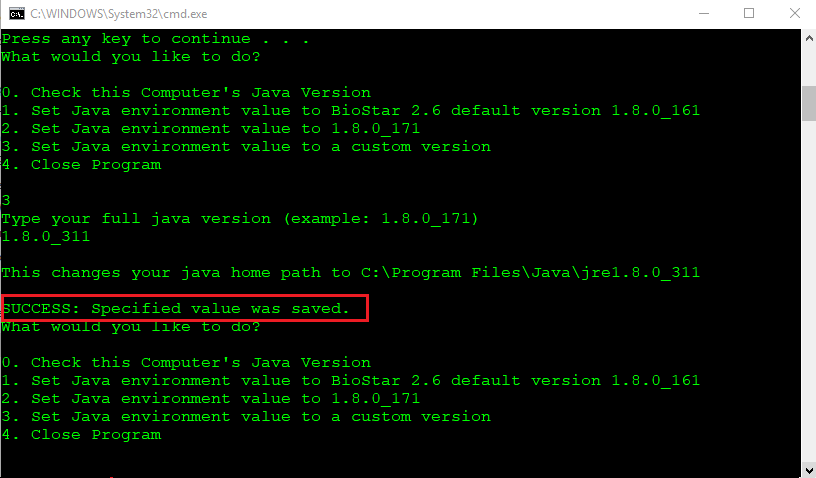
Once the update has completed with 'SUCCESS' choose option 4 to close the program
locate and run the file called “BioStar2_JavaEnvironmentPathScript.bat” at Admin privileges,
See attachment for the .bat file.
find out current version on C drive and then you apply it.
Choose option '0' to check the current PC version
Set the version using option 3 and enter the version as in previous step
Once the update has completed with 'SUCCESS' choose option 4 to close the program