
IR (HandPunch) Devices - Maintenance Screen
Menu - Maintenance - IR (HandPunch) Devices screen allows:
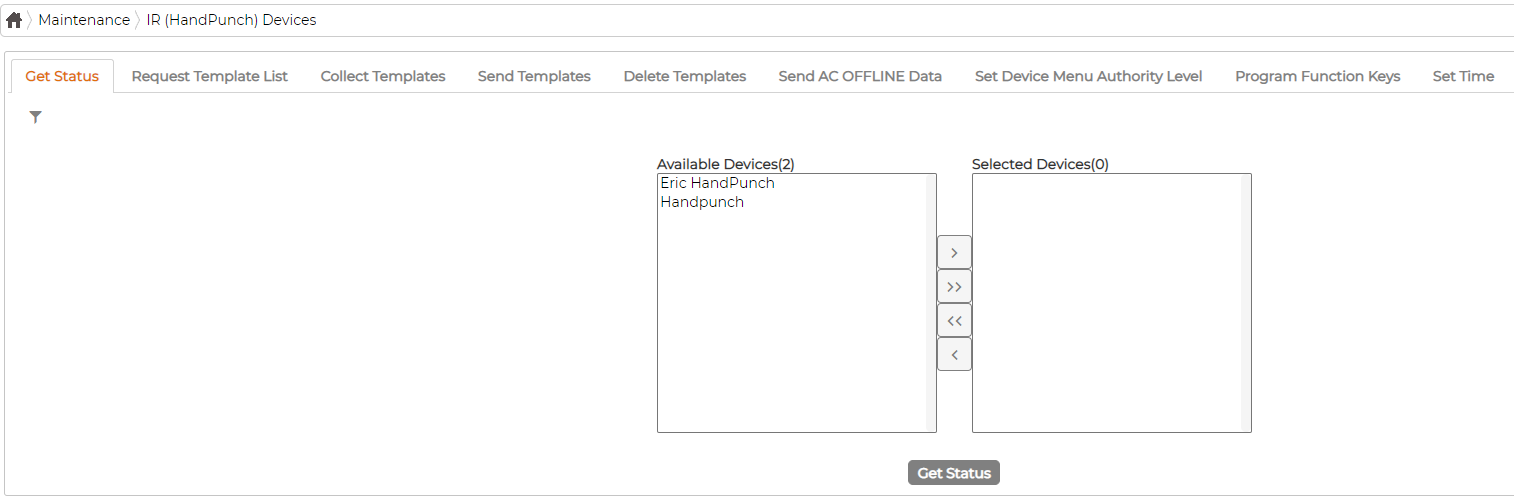
- Device Status - Contacts each device selected to check communication and the status readout of the memory buffer.
- Request Template List - Returns a list of all Staff with a Hand template stored in the device.
- Collect Templates - Returns the encrypted template for selected staff enrolled directly on the devices Hand scanner and saves it to their record in the database.
- Send Templates - Sends the encrypted template for selected staff from the database to the devices Hand scanner.
- Delete Templates From the Device - Removes the selected employees' template from the devices Hand scanner.
- Send AC Offline Data - Updates the tables which hold Template info for employees allowed to use this device in Access Control Mode
- Set Device Menu Authority Level - Allows to change user level permission on the device
- Program Function Keys - Allows defining the Function keys available on Device
- Set Date & Time - Allows the initial time to be set.