
Software - TimeLOG Web / Synergy WF
Synergy Workforce - Shrink or reduce Database size checks
SynergyBefore reducing a Synergy Workforce database with a delete or a shrink, check where the space is actually going, so you shrink for the right reason rather than blindly.
In SQL Server Management Studio, right-click the database and choose Reports, then Standard Reports, then Disk Usage. The report's Data Files Space Usage chart breaks the space down into data, index, unused and unallocated.
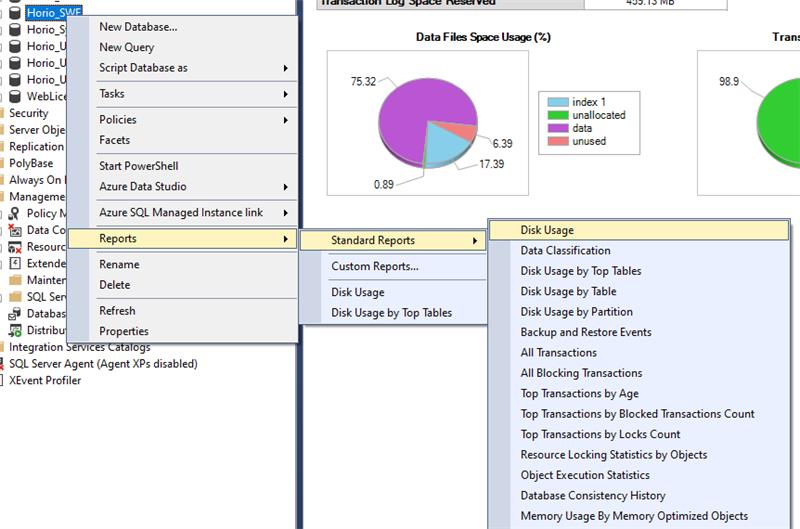
If a lot of the space is unused and unallocated, a shrink should reclaim it. If it is mostly data, a shrink will not help much, and you need to delete data first. To find what is taking the room, run Reports, then Standard Reports, then Disk Usage by Top Tables.
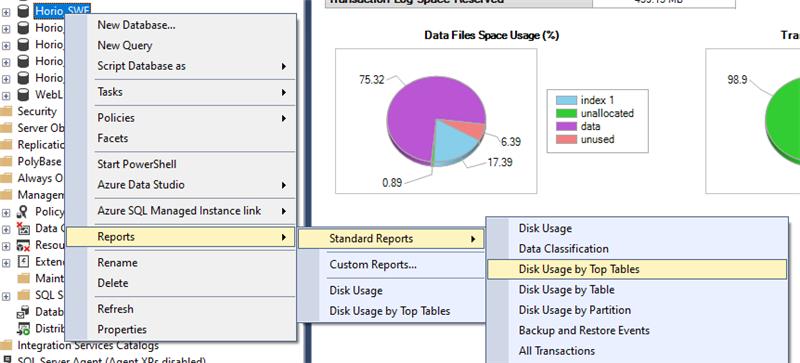
Identify the data you can safely delete, delete it, and then run the shrink.