
Software - TimeLOG Web / Synergy WF
Update to Synergy Workforce version to version 5.0.0 and above
SWF, SynergySynergy Workforce version update to version 5.0.0 and above
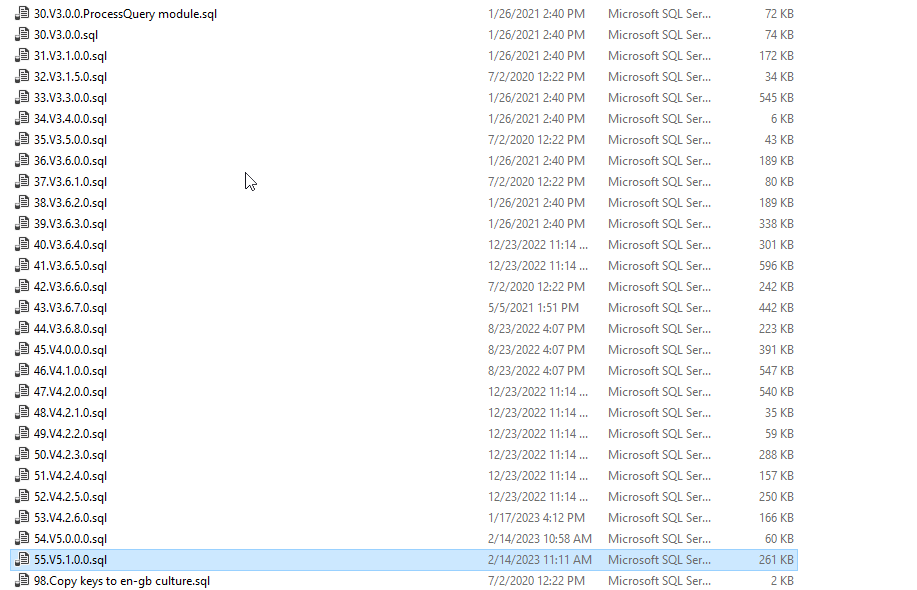
You need to execute scripts starting from the one named with version same as client and move on up until the version that you are applying. In your case: starting from 45.v4.0.0.0.sql and up until 55.v5.1.0.0.sql
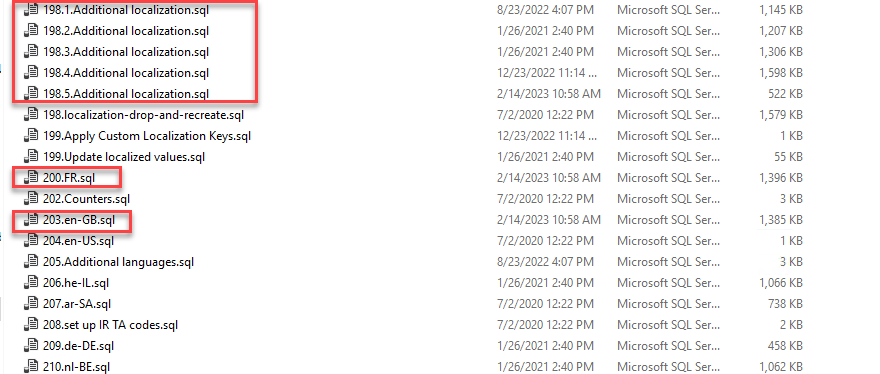
localization SQL scripts over database - highlighted below
- Backup database
- Backup SWF installation (folders with services and websites)
- Stop all SWF service
- Execute versioning SQL scripts over database
- Execute localization SQL scripts over database
- Apply updates to SWF services (no changes here, copy-pasting from installation package to the services folders with replacing)
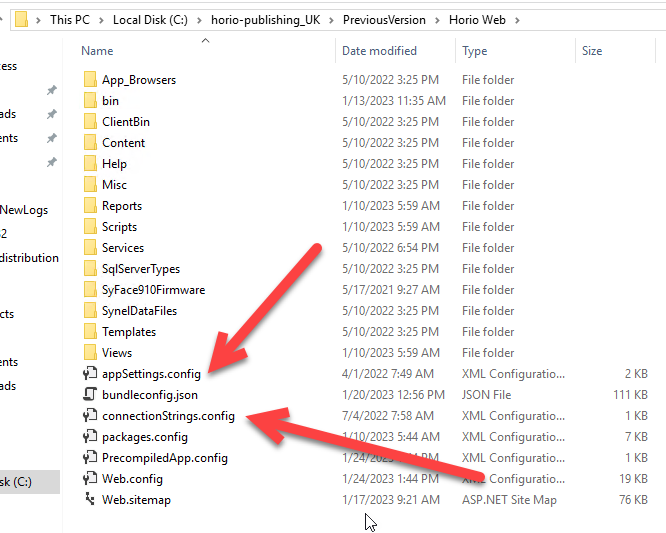
- Apply updates to SWF website. Delete all files and folders in Web folder except 2 config files showed on screenshot below and paste files from the Web folder in the package here
8. Start all SWF services
You need to execute scripts starting from the one named with version same as client and move on up until the version that you are applying. In your case: starting from 45.v4.0.0.0.sql and up until 55.v5.1.0.0.sql
localization SQL scripts over database - highlighted below