
Staffology Integration
Staffology HR & Payroll Integration
Currently, We only support integration with HR module, there are no workflows for payroll API integartion.
The Scope
The comprehensive outbound integration between SWF and Staffology consist of fetching subset of employee records, Employee Absences requests and balance, Sickness outstanding request and balance, and writing back the working hours.The Use Cases
- Fetching Departments - A list of all departments created for the organisation.
- Fetching Locations - A list of all locations created for the organisation.
- Fetching Employees records - Pulling employees absences request & balance.
- Fetching Absences records - Only approved absences, including sickness.
Keeping records in sync - Pulling employee records in a scheduled interval and updating differential.
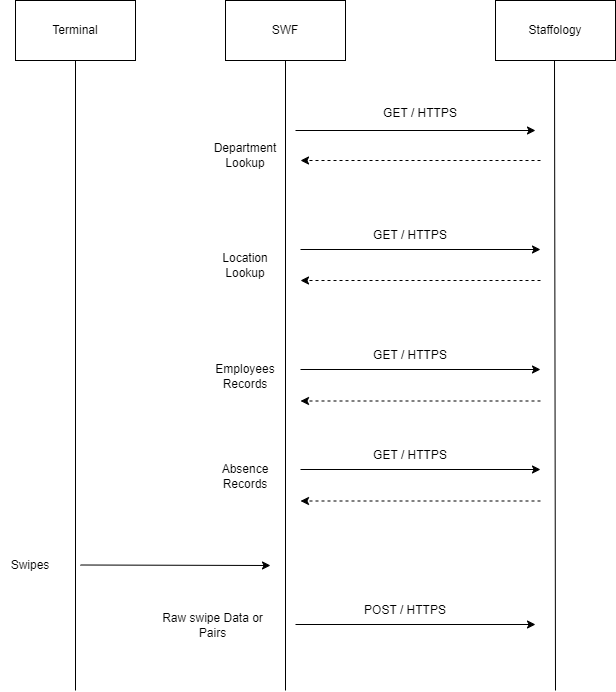
Inbound Integration
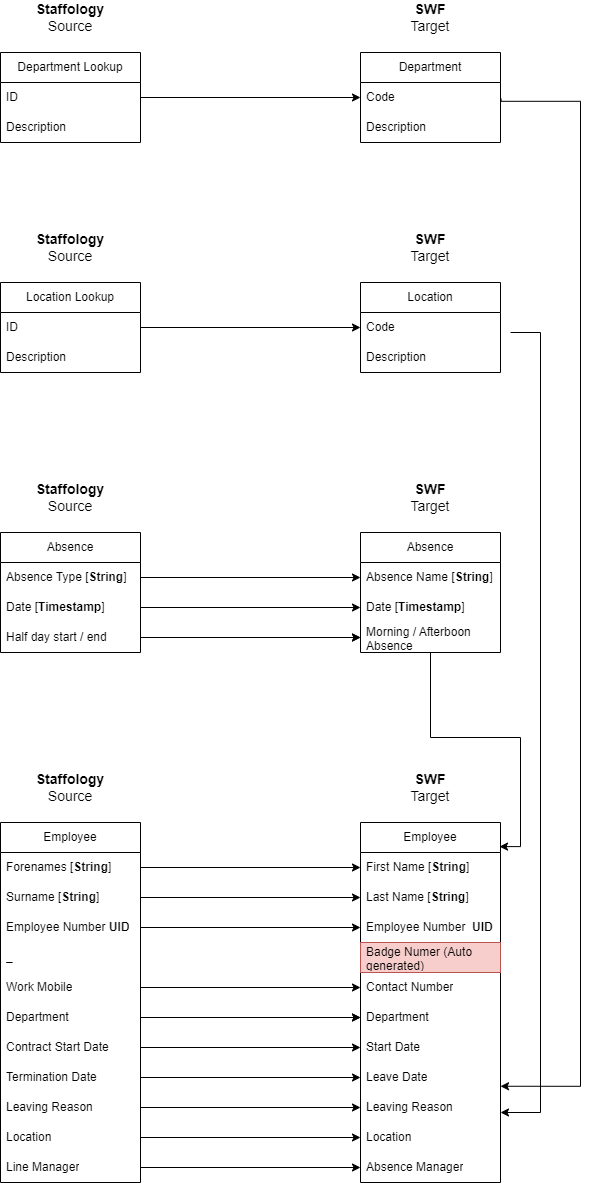
Leave data - The system will stop accept swipes once the leaver date is due, inclusive.
Note that the Employee Badge is auto generated and not fetched, this is to ensure compatibility with older terminals such as SY A, SY 910.
Only SY 5/10 Knows how to handle alpha numeric values.
Department is a mandatory field, employee without department in Staffology will be omitted.
Line Manager will be mapped as a absence manager in SWF
Mapping Absences
The system will fetch absence within the period of days configured.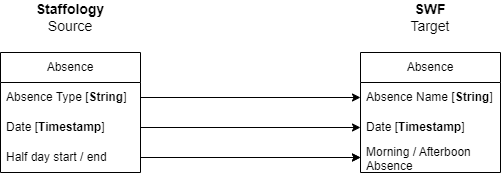
Staffology manager are marked also as absence managers in SWF - diagram needed to illustrate this relationship
Outbound Integration
The outbound integration consist of writing back the clocking records back to Staffology.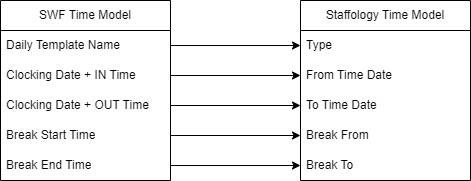
Staffology Settings
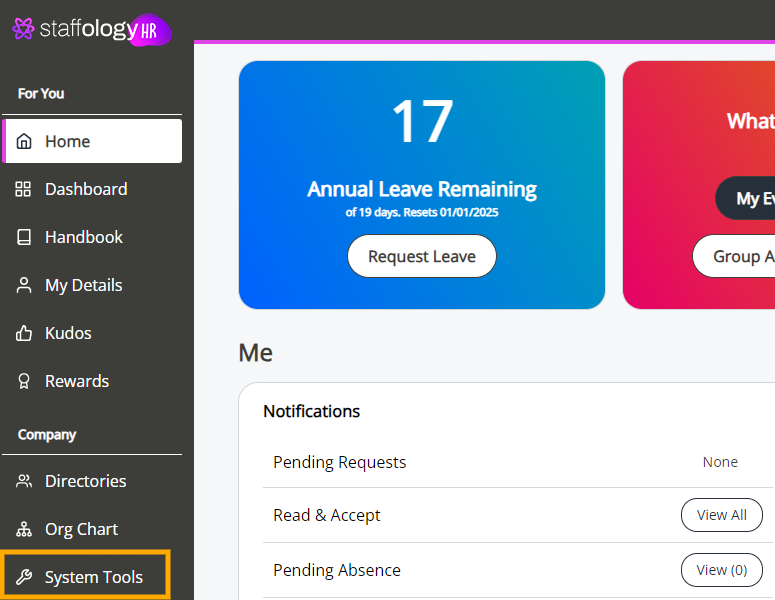
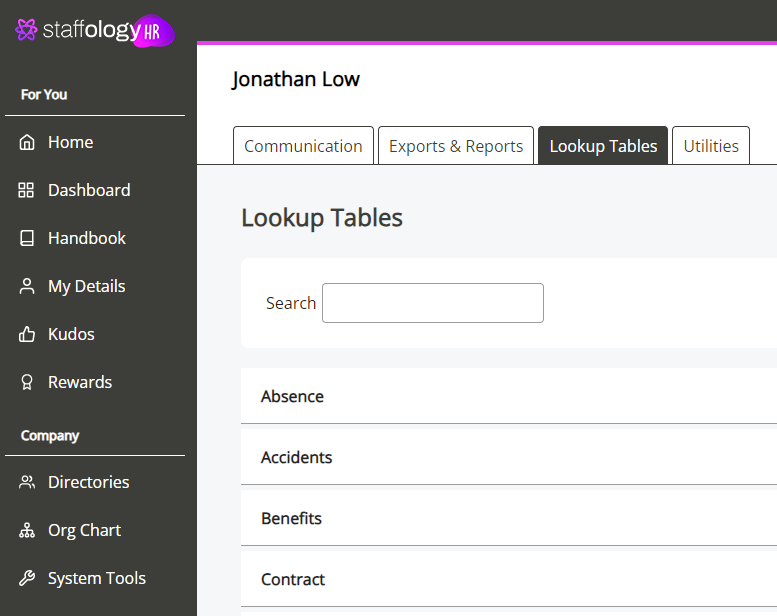
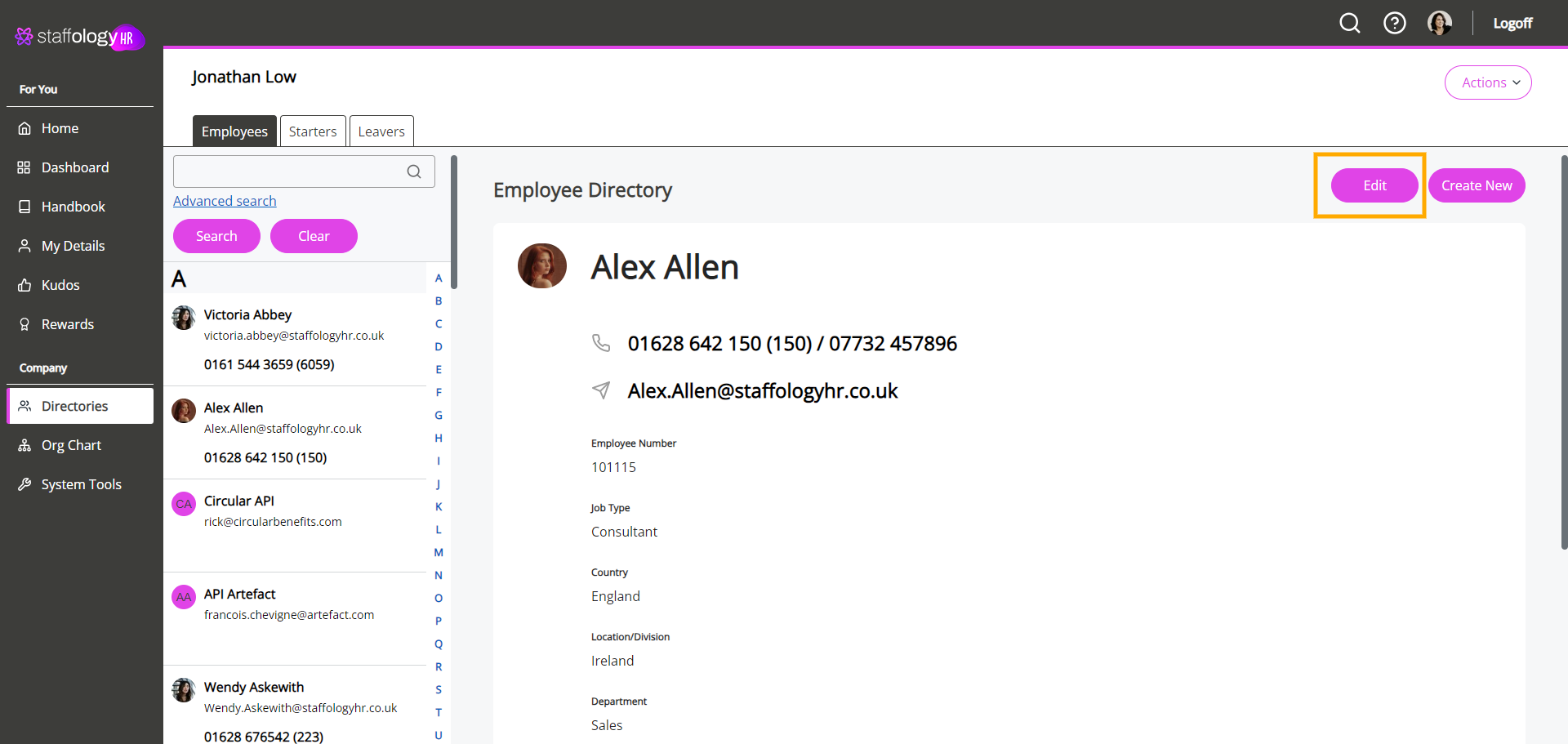
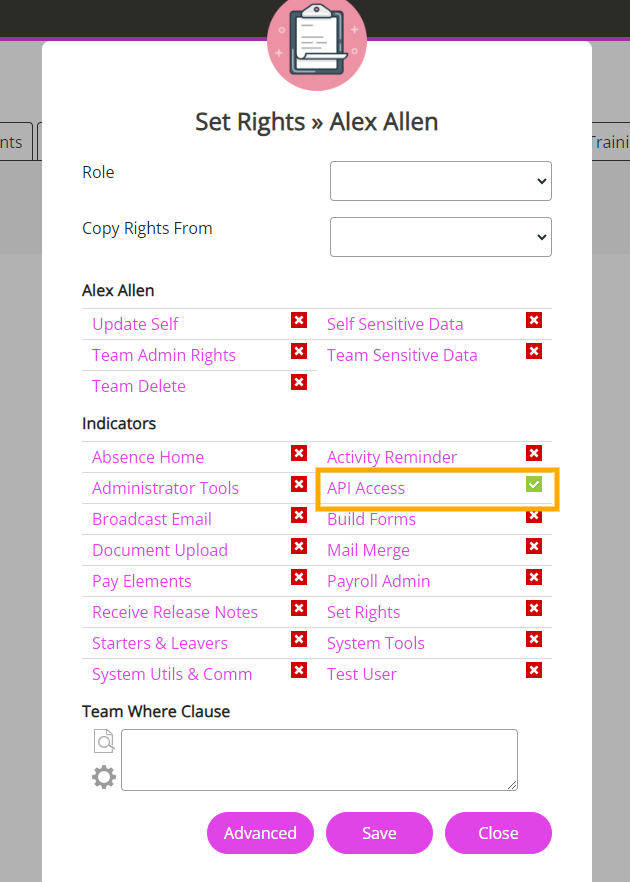
To grant API access permissions, go to Directory --> Select the API User Employee --> Edit
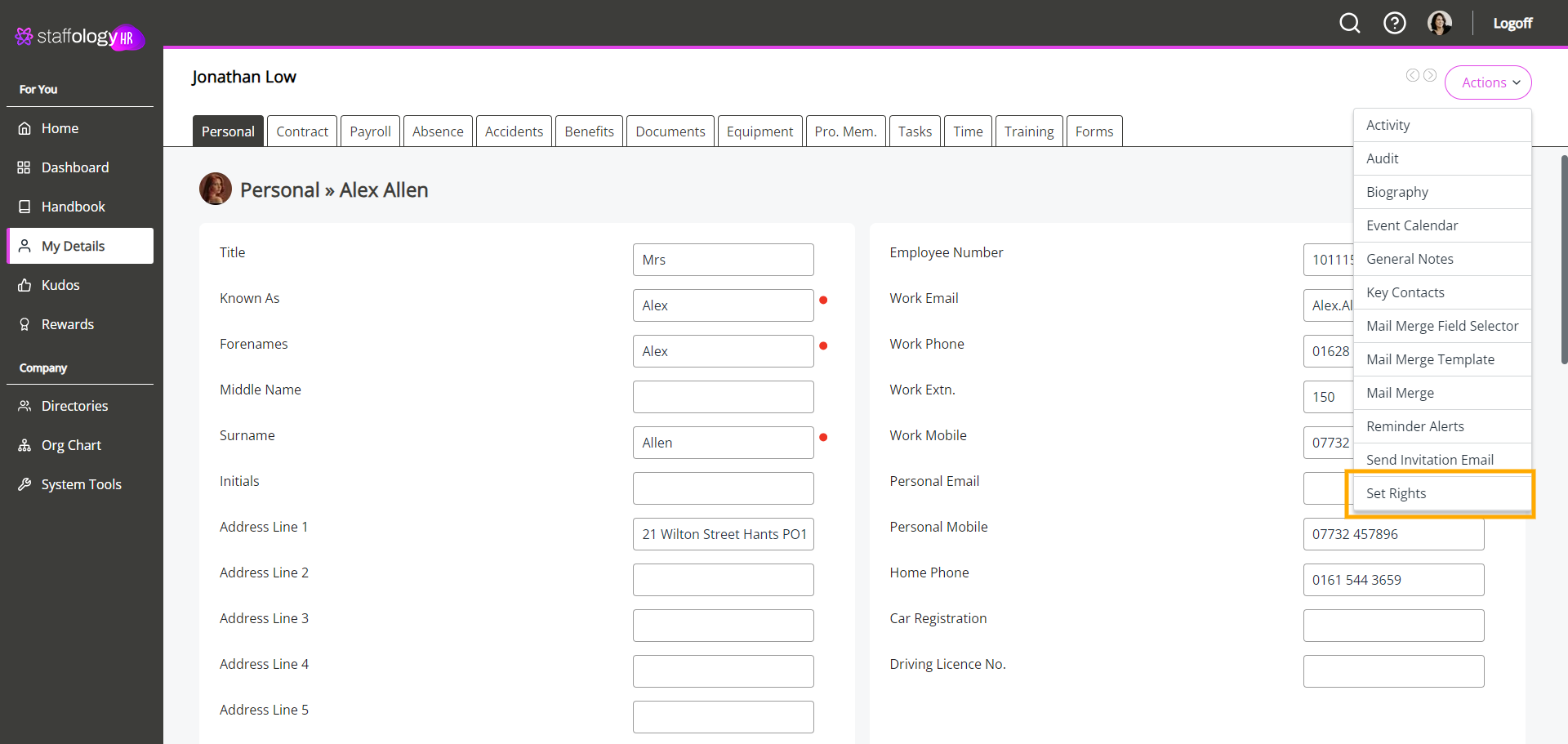
From the Actions button at the top right select the Set Rights option
Tick the API Access box & Save
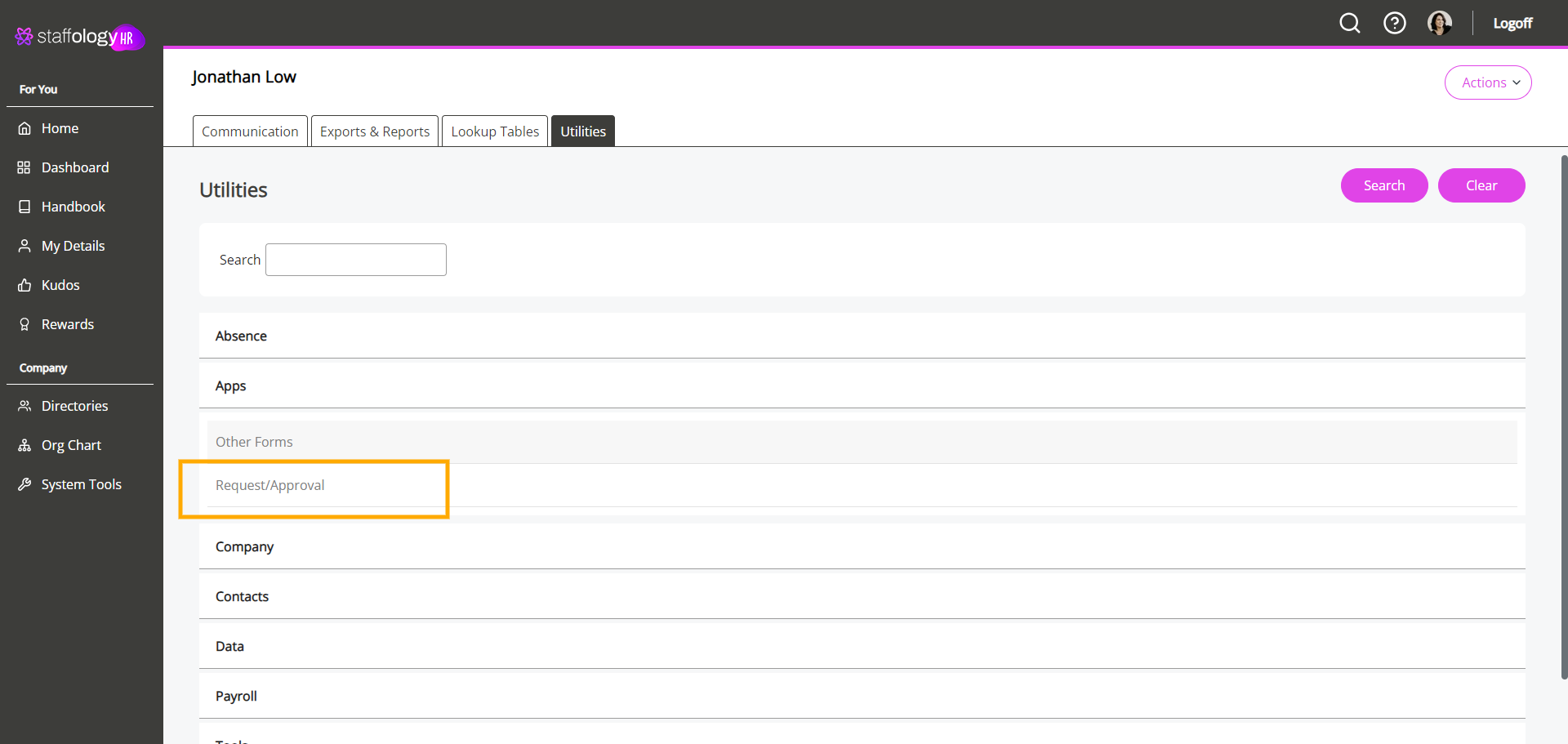
Create Approval
Go to System Tools --> Utilities --> App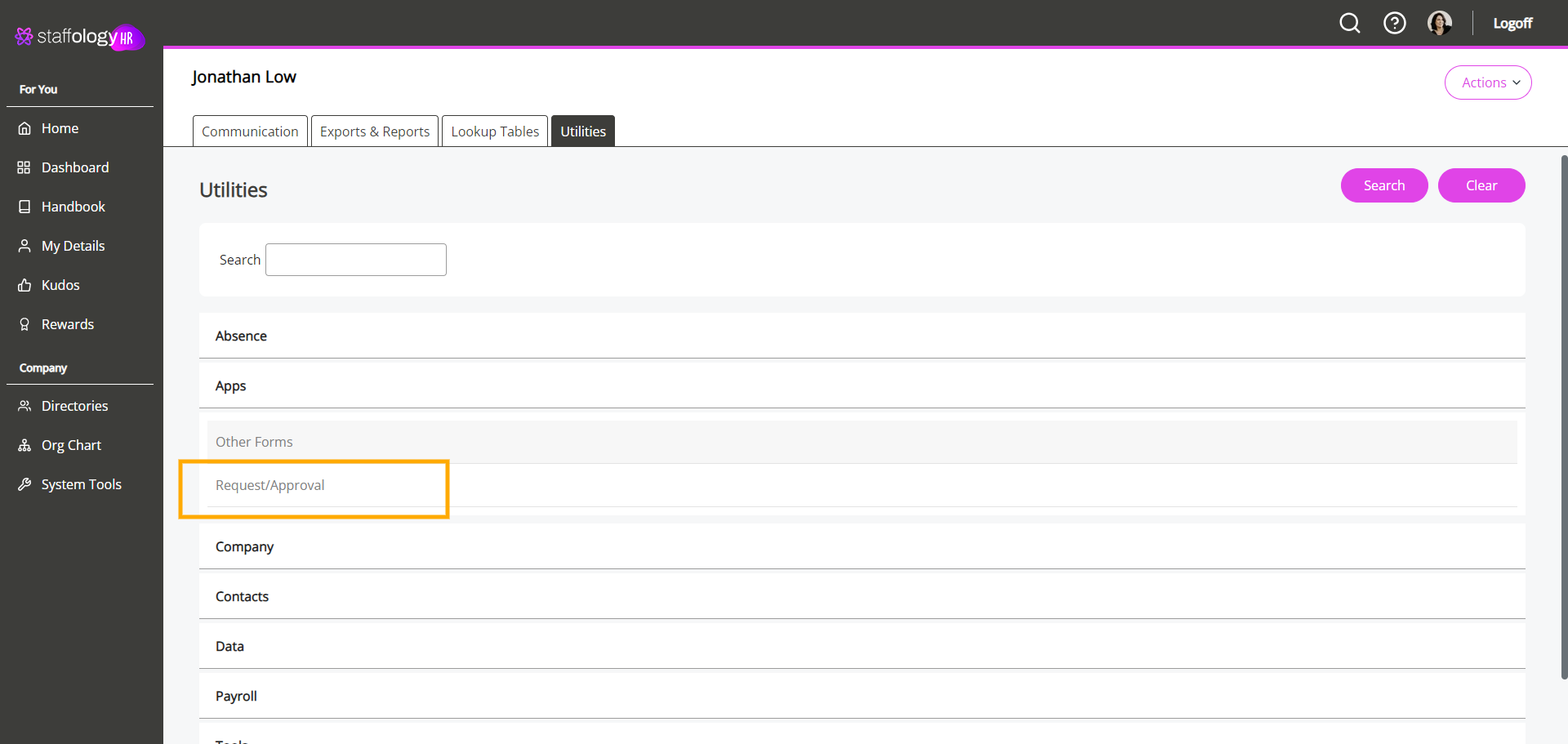
Server Service Configuration
Download [ attache the file ] file in the Attached tab.What is the name of the service?
What are the values that implementor need to amend in order for the integration to work?
Amend the SQL connection details to correspond to customers SQL server:
SQL_SERVER_HOST
USERNAME_FOR_SQL_SERVER
PASSWORD_FOR_SQL_SERVER
SWF Settings
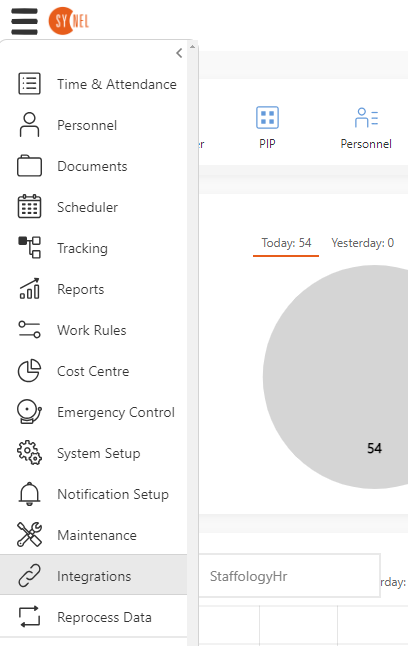
Demo Account: https://staffology.synel-saas.com/Change the name of the nav from StaffologyHR --> Staffology
They offer both HR & Payroll
Can we standardised the option to control the inbound and outbound frequency option?
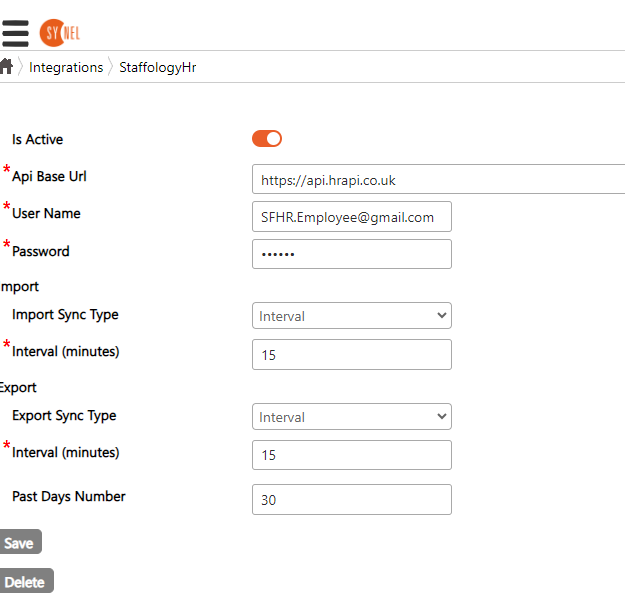
API baseurlhttps://api.hrapi.co.ukUser Name /passwordcustomer API credentialsschedule typeDaily / Interval in minutes
After setting the details, does the service require a restart?
This is the complete pre build API reference: https://api.hrapi.co.uk/swagger/ui/index#!/Lookup/Lookup_Get
Endpoints
GET /api/Token
GET /api/Eployees/{pageNumber}
GET /api/Lookup/{type}/{parentID}/{pageNumber}POST /api/Time/
POST /api/TimeBreak/POST /api/TimeSubmit/GET /api/Approval/Time/{SubmitId}PUT /api/Approval/{SubmitId}
GET /absence/byCompany/?Page={pageNumber}&PageSize= {pageSize}&OrderBy=dateFrom&OrderByType=desc
For the complete Staffology API definition refer to https://api.hrapi.co.uk/swagger/ui/index#!/
Troubleshooting
If synchronization between SWF and Staffology HR does not operate as expected, StaffologyHrIntegrationService logs should be reviewed. Logs will be located at same directory with logs for other SWF related services (normally C:\horio-newlook\Install\Logs\). The following are known cases why synchronization may not be fully completed and can be seen from the logs of the service:
- Error - Invalid employee: staffologyId:xxxxx, employeeNumber:xxx, errors: Department is null or empty This error indicates that the department is not assigned to the employee in StaffologyHR, which prevents the import of this employee into SWF as the department is required.
- Error - No time types 1 found. Create at least one staffology time type 1 lookup This error occurs when no Time Type 1 lookup is available. Ensure that at least one Time Type 1 lookup is created. Refer to StaffologyHR settings section for guidance
- Error - Access Token cannot be authorised This error may occur occasionally. If only a small number of these errors are logged and the rest of the log indicates successful import and export operations, no immediate action is required.
- Error - Invalid username or password Verify that the credentials entered in SWF are correct. Refer to SWF service settings sections.
- Error - You do not have the required permissions to use this service. Check if the API user has the necessary rights. Refer to StaffologyHR settings section for detailed information or contact StaffologyHR support for assistance.
- Error - API calls quota exceeded! maximum admitted 10000 per Hour.
May happen when several clients' synchronization is executed at the same
time. It is generally advised to spread synchronization schedule across
Should there be any technical error message that is not clear - approach dev team
for clarification.
several hours between clients and schedule export time after shift end (there
is not much point in exporting swipes during shift as there will be likely
exceptions like odd number of swipes before exit swipes are made)