
How to report a bug or an issue in TFS
To create a TFS bug report successfully, follow these steps.
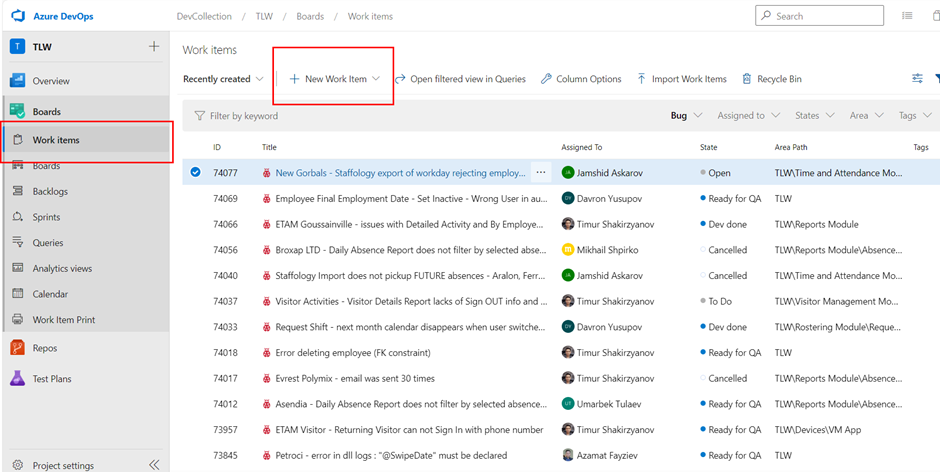
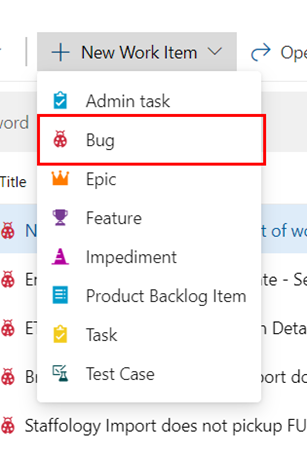
1. Log in to TFS. Open the ‘Work items’ page by clicking on it in the sidebar and clicking ‘+New Work Item' as highlighted below and select Bug from the drop down list it opens.
2. Enter a title for the bug report.
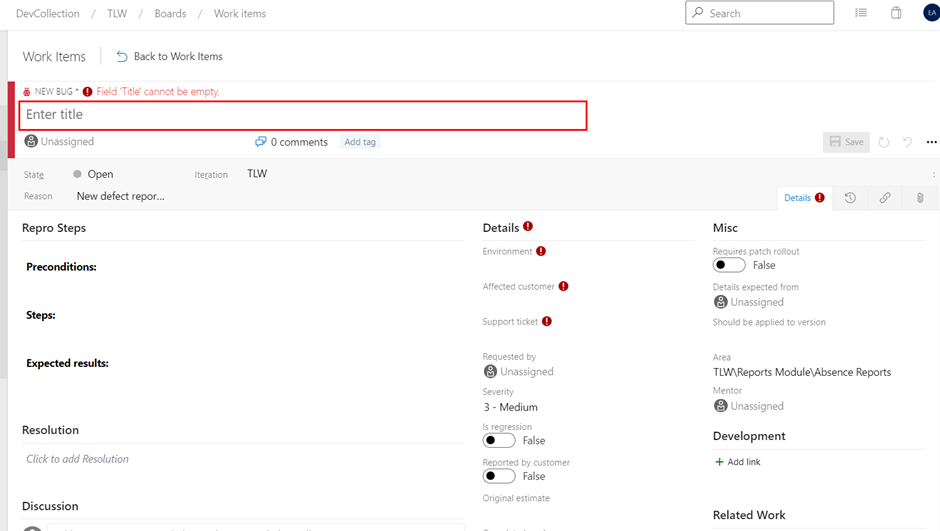
It should be concise and indicate the module in
which the bug occurred, as well as the essence of the problem. The more
specific the description of the situation, the better. For example:
Badly: Button display issues.
Good: Software Access Groups: need to scroll right to see radio
buttons.
3. Fill out the preconditions.
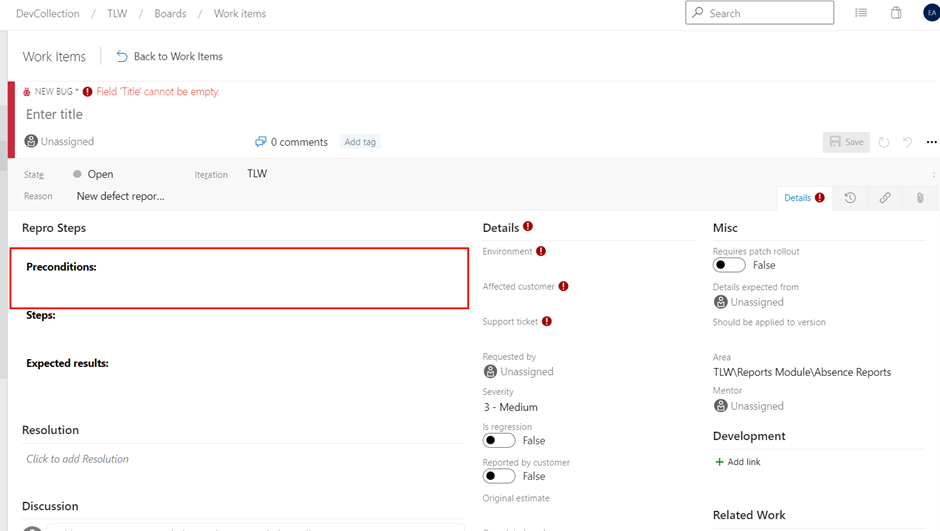
Preconditions are conditions set before the start of the tests. For example:
The customer experiencing the bug was logged in to previousversion.synel-saas.com as a Synel user.
So in preconditions, you would put:Logged in to previousversion.synel-saas.com as a Synel user.
4. Fill out the ‘steps’ under reproduction steps.
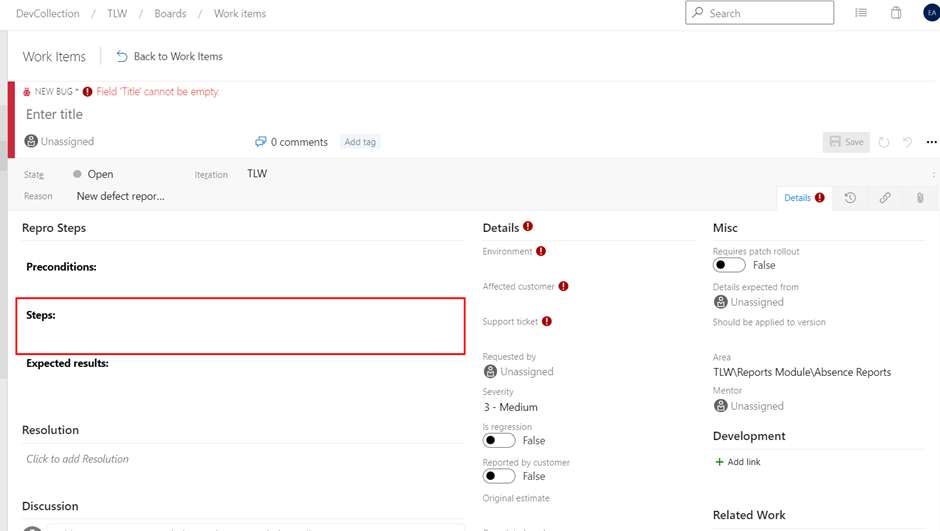
Here is where you explain the steps taken to get to the bug, so what you input in the Synel system and the output you get which shows there is a bug (you can add screenshots, preferably with highlights).
5. Fill out ‘Expected results’.
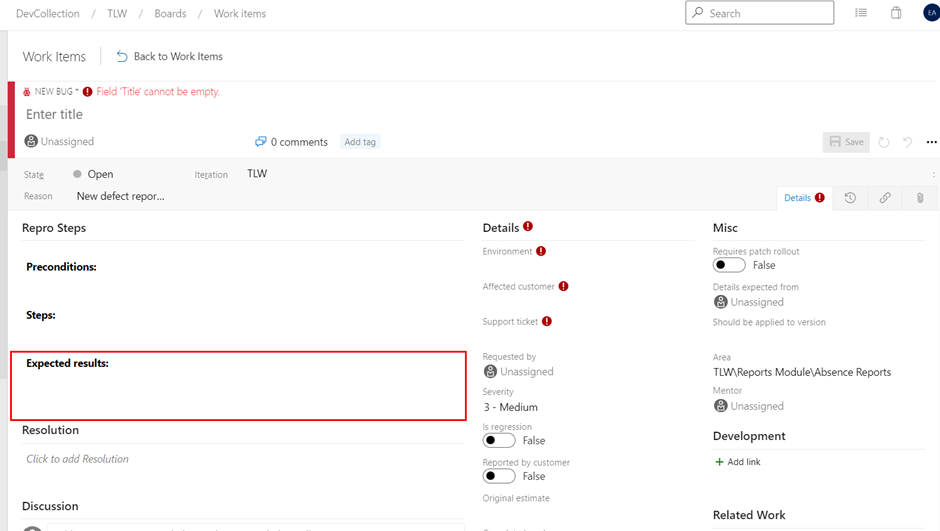
Here you explain what results you would’ve gotten if there wasn’t a bug. The expected/correct output.
6. Select the environment from the drop-down list.
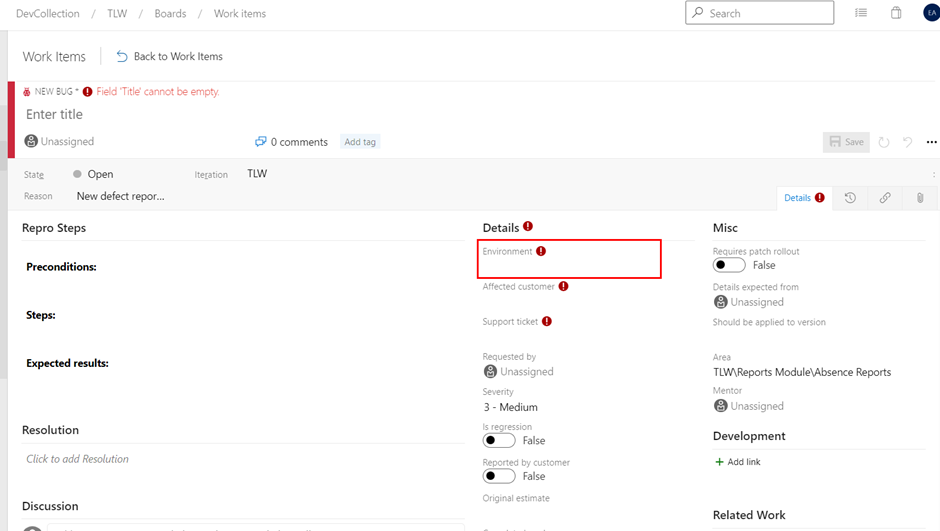
This is where you explain which platform the bug has affected, such as OS, browser, etc. (It isn’t mandatory to fill this out).
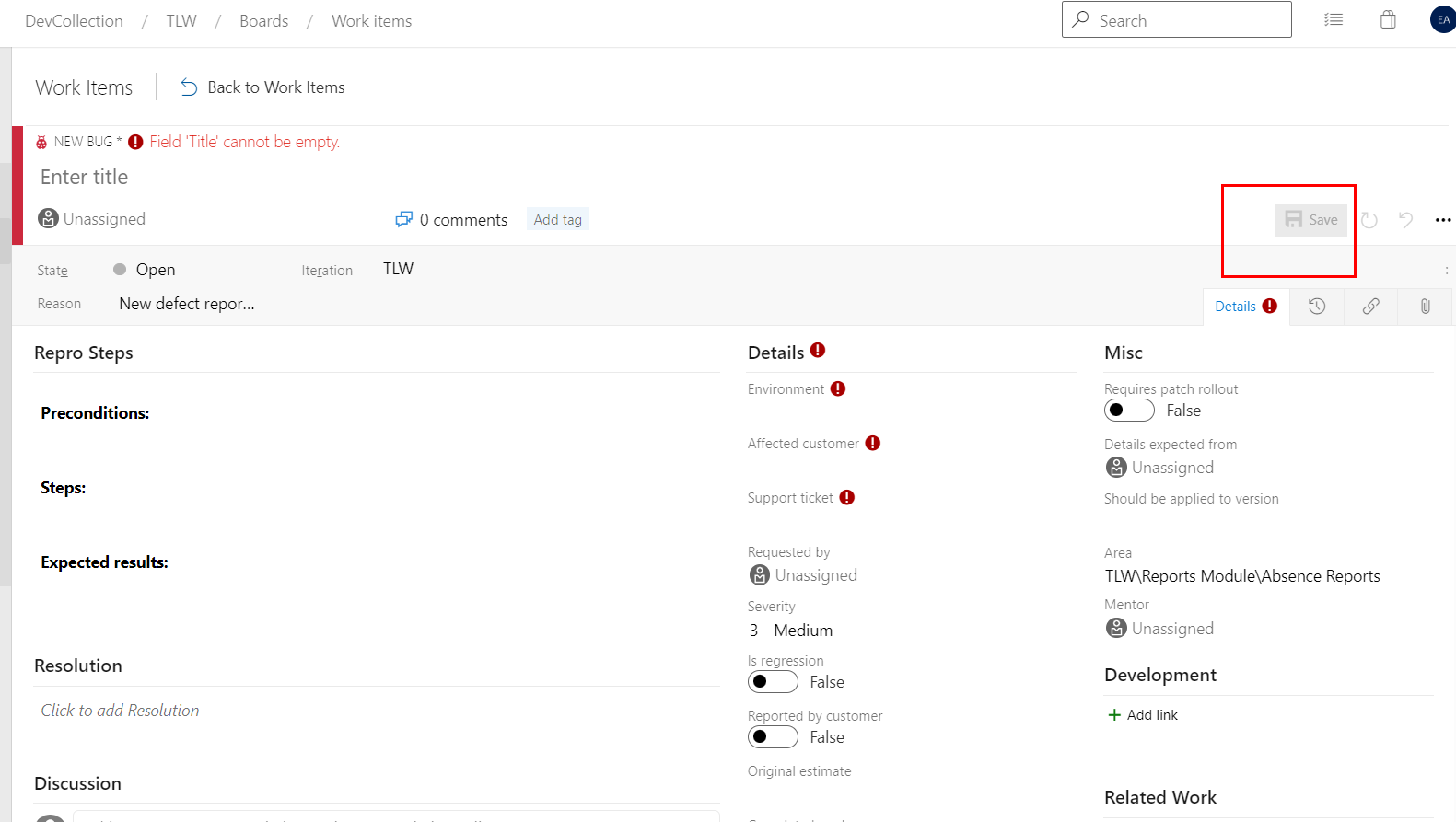
7. Lastly, click the 'Save' button to push the work item to TFS.
An example of a bug report with proposed structure:
Software Access Groups: need to scroll right to see radio buttons
Precondition: logged in to previousversion.synel-saas.com as synel user.
Steps:
1. Go to System Setup > Software Security > Software Access Groups tab;
2. Click on API Admin role;
3. Look at the Access Rights area on right side of the screen.
Expected result:
Access rights and radio buttons are displayed.
Actual result:
Need to scroll right to see radio buttons.
Screenshots:
Environment:
Windows 10;
Google Chrome 97.0.4692.99 (64-bit).
Acceptance Criteria:
Both access rights and radio buttons should be displayed without horizontal scrolling.
---
This is how it will appear in TFS:
Applying a single structure (even with minor bugs) will make things easier for developers over time. A single structure is easy to read and understand. Therefore, such a bug report will be