
Leave Reasons
System allows creating unlimited Leave Reasons
Leave reasons can be defined under Menu - Personnel - Settings - Leave Reasons Tab

Add Leave Reason
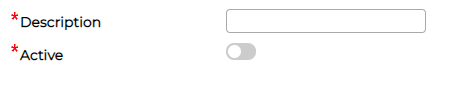
Click on icon to add Leave Reason, provide description, turn switch on for Active and click save
Edit Leave Reason
Click on icon against the leave reason to amend existing information.
Delete Leave Reason
Click on icon against the leave reason to delete the item.
Leave reasons can be defined under Menu - Personnel - Settings - Leave Reasons Tab
Add Leave Reason
Click on
icon to add Leave Reason, provide description, turn switch on for Active and click saveEdit Leave Reason
Click on
icon against the leave reason to amend existing information.Delete Leave Reason
Click on
icon against the leave reason to delete the item.