
Checking Device IP and MAC Address
SupremaChecking Device IP and MAC Address Manually
- There may be several reasons why you would like to know the MAC address of a Suprema device:
- You do not have a DHCP server and need to give IP address based on a MAC address.
- You do not know the IP of your device and are having difficulty searching it through BioStar’s search function.
- You are using static IP but are unsure if you have already allocated the IP address to another device.
Methods to Check the MAC Address
- Note: The PC you are using must be on the same network of the device to use these commands
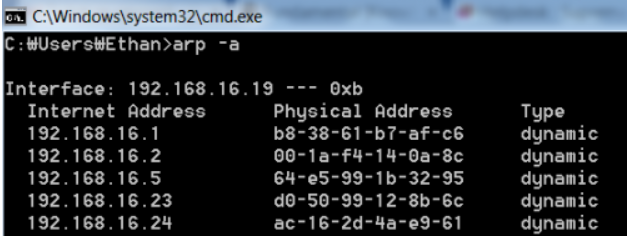
- 1. Finding IP and MAC addresses of all devices on the local network:
Type ‘arp –a’ on a command prompt
|
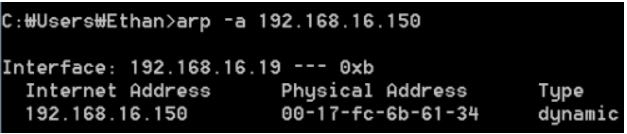
2. Finding a device’s MAC address based on IP address:
Type ‘arp –a [ip address] on a command prompt
|