
Using PIN for Synergy A
SynergyIf for whatever reason an employee is unable to register their finger on device and the customer wishes to use PIN instead of cards then the following must be done.
Please note when assigning a PIN for Synergy A it won't work if it starts with a 0.
1. Set a pin in the Pin Code field then save.
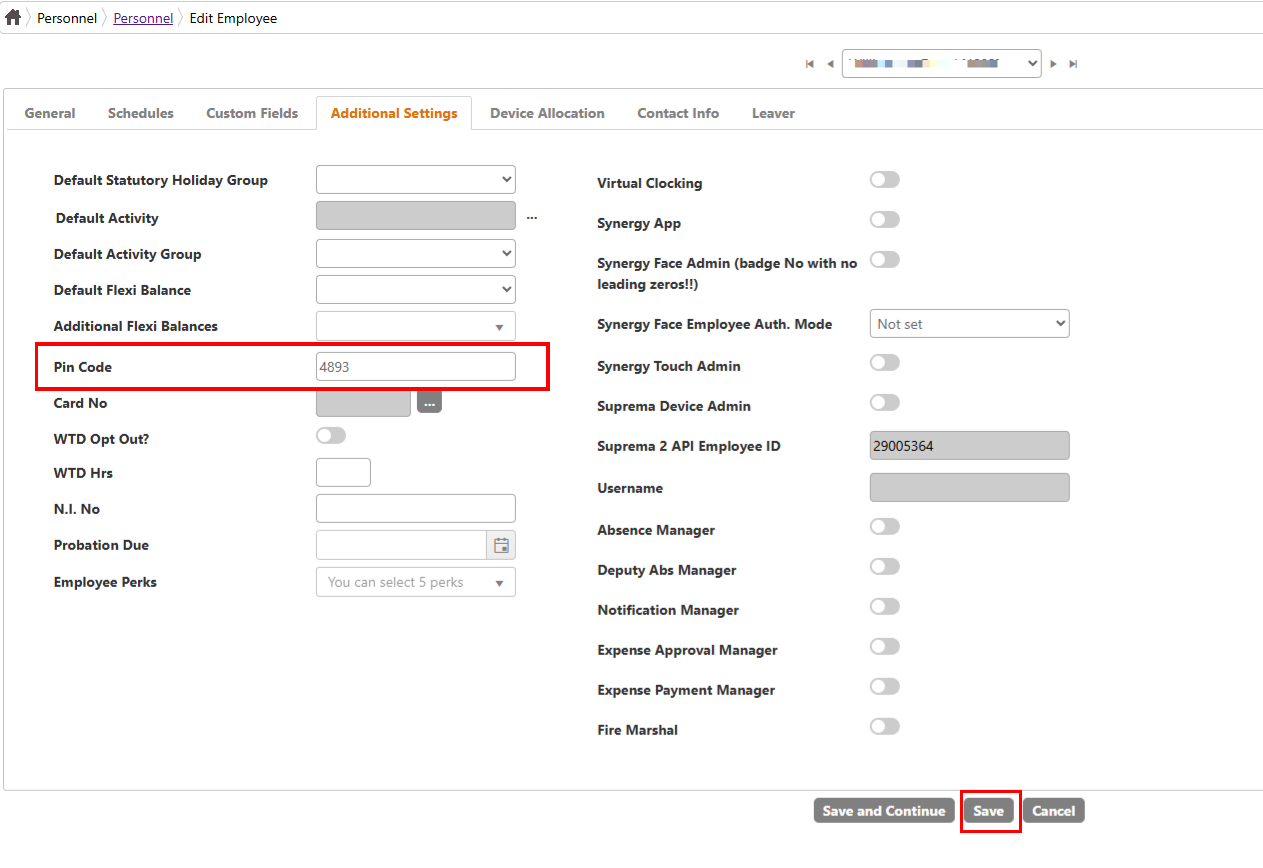
2. You will need to Sync employee.
To access device successfully using your PIN follow these steps:
Please note when assigning a PIN for Synergy A it won't work if it starts with a 0.
1. Set a pin in the Pin Code field then save.
2. You will need to Sync employee.
To access device successfully using your PIN follow these steps:
1. Press either IN or OUT (depending on whether you are clocking in or out)2. Press enter and put in your PINFrom here you will have access to the device.
3. Press ENTER