
Activities
Activities allow defining hierarchy of Projects and Tasks.
It allows managing projects/jobs/tasks at multiple levels
User can specify the cost account to be used in cost transactions for each category.
Mix and match the project types and accounting methods for very complex or simple projects.
These flexible capabilities enable User to assess projects at each phase in order to keep costs and resources on track.
Historical and project data is readily available for estimating expenses and resources accurately.
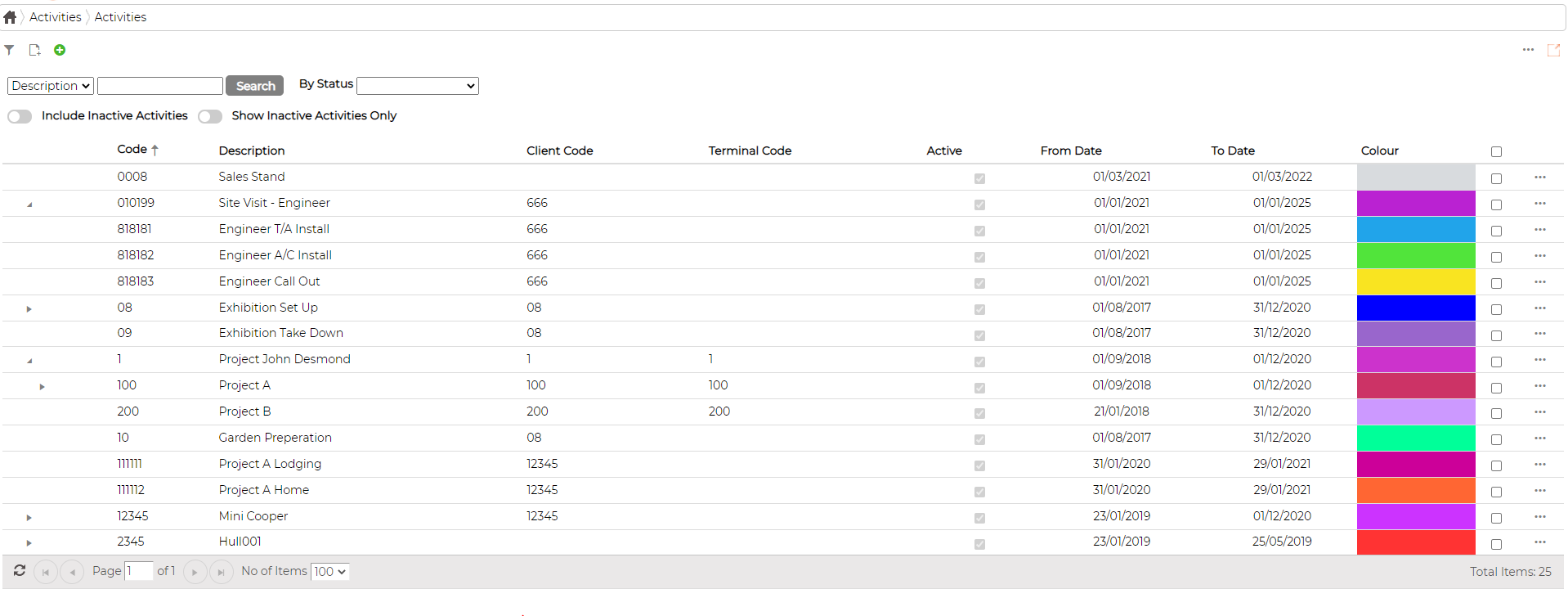
Add Activity
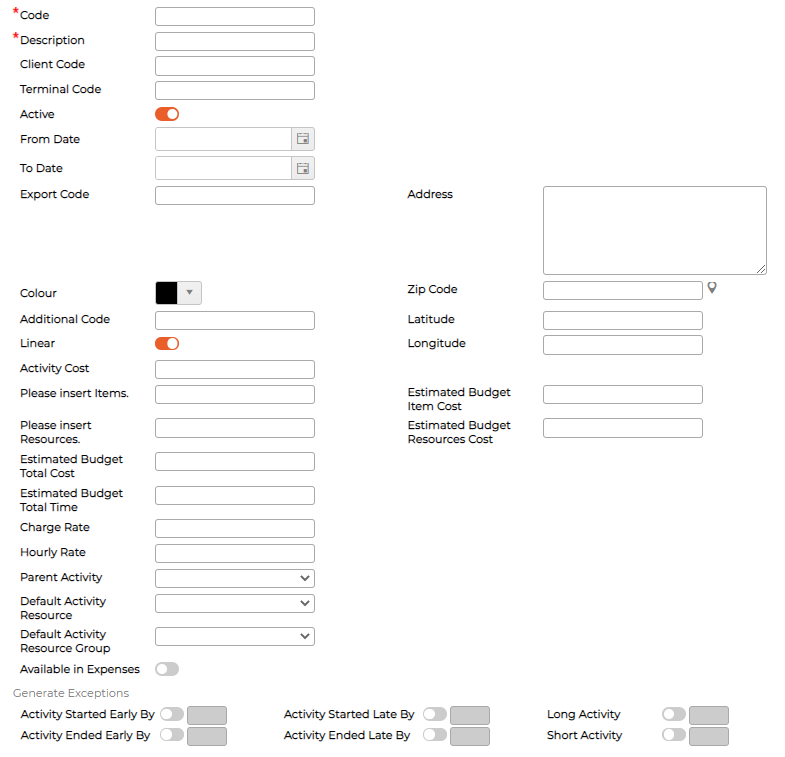
Click on icon to add activity and fill in the required data
Duplicate Activity
Click on icon against the activity and then
  icon to duplicate, so that it copies most of the parameters allowing user to make minimal changes as required.
Duplicating Parent activity will also duplicate children
System also allows inheriting Parent Activity Code when duplicating the items
Edit Activity
Click on icon against the activity and then edit
  icon against the activity to edit parameters
Delete Activity
Click icon against the activity and then edit
  icon against the activity to delete
System will not allow deleting absence if it is currently in use or have been used in past. Instead User can make them Inactive
Activity Exceptions
System allows generating exceptions if the activity was scheduled with start and end time using Graphical Scheduler
Set exceptions parameters within Activities itself

Activity Groups
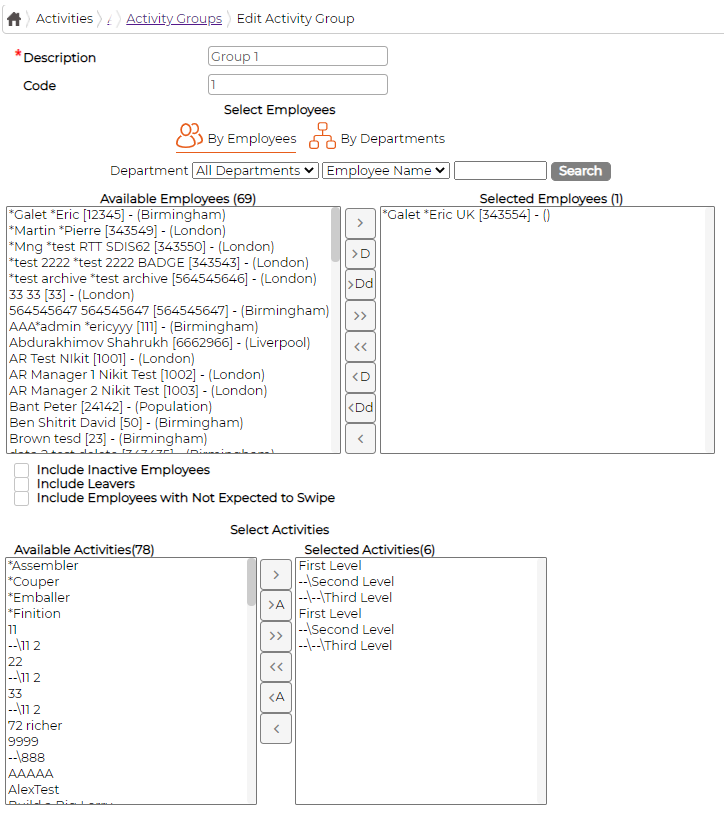
Allows creating a group of specific activity items.
This group then can be applied to individual or group of employees.
This means they are only allowed to start/end activities from the group allocated
Click on icon to define Activity Groups


It allows managing projects/jobs/tasks at multiple levels
User can specify the cost account to be used in cost transactions for each category.
Mix and match the project types and accounting methods for very complex or simple projects.
These flexible capabilities enable User to assess projects at each phase in order to keep costs and resources on track.
Historical and project data is readily available for estimating expenses and resources accurately.
Add Activity
Click on
icon to add activity and fill in the required dataDuplicate Activity
Click on
icon against the activity and then icon to duplicate, so that it copies most of the parameters allowing user to make minimal changes as required.Duplicating Parent activity will also duplicate children
System also allows inheriting Parent Activity Code when duplicating the items
Edit Activity
Click on
icon against the activity and then edit icon against the activity to edit parametersDelete Activity
Click
icon against the activity and then edit icon against the activity to deleteSystem will not allow deleting absence if it is currently in use or have been used in past. Instead User can make them Inactive
Activity Exceptions
System allows generating exceptions if the activity was scheduled with start and end time using Graphical Scheduler
Set exceptions parameters within Activities itself
Activity Groups
Allows creating a group of specific activity items.
This group then can be applied to individual or group of employees.
This means they are only allowed to start/end activities from the group allocated
Click on
icon to define Activity Groups