
Adding Expenses
Adding Expenses Module to existing or new clients.
Ensure the Expenses module has been licensed correctly
Run the following scripts on the client database:
218. Country and Currency Setup
218. Expenses Setup
Then you MUST go to Software Options and set the default Currency and Country for the client to avoid problems recording mileage claims later.
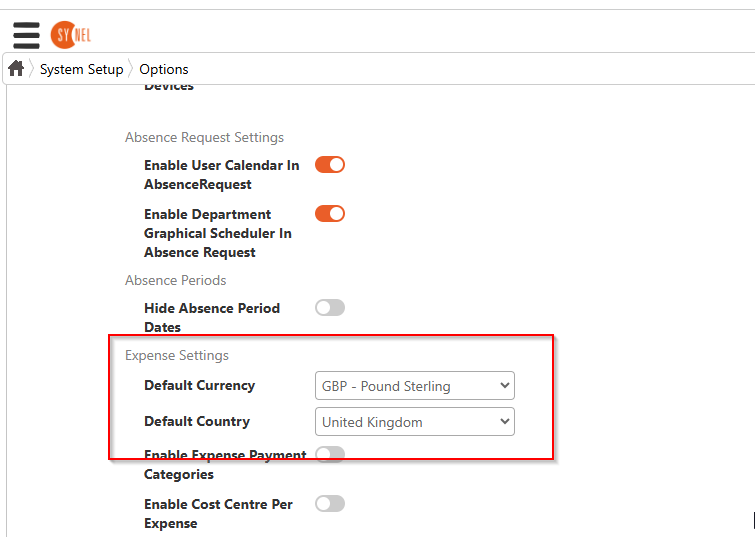
There are additional settings in this section which are optional but these 2 should be mandatory on all setups.