
ER2 - Cashless - Product Purchase Limit
ER2Synel ER2 Cashless 04/05/2019
New feature for product purchase limit. Applies to version 3.7.0.29052019 and
above
1. Access ER2 and navigate to Cashless
Products > Products
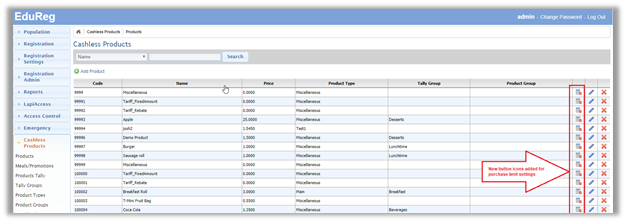
New button icons added on the
right side of each product.
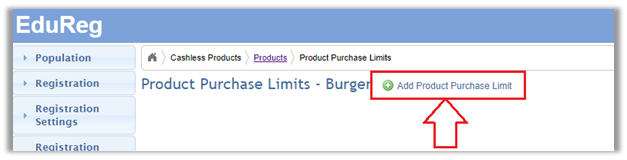
2. Choose the product to limit and click it’s associated product limit icon.
Then click ‘Add Product Purchase Limit’
3. Add a
description
Add a Quantity Limit
Choose the persons that
this limit will apply to from the available Persons and add to the right pane
‘Limited Persons’
When done click ‘Save’