Contract Hours Limit
Contract Hours Limits let you flag when an employee's scheduled hours for the week fall outside an acceptable range. Define the bands under Work Rules > Contract Hours Limits, each with a Description and a Lower Limit and Upper Limit given as percentages.

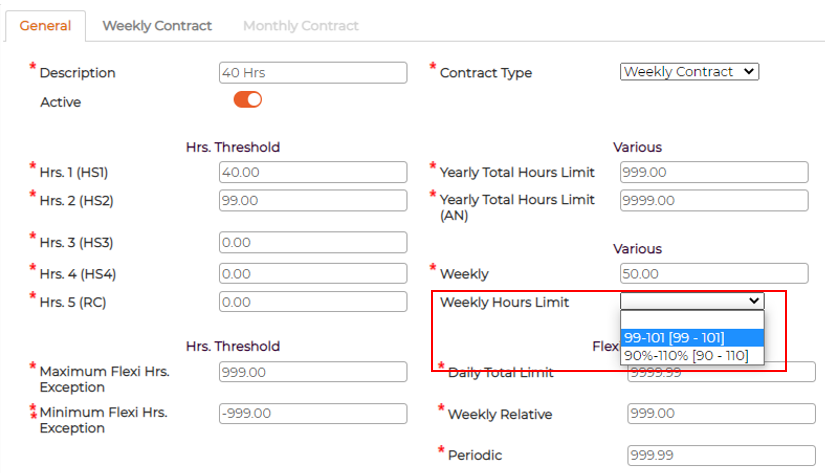
Attach a band to a contract through the Weekly Hours Limit field on the contract's General tab, where the bands you defined appear in the dropdown.
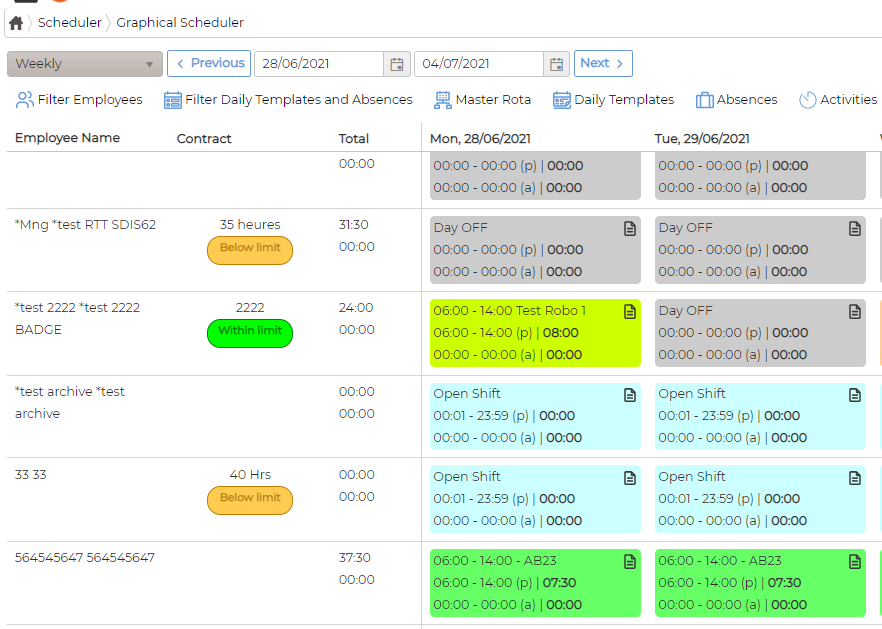
Once a contract has a limit and is assigned to employees, the Graphical Scheduler shows the status in the Contract column: a green Within limit badge when the week's scheduled hours sit inside the band, and an amber Below limit badge when they fall short.