Absence Hours to Cost Centre Report
Absence Hours to Cost Centre Report
Issue reported: Even though the devices are allocated with Cost Centres, the Absences booked by the employees are not calculated on the Cost centre report.
Solution
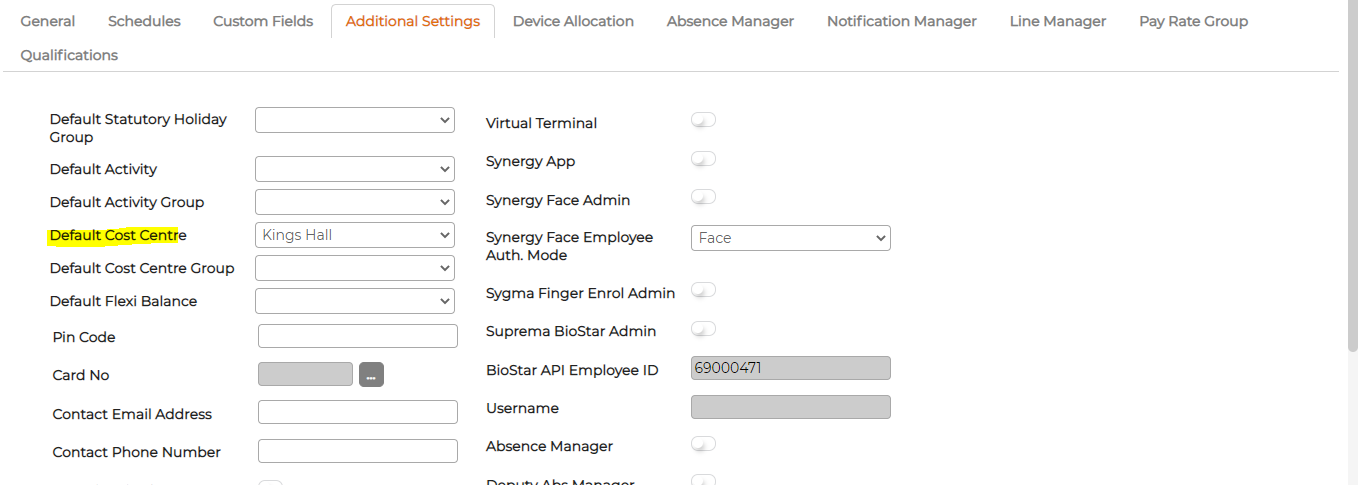
Allocate employees against cost centre on the Personnel screen. This will override the device cost centre allocation and will allocate the absence hours against the employee to the corresponding default cost centre.
Steps to allocate cost centre:
- Goto Synergy Workforce menu
- Personnel
- Edit the employee details.
- Additional Settings
- Assign Default Cost Centre.