
ER2 FireReport settings for groups
ER2- A while back we have changed the way we include certain population groups in a Fire report. For each population group, to be included in a fire report, you need to set what fire report group it belongs to, as follows:
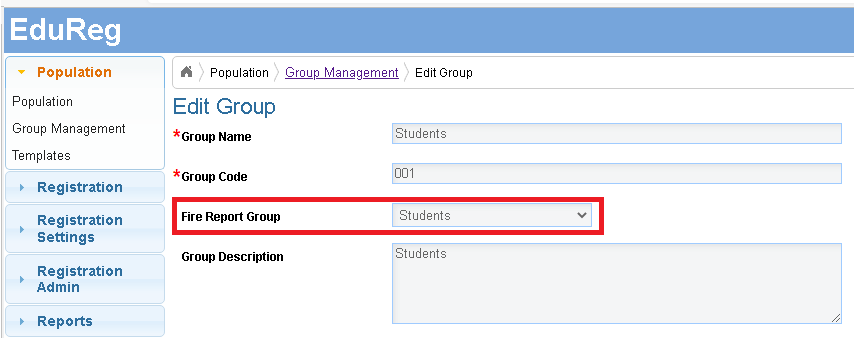
Please check the population groups and allocate to fire report groups as required. - There is a global filter used by a Fire report defined in Fire Report settings screen.
Filter by: Tutorgroup
Filter values: U6,L6,STAFF
However, if there are no such values for Tutor groups. A change can be made to Filter by to Year.
Please double check with customer what is the exact filtering required and apply it as above.