
ANPR Security Groups
Security Groups are made up of Cameras & Time Zones
Security groups are a list of which cameras will grant access and at what times, all cameras in the security group do not have to use the same Time Zones you are free to mix & match.

Add Security Group
Click on icon to add Security Group and fill in the respective parameters as required
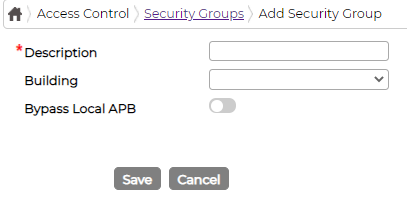
Once saved either double click on item line or click against the item icon to add further security group details

Security Group Details Click on icon to add Security Group details and fill in the respective parameters as required
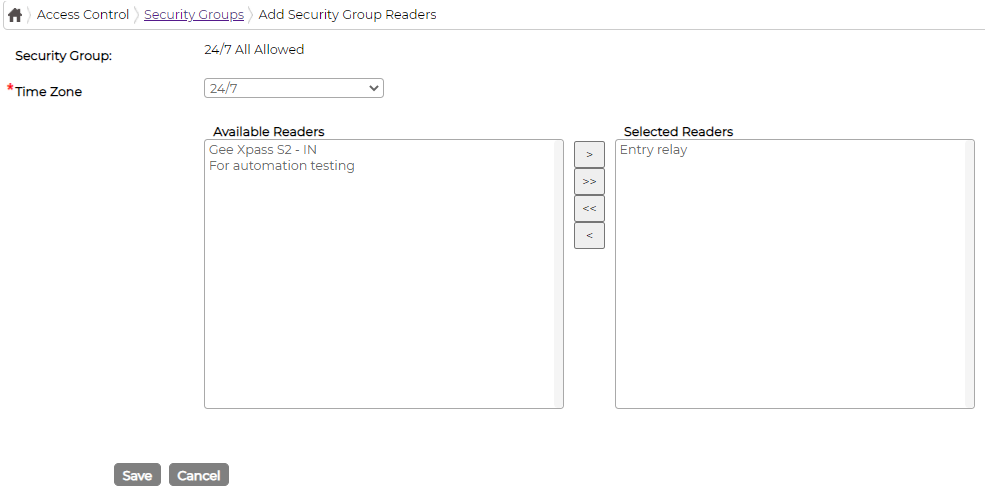
Select the respective Time Zone and available readers from the list and save it.
Employees Tab
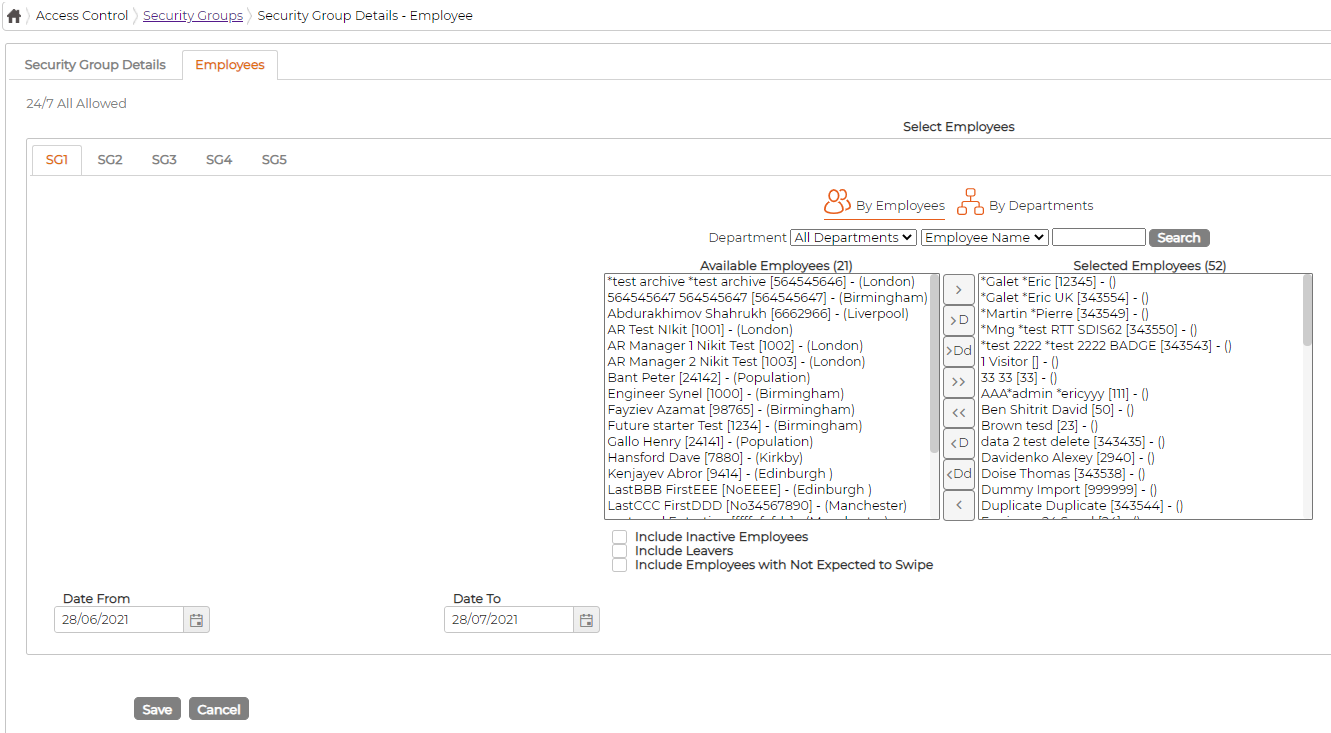
Each employee can have up to 5 security Groups assigned
To assign security group, go to Employees Tab under Security Group and then select employees under respective Tab (SG1, SG2, SG3, SG4, SG5)
Duplicate Security Group
Click on duplicate icon against the security group to duplicate so that it copies most of the parameters allowing user to make minimal changes as required.
Edit Security Group
Click on icon against the security group to edit parameters
Delete Security Group
Click on icon against the security group to delete.
System will not allow deleting security group if its currently in use or have been used in past
Security groups are a list of which cameras will grant access and at what times, all cameras in the security group do not have to use the same Time Zones you are free to mix & match.
Add Security Group
Click on
icon to add Security Group and fill in the respective parameters as requiredOnce saved either double click on item line or click
against the item icon to add further security group detailsSecurity Group Details Click on
icon to add Security Group details and fill in the respective parameters as requiredSelect the respective Time Zone and available readers from the list and save it.
Employees Tab
Each employee can have up to 5 security Groups assigned
To assign security group, go to Employees Tab under Security Group and then select employees under respective Tab (SG1, SG2, SG3, SG4, SG5)
Duplicate Security Group
Click on
duplicate icon against the security group to duplicate so that it copies most of the parameters allowing user to make minimal changes as required.Edit Security Group
Click on
icon against the security group to edit parametersDelete Security Group
Click on
icon against the security group to delete.System will not allow deleting security group if its currently in use or have been used in past