
Auto Modes
Auto modes allow you to instruct a readers behaviour on a set schedule, an example would be to have a reception door set to open freely when there is a receptionist on duty but to lock after hours.

Add Auto Mode
Click on icon to add Auto Mode and fill in the respective parameters as required
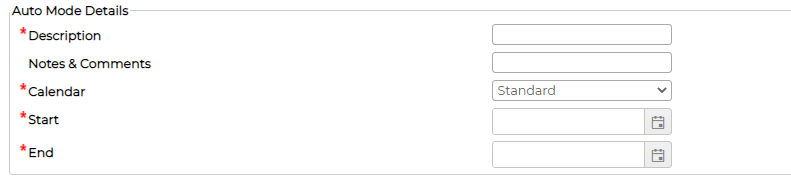
Add Auto Mode Details
Click on icon against the auto mode to go to the details

Click on icon to add details
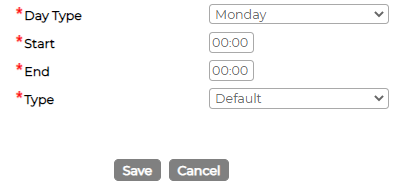
Edit Auto Mode and Auto Mode Details
Click on icon against the Auto Mode and Auto Mode Details to edit parameters
Delete Auto Mode and Auto Mode Details
Click on icon against the Auto Mode and Auto Mode Details to delete
System will not allow deleting Auto Mode and Auto Mode Details if its currently in use or have been used in past.
Add Auto Mode
Click on
icon to add Auto Mode and fill in the respective parameters as requiredAdd Auto Mode Details
Click on
icon against the auto mode to go to the detailsClick on
icon to add detailsEdit Auto Mode and Auto Mode Details
Click on
icon against the Auto Mode and Auto Mode Details to edit parameters Delete Auto Mode and Auto Mode Details
Click on
icon against the Auto Mode and Auto Mode Details to deleteSystem will not allow deleting Auto Mode and Auto Mode Details if its currently in use or have been used in past.