
Setup Expense Categories
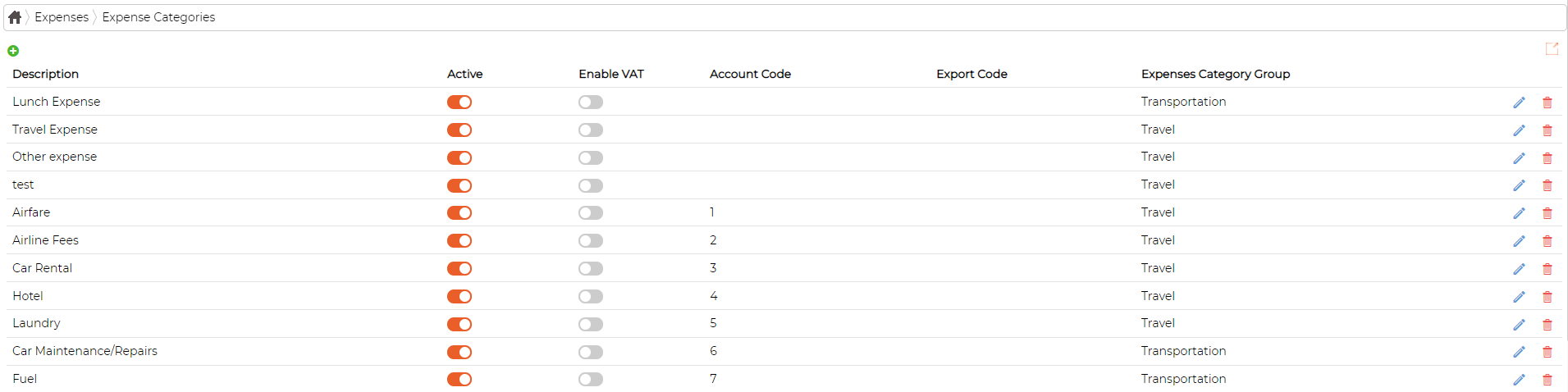
System comes with default expense categories in built.
However, user can add/edit/delete the items as required
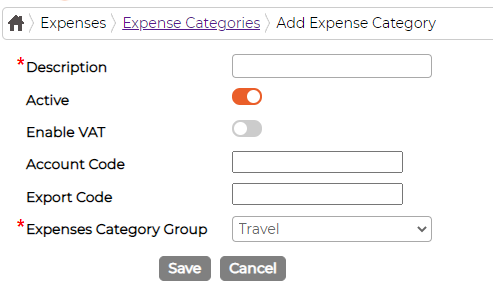
Add Expense Category
Click on icon to add new category and fill in data as required
Edit Expense Category
Click on icon against the item to edit existing category and fill in data as required
Delete Expense Category
Click on icon against the item to delete category.
System will not allow deleting the Category if it is currently is use or has been used in past. You can mark the item as Inactive instead.
However, user can add/edit/delete the items as required
Add Expense Category
Click on
icon to add new category and fill in data as requiredEdit Expense Category
Click on
icon against the item to edit existing category and fill in data as requiredDelete Expense Category
Click on
icon against the item to delete category.System will not allow deleting the Category if it is currently is use or has been used in past. You can mark the item as Inactive instead.