EPOS - Till Sync error resolution
EPOSThere may be an instance of the Till sync failing with an error in the Till Sync service logs as below.
2023-10-06 00:02:27.2264 Info - Error creating localization xml: System.Xml.XmlException: '.', hexadecimal value 0x00, is an invalid character. Line 1, position 1. at System.Xml.XmlTextReaderImpl.Throw(Exception e) at System.Xml.XmlTextReaderImpl.Throw(String res, String[] args) at System.Xml.XmlTextReaderImpl.ThrowInvalidChar(Char[] data, Int32 length, Int32 invCharPos) at System.Xml.XmlTextReaderImpl.ParseRootLevelWhitespace() at System.Xml.XmlTextReaderImpl.ParseDocumentContent() at System.Xml.XmlTextReaderImpl.Read() at System.Xml.Linq.XDocument.Load(XmlReader reader, LoadOptions options) at System.Xml.Linq.XDocument.Load(String uri, LoadOptions options) at TillSyncService.ServerToTillSync.LocalizationSync.CreateLocalizationXml(LocalizationResult localization)
Solution
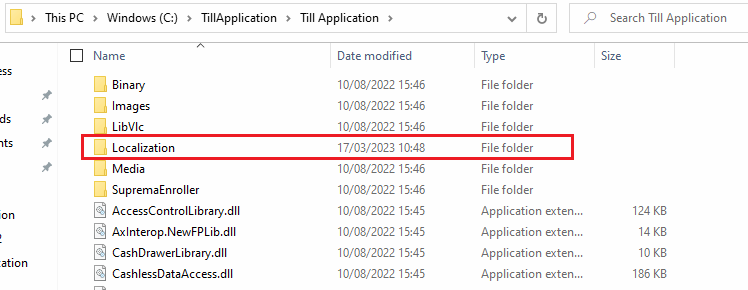
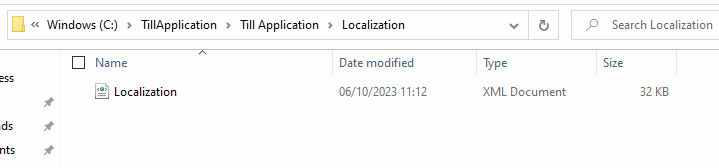
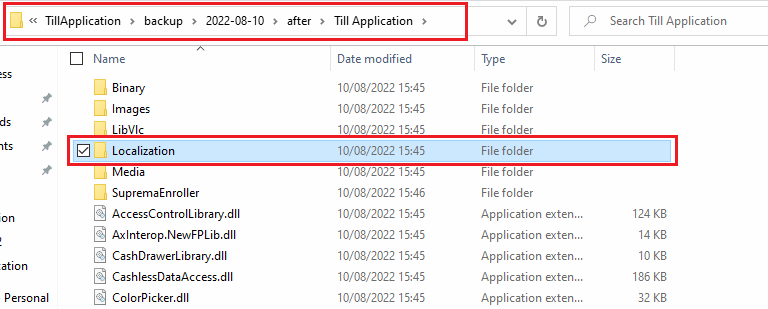
There is an error in the Loclization.xml on the Till local folder. The file in this folder may be there but blank with no data in it. If this is the case take the file Localization.xml from the backup forlder and replace it to the location Till Appliation\Localization following this then restart the TillSyncservice on the Till locally.