
SY785 - Finger Enrolment Guide
SynergyPrior to enrolling finger template of an employee, System Administrators must make sure following:
Employee does exist and is Active within Synergy Workforce
Devices has been defined to use F6 to enrol finger Templates on the terminals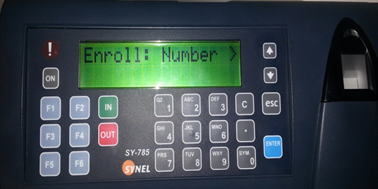 2. Enter Batch no of an employee (This should be same as batch no in Personal record of an employee)
 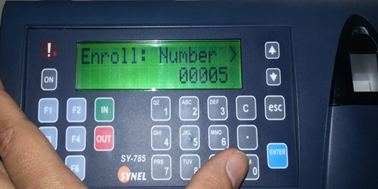 3. Place the finger on the reader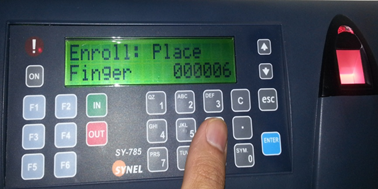
4. Once registered, it will display the quality of template
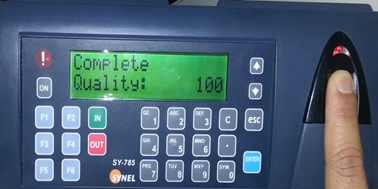 If no finger detected, it will show error message
 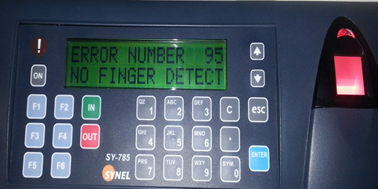 Once registered, it will go back to Insert employee no screen; you may register another employee at this stage.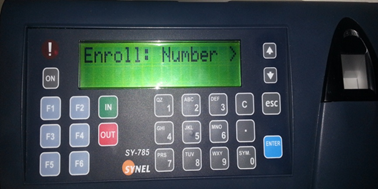
Do's and Don'ts
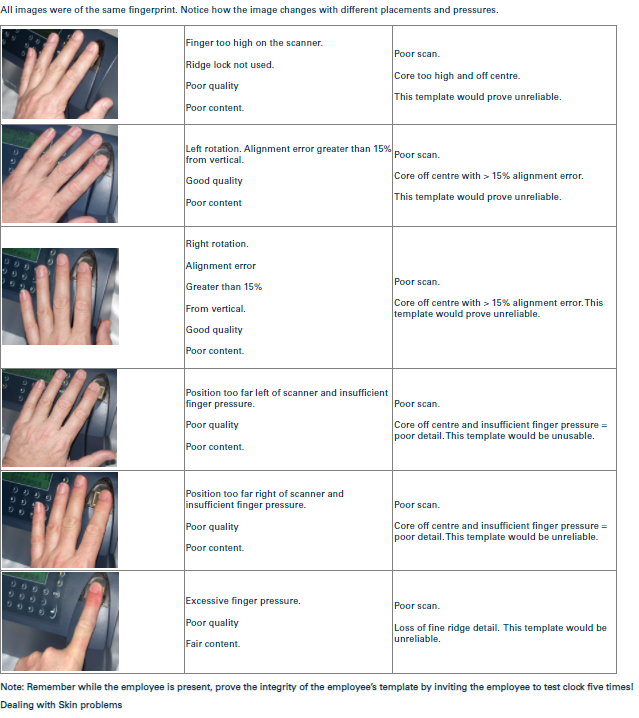
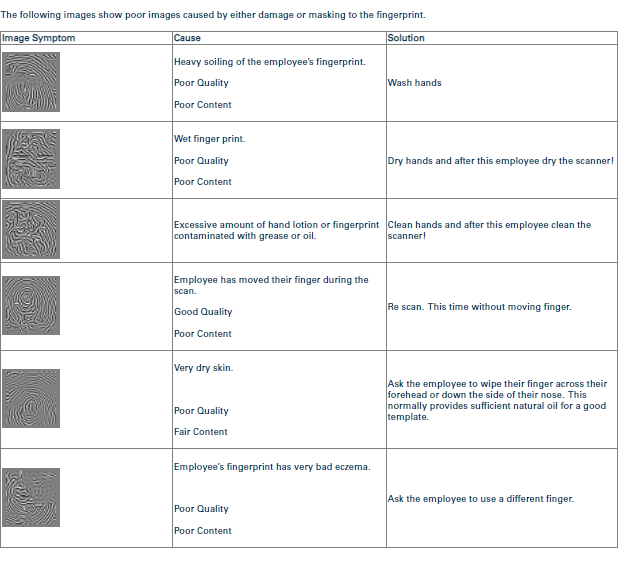
Employee does exist and is Active within Synergy Workforce
Devices has been defined to use F6 to enrol finger Templates on the terminals
- Press F6 key on the terminal
2. Enter Batch no of an employee (This should be same as batch no in Personal record of an employee) 3. Place the finger on the reader 4. Once registered, it will display the quality of template
If no finger detected, it will show error message Once registered, it will go back to Insert employee no screen; you may register another employee at this stage. Do's and Don'ts