
Delete Data - Maintenance Screen
This screen permanently deletes data from the system, so treat it with care: once a job completes, the deleted data cannot be recovered. Find it under Menu > Maintenance > Delete Data. It is split across four tabs: Delete Data Manually, Delete Visitors' Data Manually, Delete Data, and Delete Leavers/Inactive Employees.
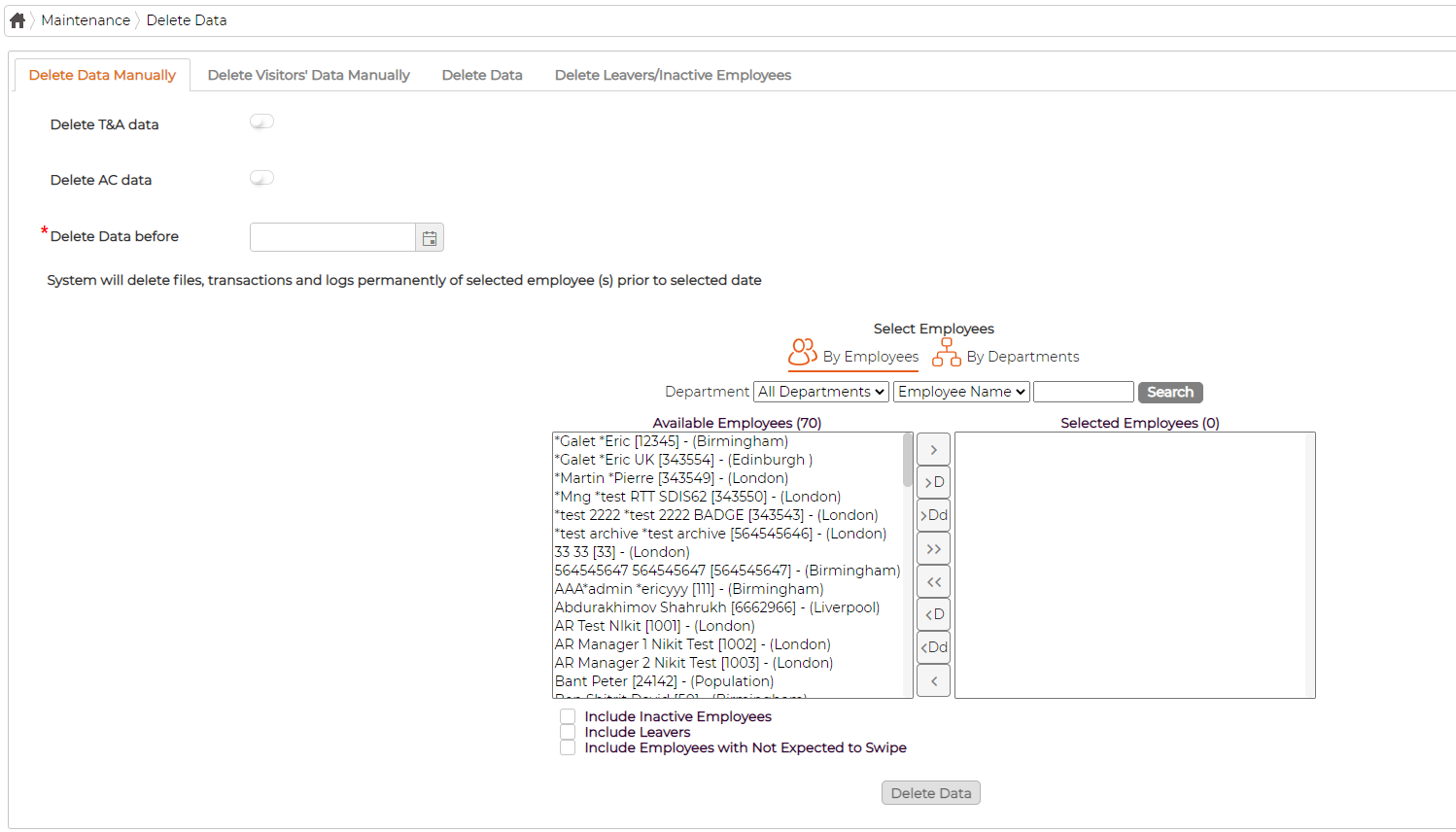
On the Delete Data Manually tab, choose what to remove with the Delete T&A data and Delete AC data toggles, set a Delete Data before date, and select the employees. The system then permanently deletes the files, transactions and logs for those employees up to that date. The remaining tabs cover the other cases: clearing visitors' data, setting up automatic deletion, and removing leavers and inactive employees.