Synergy A Monitoring Service - Heartbeat Status 8 loops
SynergyThe purpose of this service is to perform various monitoring and diagnostics tasks related to Synergy A Web service and devices. Currently, it has the following functionality:
- Detecting and stopping Heartbeat Status 8 loops
Heartbeat Status 8 loops
Briefly, the employee templates sync protocol between Synergy A web service and the device is as follows:
- Device requests Heartbeat
- Web service checks if there is new data to sync or delete from device. If so, it returns Status = 8 for Heartbeat
- Device issues requests to GetFPUAddUsers, and then GetFPUDeleteUsers web service methods. New data is synced or data is deleted from device in batches until there are no records left, and the device acknowledges syncing or deleting of records on each batch.
- Once no records to sync or delete remain, the Heartbeat no longer returns Status 8
The problem is that, some devices when received Heartbeat Status 8, instead of initiating a sync process, kept requesting Heartbeat infinitely, and receiving the same Status 8. In some cases, the device could go back to normal after several hours, however, there were cases when device was stuck for days.
As the particular reason why this may happen was not identified, a mechanism to detect and stop these loops has been implemented:
- Synergy A web service updates a counter in the customer's database where devices is identified, counting consequent Heartbeat Status 8 responses.
- The Windows service, in configured interval, goes through all SWF databases on SQL server instance, and checks the values of the counters. If the counter value for any device exceeds a configured threshold, then the service resets the synchronization flags for the device
Configuration
The Windows service is normally located in the following folders:
- Synel hosted servers - C:\horio-newlook\Install\HorioSynergyMonitoringService
- On premise (local) installation - <SWF installed folder>\Horio Web Synergy Monitoring Service
Install the service by executing install.bat script as an administrator. It is installed with a service name HorioSynergyMonitoringService in services control.
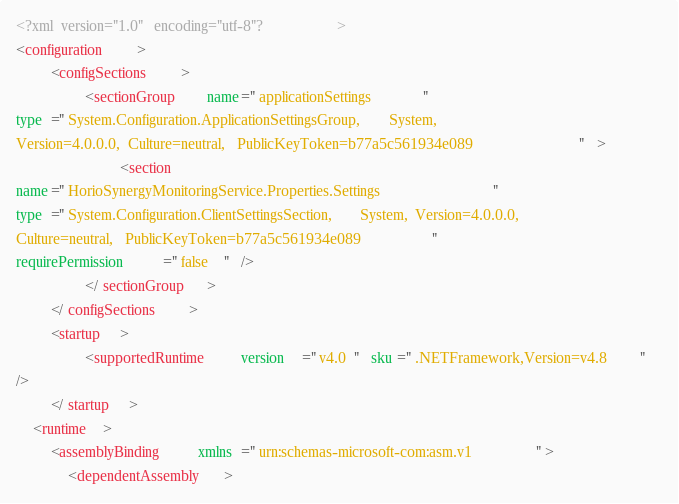
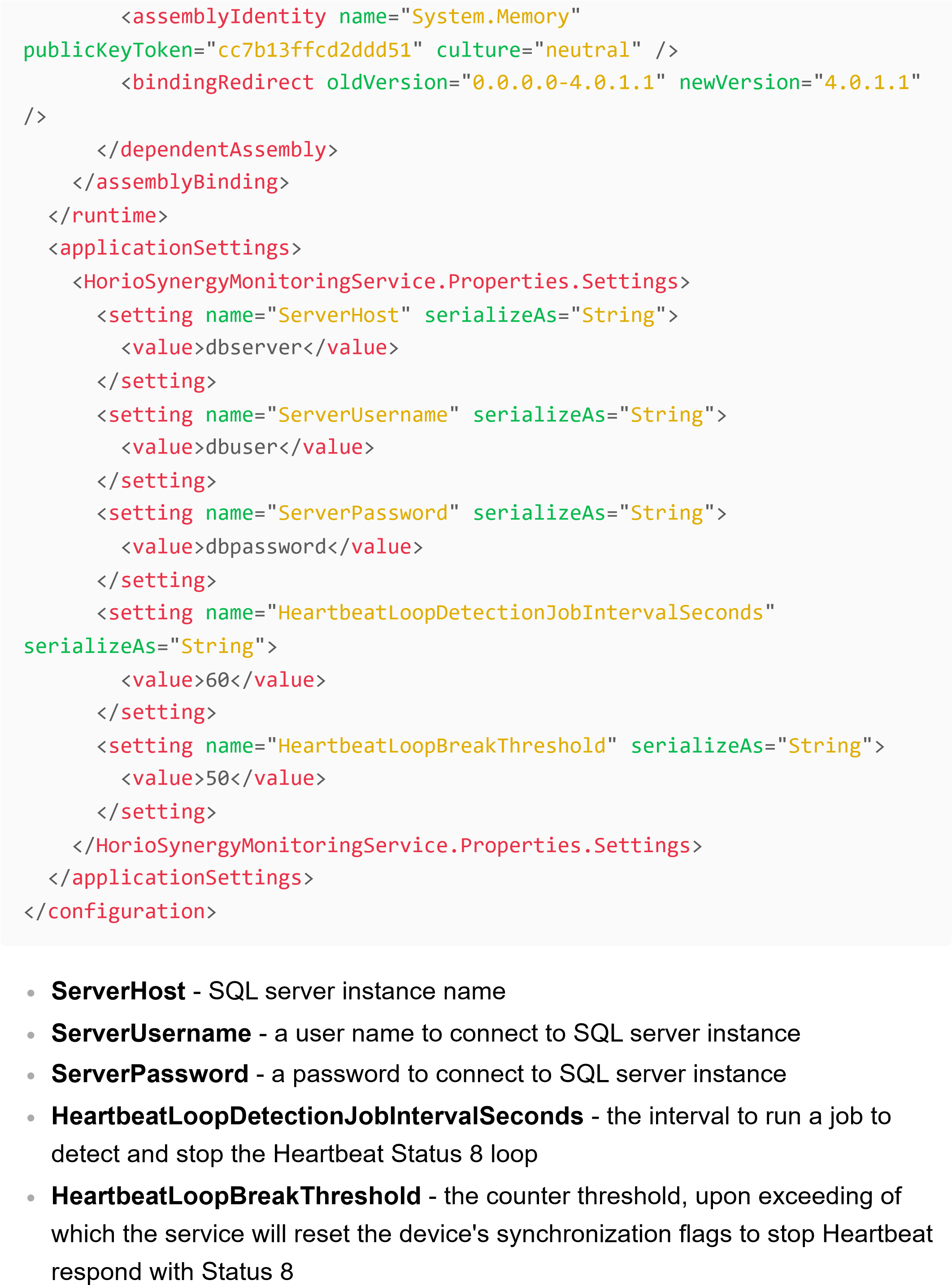
Configure the service by editing a HorioSynergyMonitoringService.exe.config file. If it doesn't exist, create one.
Example configuration:
Please note, the SQL server user configured is required to have access to all SWF databases on the SQL server instance and permissions to execute SELECT, INSERT, UPDATE, DELETE statements.