Graphical Scheduler
Graphical Scheduler allows you to effortlessly assign employees to specific cost centres or manage colleagues who are working across different departments or sites, and when this is the case, cross charge labour costs. It also offers new quick filters which allow you to customise the data you may wish to see for analysis and reporting purposes. In addition, the report generation function has also been improved with the ability to export colour coded cells to an Excel spreadsheet so that the graphical representation of the scheduler follows through when it is exported.
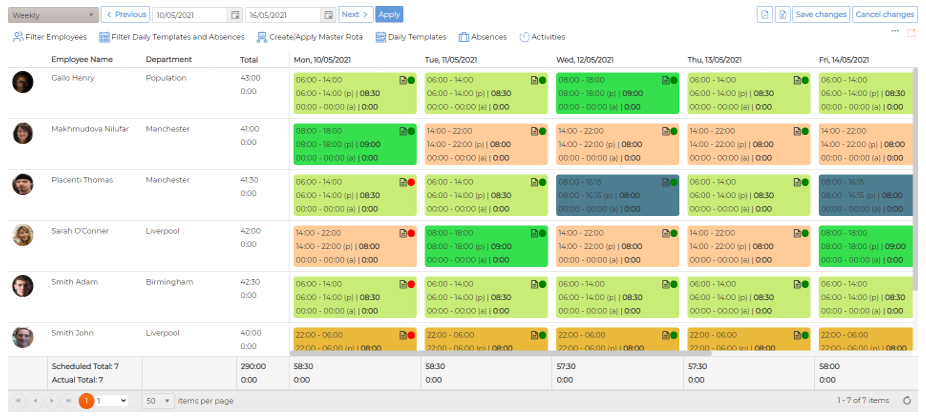
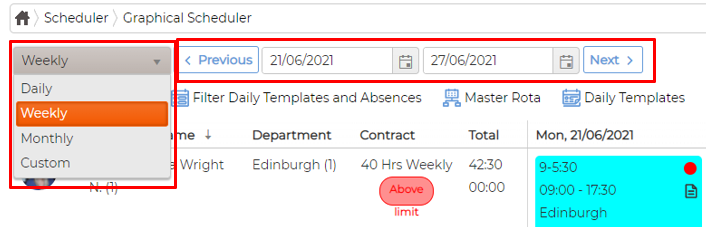
- a. Select period between daily, weekly, monthly and custom
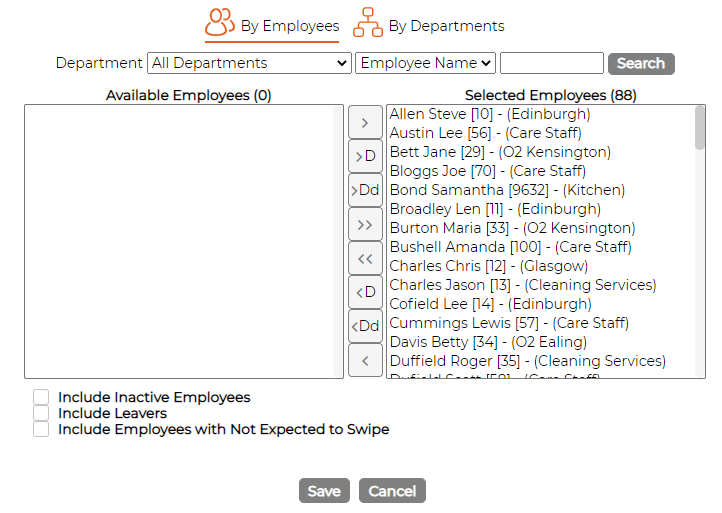
- b. Filter Employees by clicking on
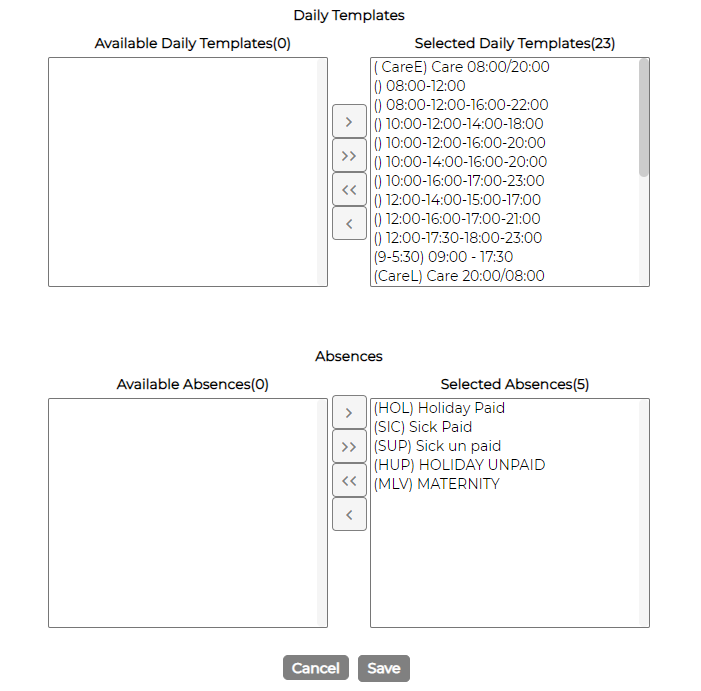
- c. Filter daily templates and absences by clicking on
- d. Print schedule on screen in Excel and PDF by clicking on
- e. Click on icon to change screen settings of the screen
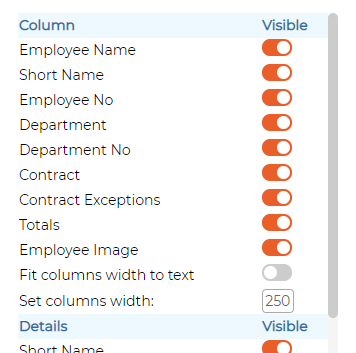
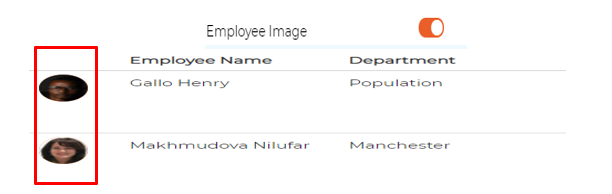
- f. Allows users to enable/disable employee's picture column from settings
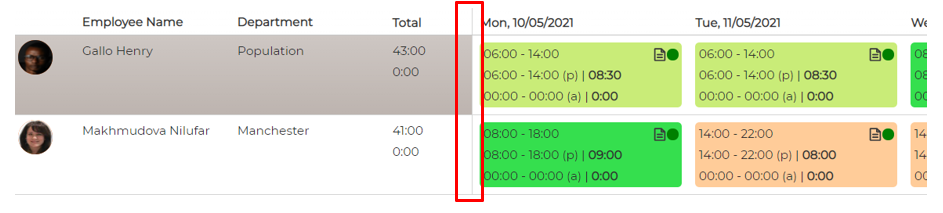
- g. Freeze pane on left - allowing user to scroll data horizontally without compromising the data view on left hand side
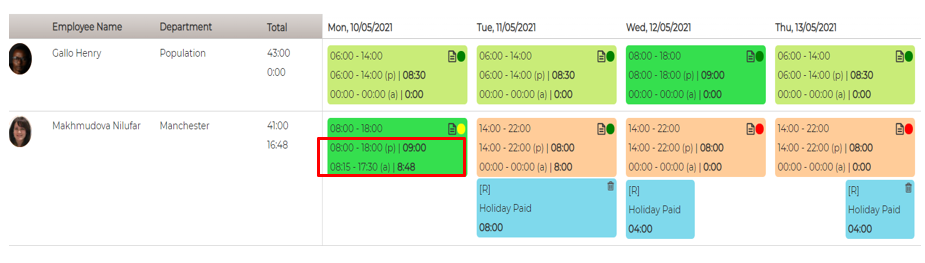
- h. Visible planned vs actual times with totals
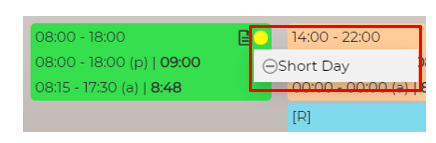
- i. Visible exception (Red, yellow and Green) on the screen for each day when hovering the mouse over it, allowing the user to authorise the exception if required.
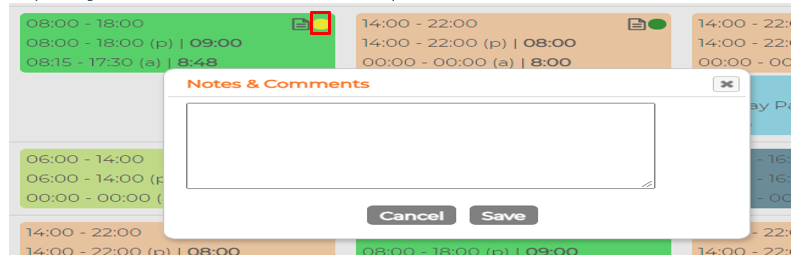
- j. Notes Facility allowing user to view and/or add/edit the notes for the day
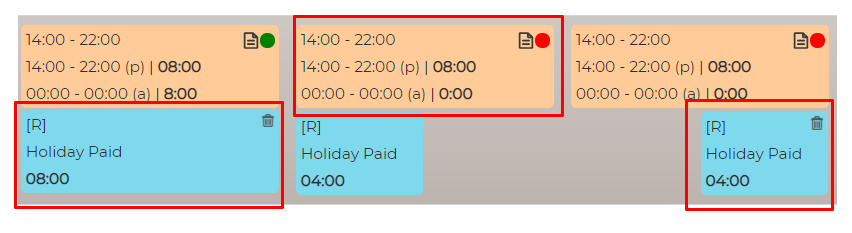
- k. Separate cards for shifts and absences.
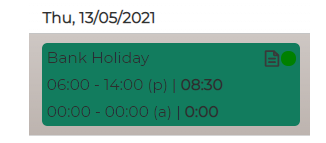
- l. Statutory Holiday - shift card gets updated with Statutory (Bank) Holiday details instead.l
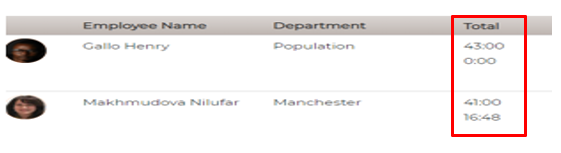
- m. Totals by individual employees depending on date range
- n. Totals at the bottom of the screen depending on no of employees, planned/actuals and period. j
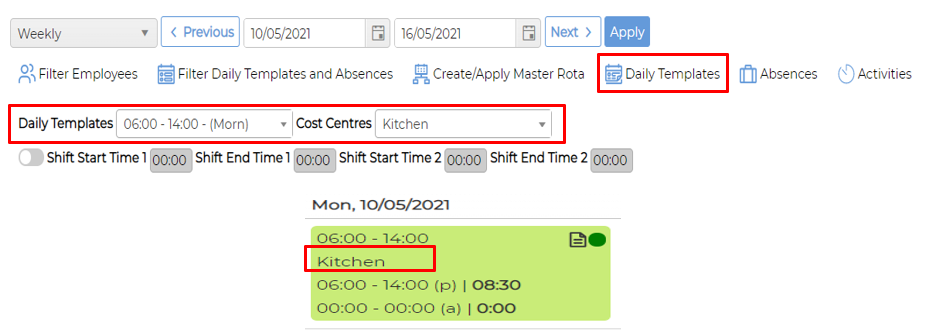
- o. Schedule shift with Cost Centre Cost centre module must be enabled and set
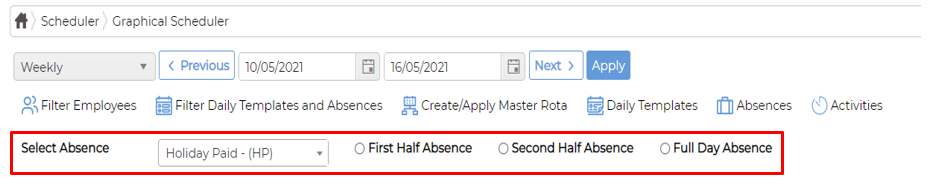
- p. Book absence Absence type DAYS - allows user to book full or half day absences Absence type HH:MM - allows user to book full or half day absence + override the default duration if required.
- q. Schedule Activities/tasks/jobs Allows scheduling activities against employees Time Costing module must be enabled and set
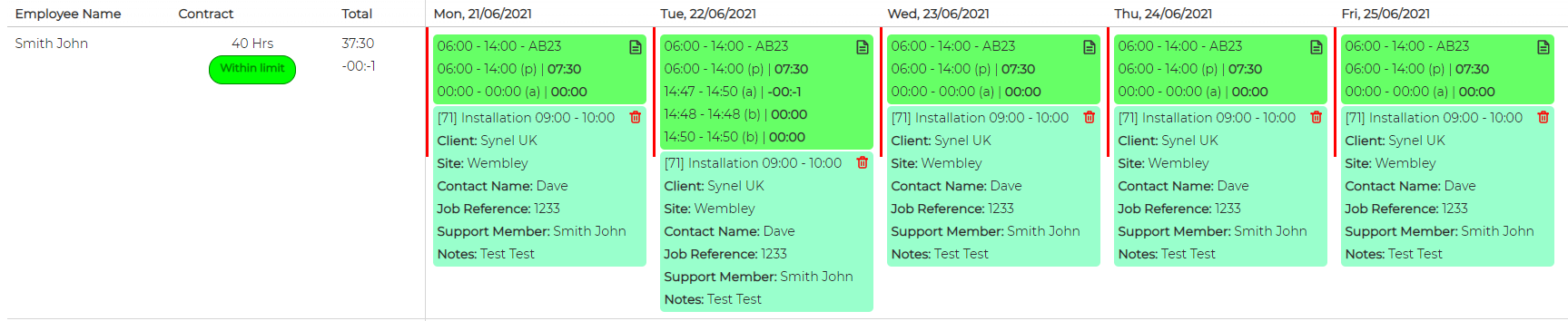
- r. Schedule activities for field management Allows scheduling activities to employees with customer related information and notes