
Clients
Go to Menu - Clients

Add Client
Click on icon to add Clients
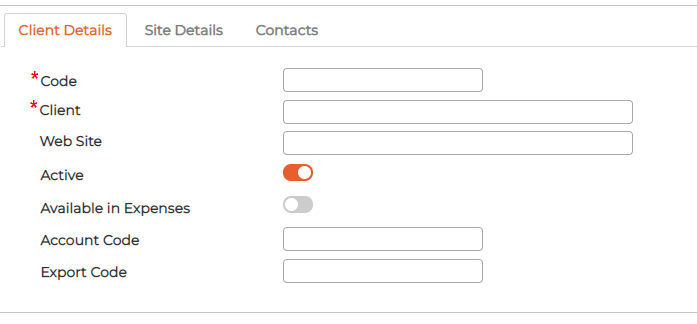
Fill in the respective data for all 3 tabs:
Client Details - General detail of the respective customer
Site Details - add single or multiple sites of the customer

Contacts - add single or multiple Contacts of the customer

Edit Client
Click on icon against the item to edit its parameters.
Delete Client
Click on icon against the item to delete.
Add Client
Click on
icon to add ClientsFill in the respective data for all 3 tabs:
Client Details - General detail of the respective customer
Site Details - add single or multiple sites of the customer
Contacts - add single or multiple Contacts of the customer
Edit Client
Click on
icon against the item to edit its parameters.Delete Client
Click on
icon against the item to delete.