Synergy 10 - Deleting a finger template at the device
SynergySynergy 10 – Deleting a finger template at the device.
1. Go to the login screen and enter an admin code: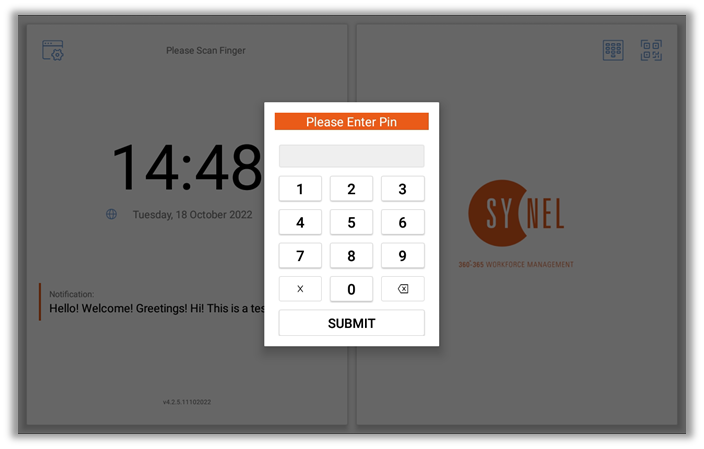
2. Select ‘Manage Templates’ from the menu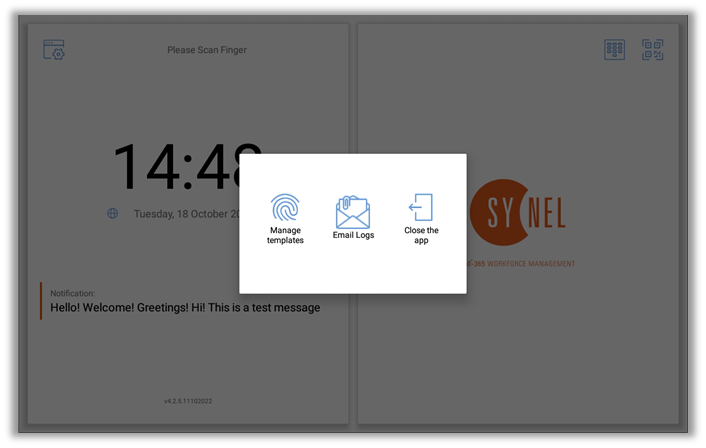
3. Select the person whose template is to be
deleted: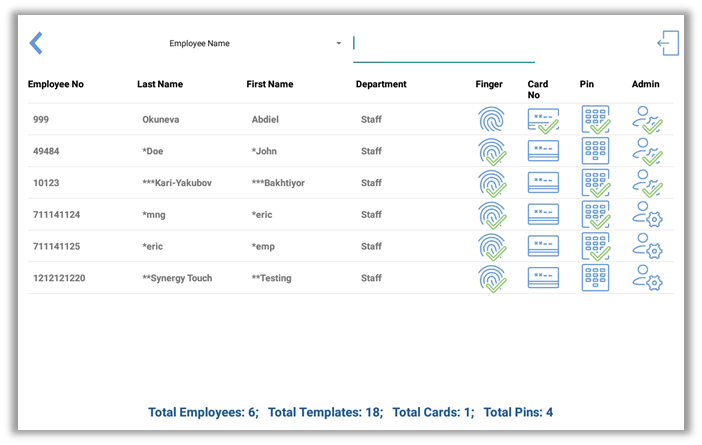
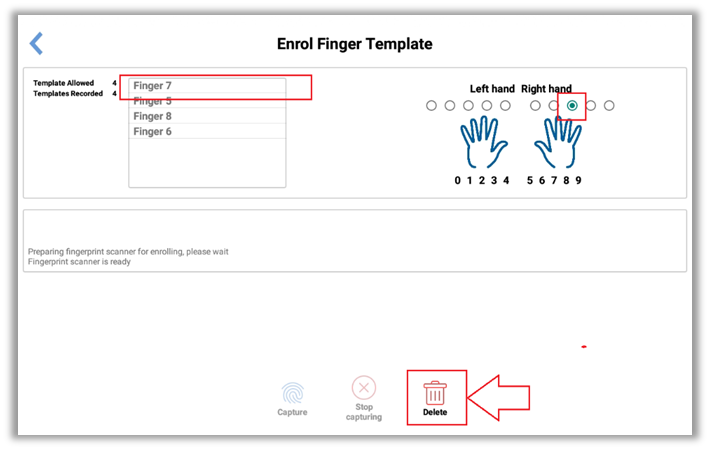
4. Select which finger is to be deleted if there
are more than one, and click delete icon.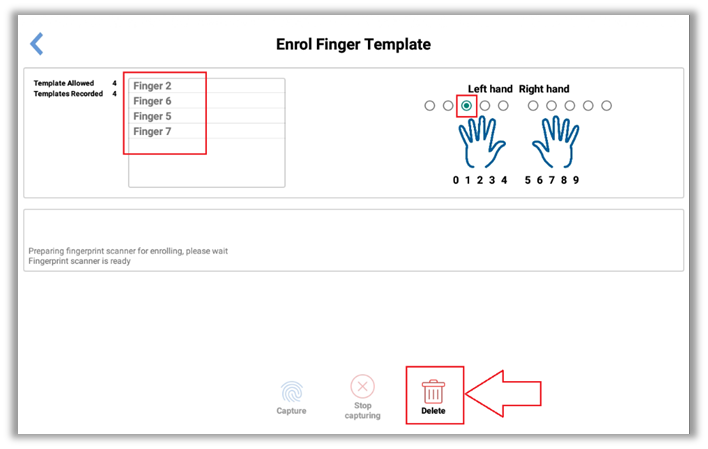
5. If there are more than one templates recorded
for the person then repeat for the remaining templates for that person.