
Statutory Holidays
Company statutory holidays for every year are defined in this section.
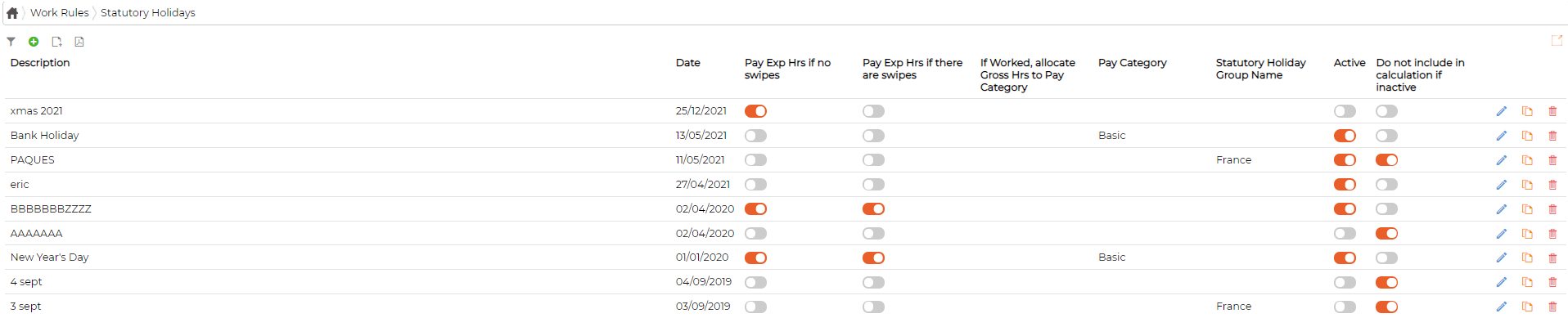
Add Statutory Holiday
Click on icon to add statutory holiday and define the parameters as required
Statutory Holiday Groups
Click on icon to view/define Statutory Holiday Groups Groups are used when employees for the same company does not have statutory holidays on same day

Click on the icon to add statutory holiday group
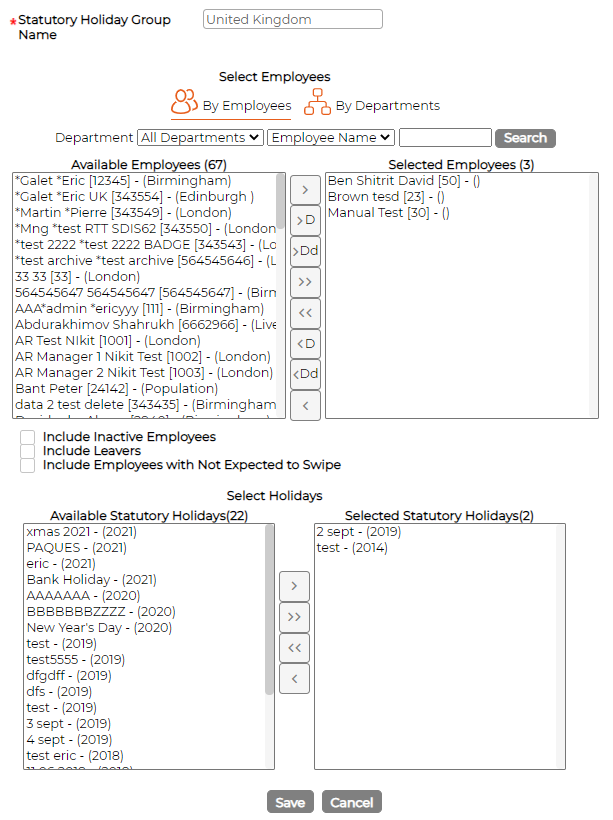
Add statutory holiday group name
Select employees from the list
Select holidays from the list of available holidays
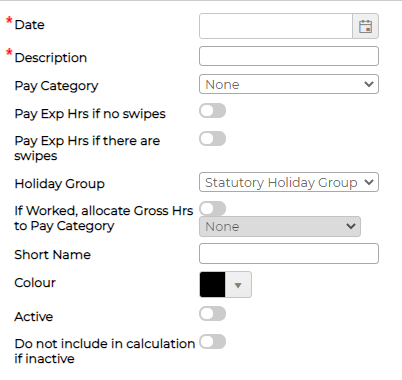
Add Statutory Holiday
Click on
icon to add statutory holiday and define the parameters as required
- Date - Select Date of the statutory holiday
- Description - Provide description
- Pay Category - Select pay category from the drop-down menu if required
- Tick or un-tick as per requirement
- Pay Exp. hours if no swipes - If ticked, system will pay expected hours of the day to the employee even if there are no swipes
- Pay Exp. Hrs if there are swipes - If ticked, system will pay expected hours of the day to the employee even if employee swiped for the day
- Select Holiday Group (if created)
- Tick or un-tick as per requirement
- if worked, allocate Gross Hrs to pay category - if ticked and pay category selected, system will allocated all swipes hours to the selected pay category for the day
- Short Name - Provide short name
- Colour - Select default colour
- Active - Switch ON/OFF as required
- Do not include in calculation if inactive - Switch ON/OFF as required
Statutory Holiday Groups
Click on
icon to view/define Statutory Holiday Groups Groups are used when employees for the same company does not have statutory holidays on same day
Click on the
icon to add statutory holiday group
Add statutory holiday group name
Select employees from the list
Select holidays from the list of available holidays