
Car No.Plates
Car No. Plate screen allows managing single or multiple no plates allocated to each individual employees, staff and visitors in the system

Add Car No. Plate
Click on icon, user will get 2 options:
1. Add Employee Car No. Plate
2. Add Visitor Car No. Plate
Select the relevant option
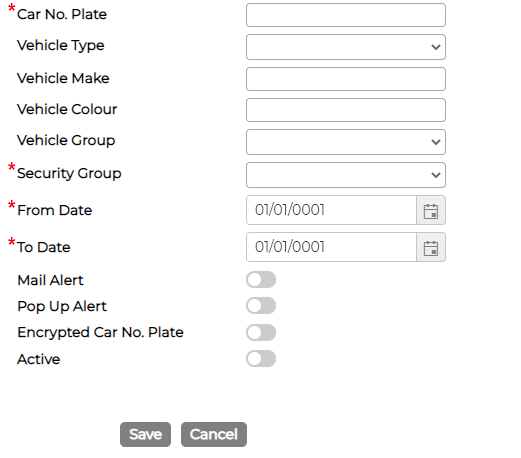
Employee Car No. Plate - will give you option to select employee from drop down option

Visitor Car No. Plate - will give you option to insert First and Last name
Fill in the relevant data and click Save
Edit Car No. Plate
Click on icon against the item to edit the details as required.
Delete Car No. Plate
Click on icon against the item to delete.
Add Car No. Plate
Click on
icon, user will get 2 options:1. Add Employee Car No. Plate
2. Add Visitor Car No. Plate
Select the relevant option
Employee Car No. Plate - will give you option to select employee from drop down option
Visitor Car No. Plate - will give you option to insert First and Last name
Fill in the relevant data and click Save
Edit Car No. Plate
Click on
icon against the item to edit the details as required.Delete Car No. Plate
Click on
icon against the item to delete.