
EPOS - Free School Meals - SWF Setup
EPOS, ER2, SWFEPOS - Free School Meals - SWF Setup
The existing ER2 was previously
migrated, however, adjustments were required to make it work as specified.
Daily allocation of Free meals balances
The daily allocation of balances is performed by HorioFreeMealsBalanceService. A customer's connection string has to be added to its config and daily Free Meals amount has to be configured in EPOS -> Settings -> Free Meals
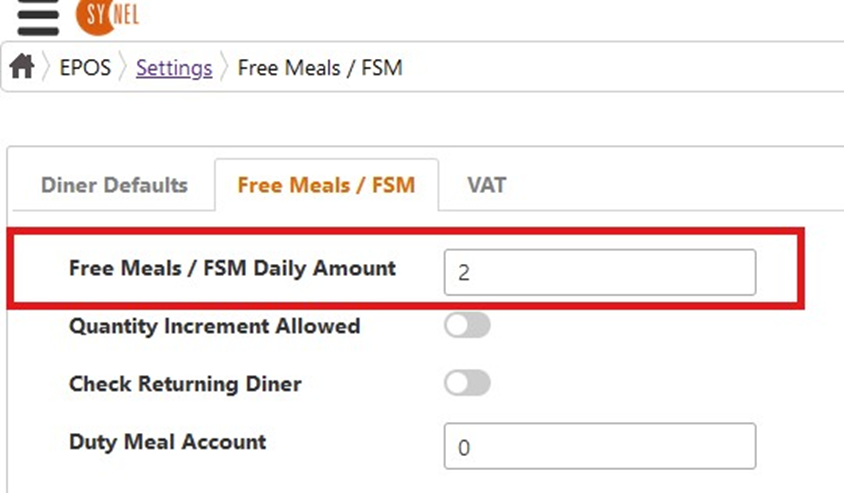
Please note: Existing ER2 functionality doesn't have any configuration to allow accumulation of allocated daily free meals balances - it always overwrites previous balances. In SWF it works the same way. This means that "Quantity Increment Allowed" setting doesn't affect this feature in any way, both in ER2 and SWF.
Processing configuration
The following settings were added to EPOS -> Settings -> Free Meals that are required for the feature to work. Those settings didn't have any UI in ER2, and in SWF now the have dedicated UI:
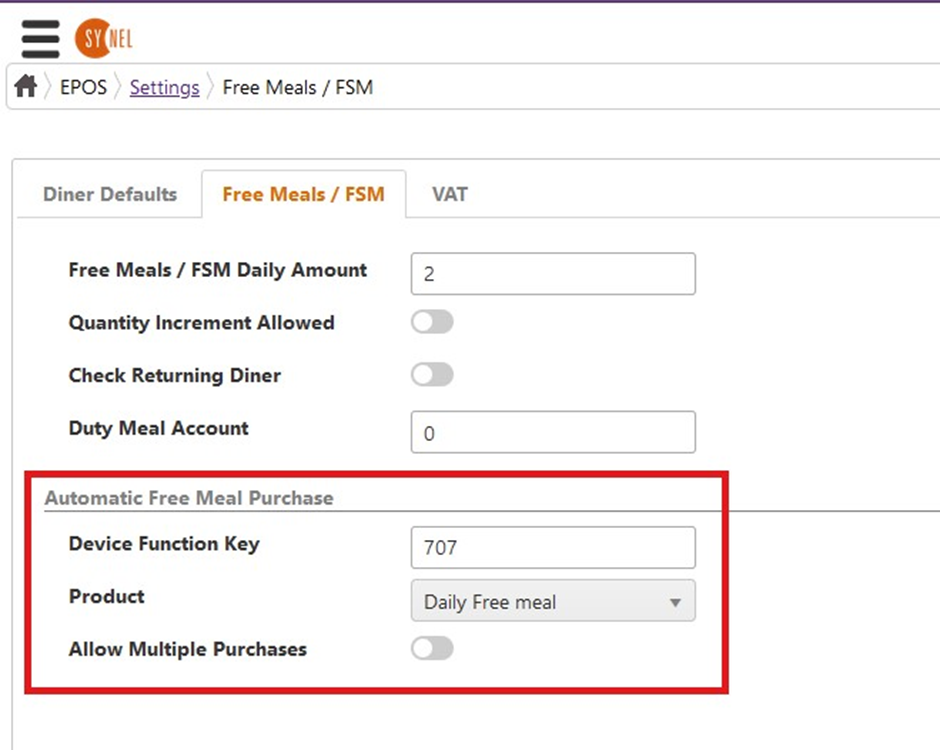
• Device Function Key - the function key the device is configured for use with the feature. Our processing will expect this function key sent by the device to recognize it as a automatic free meal purchase transaction
• Product - the product to be automatically purchased for a transaction
• Allow Multiple Purchases - whether to allow/disallow the purchase of configured product multiple times a day as part of the feature
Linking device and EPOS Till
Each EPOS sale transaction has to be linked to an EPOS till. In ER2, the way to link a device and a till was to assign the same IP to both. In SWF it was migrated unchanged and works the same way. E.g.:
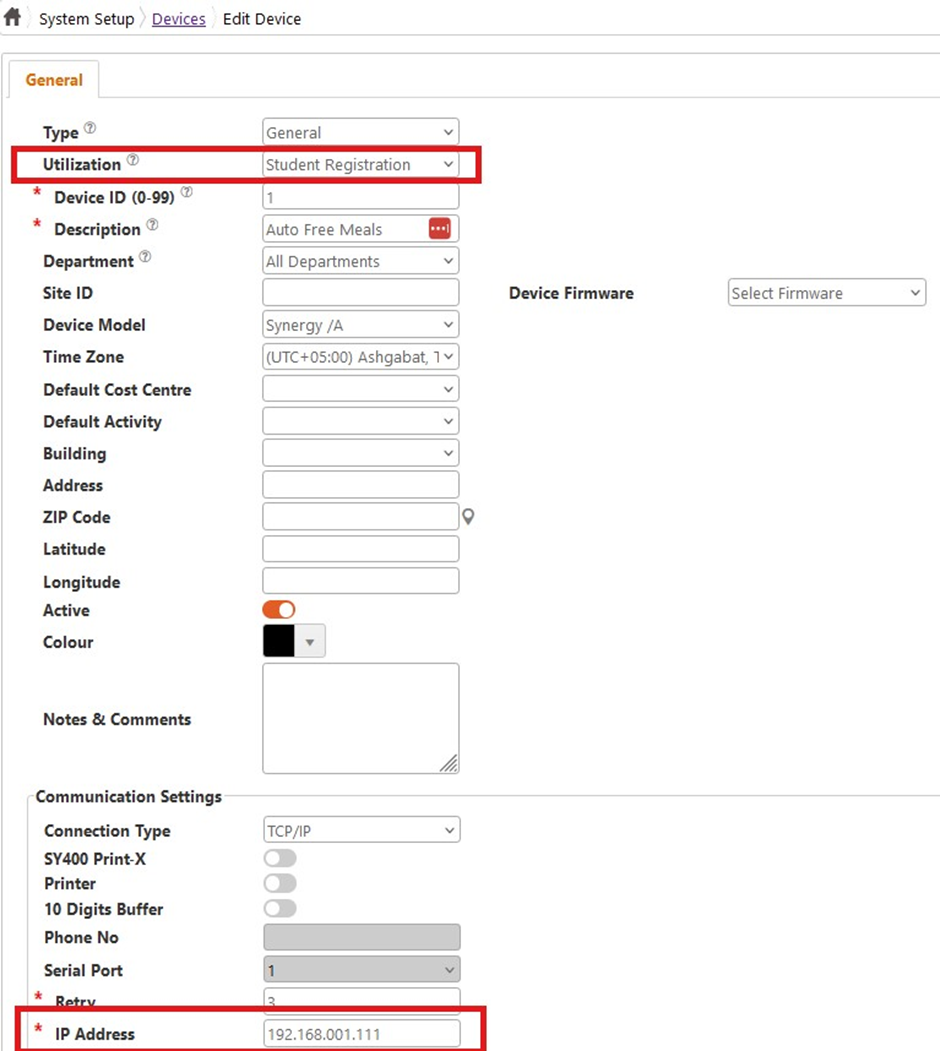
and an EPOS till:
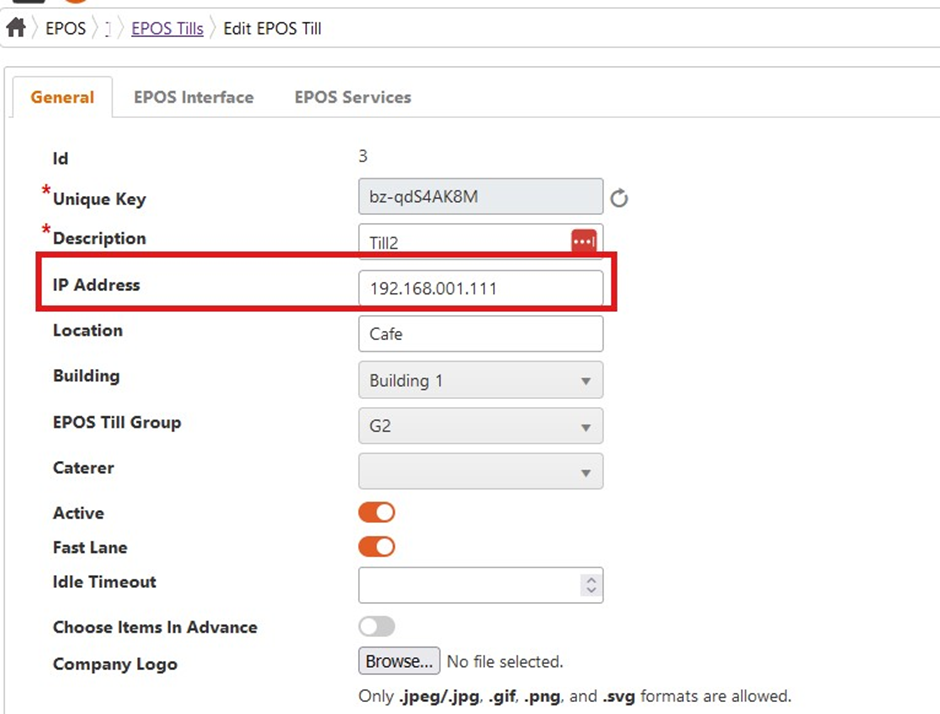
When transaction is received from a device, an EPOS till application will searched that has the same IP assigned and linked to a resulting EPOS sale transaction.
The following localization keys have been added to denote the result of the operations, and can be adjusted as required in System Setup -> Languages:
• AutoFreeMeals_PosNotFound - POS not found. An EPOS till is not correctly linked to a device, therefore, not found
• AutoFreeMeals_ProductNotFound - product is not configured or not found
• AutoFreeMeals_DinerAccountNotFound - person doesn't have a diner account or diner account is inactive
• AutoFreeMeals_InvalidDiner - diner is not valid for free meals, i.e. not set as Free Meals diner or Free Meals Start/End period is invalid for current date
• AutoFreeMeals_NotEnoughBalance - free meals balance is not enough to do the purchase
• AutoFreeMeals_AlreadyPurchased - already purchased the configured product. Effective only if "Allow Multiple Purchases" is OFF,