
Software - TimeLOG Web / Synergy WF
Personnel Overview
Personnel screen allows an organisation to address the whole number of individuals working for them.
Screen can be structured and organized with different sites, divisions and departments/sub department.
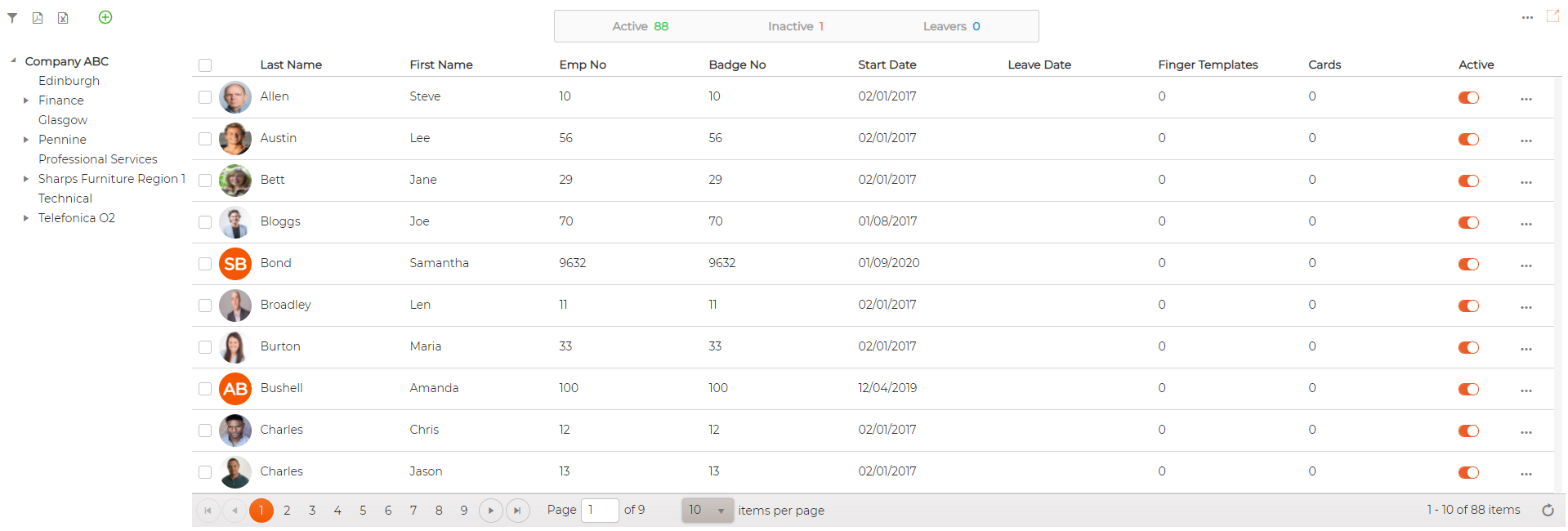
1. Search Employee (s) by clicking on Filter icon


2. Sorting
Clicking on header columns allows sorting the items in ascending/descending order

3. Counters
Counters allows user an ability to see at a glance how many employees are Active, Inactive and leavers within an organisation.

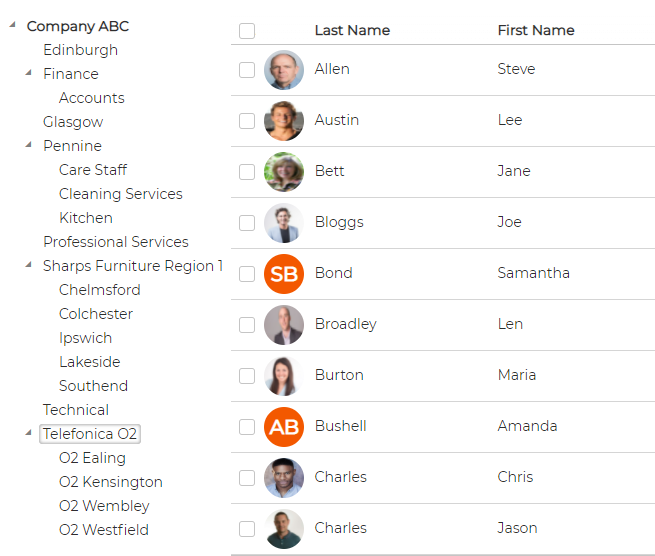
4. Organisation Tree Structure with multiple Hierarchy levels
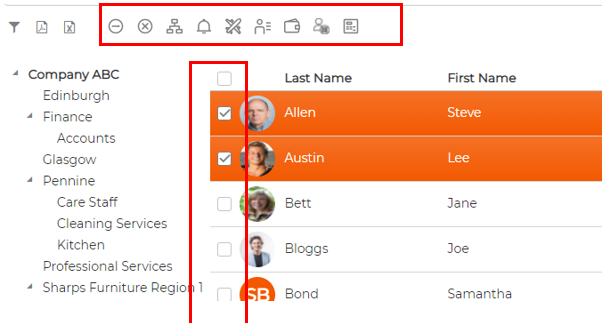
5. Selection tick boxes
Allows user to select 1 or more employees and perform action at global level
6. Print to Excel and PDF
Click on excel or pdf icon next to filter icon to print information available on screen

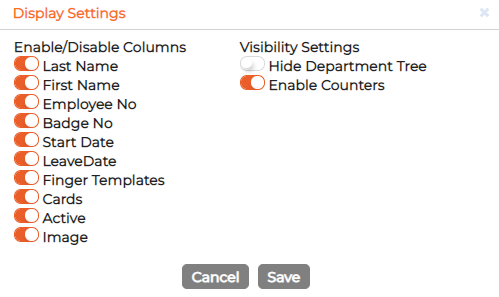
7. Settings icon at top right hand corner
Allows users to enable/disable columns, hide organisation tree and enable counters

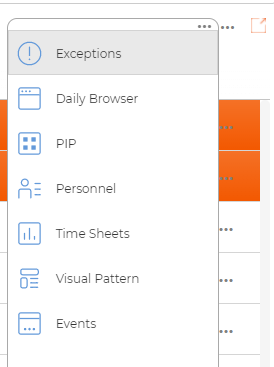
8. Shortcut Icon at top right hand corner

9. Page option at the bottom of the screen
Number of items to view within each page.
Total Number of items in the system based on search and filter option applied to the screen

Screen can be structured and organized with different sites, divisions and departments/sub department.
1. Search Employee (s) by clicking on Filter icon
- Filter by department
- Filter by Employee name, no or badge no
- Option to include/exclude leavers and inactive employees
2. Sorting
Clicking on header columns allows sorting the items in ascending/descending order
3. Counters
Counters allows user an ability to see at a glance how many employees are Active, Inactive and leavers within an organisation.
4. Organisation Tree Structure with multiple Hierarchy levels
- Hierarchy is visible based on software security assigned to particular User
- User has an option to filter employee at parent level or at a child folder by simply clicking on the folder.
5. Selection tick boxes
Allows user to select 1 or more employees and perform action at global level
6. Print to Excel and PDF
Click on excel or pdf icon next to filter icon to print information available on screen
7. Settings icon at top right hand corner
Allows users to enable/disable columns, hide organisation tree and enable counters
8. Shortcut Icon at top right hand corner
9. Page option at the bottom of the screen
Number of items to view within each page.
Total Number of items in the system based on search and filter option applied to the screen