
Device Setup Overview
For both Physical and Virtual devices, they must exist in the system in order to capture the swipes in the system
Devices are setup within Menu - System Setup - Devices
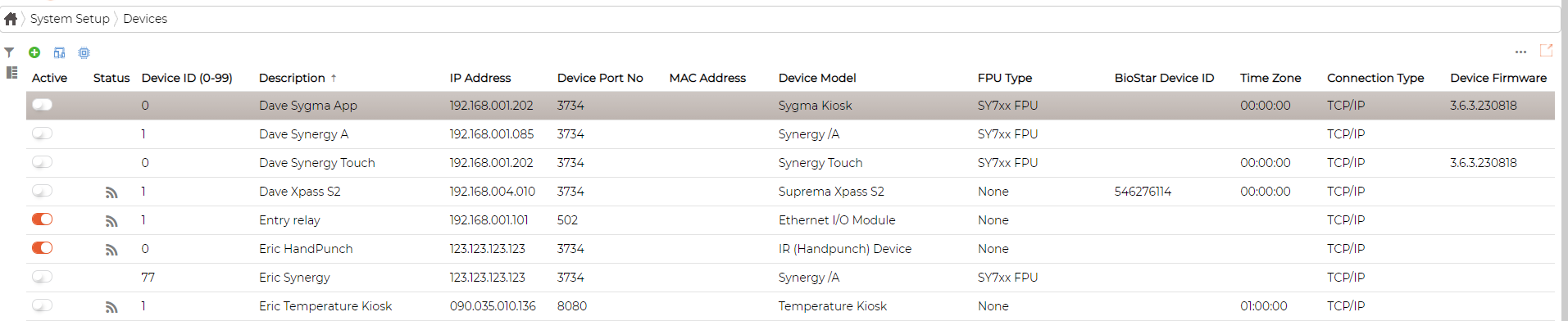
Filter Device
Click on icon to filter devices

Add Device
Click on the icon to add device and fill in the respective parameters as required
Please refer to corresponding section for each device types and the required fields when setting up the devices
Edit Device
Click on icon against the device, and select Edit. Edit the parameters and required and save
Delete Device
Click on icon against the device, and select delete to delete the device.
Device Types
Click on icon to view Device types
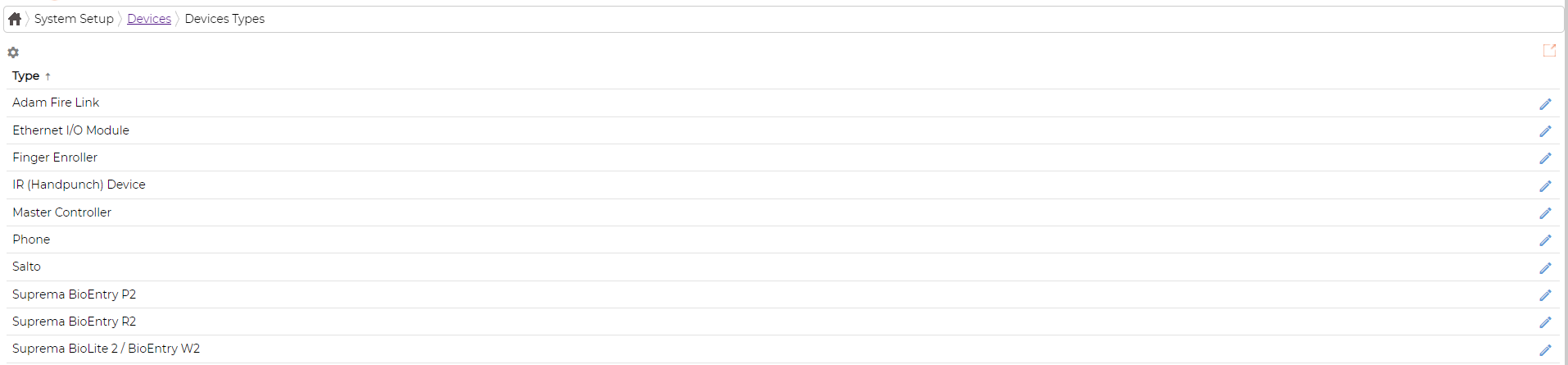
Click on icon against the device type to
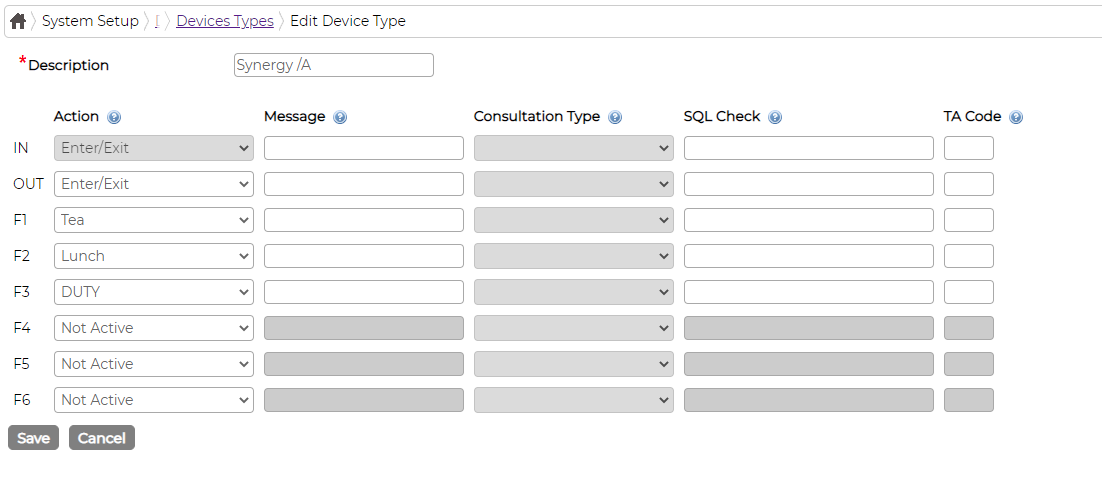
a. Define Action Keys
b. Define Messages that display on devices
c. Define consultation type if required
d. Define SQL queries for custom items
e. Define TA codes if required
Consult with Synel Representative before making any changes to the screen as it can have knock-off effect on swipes if set incorrectly
Devices are setup within Menu - System Setup - Devices
Filter Device
Click on
icon to filter devices Add Device
Click on the
icon to add device and fill in the respective parameters as requiredPlease refer to corresponding section for each device types and the required fields when setting up the devices
Edit Device
Click on
icon against the device, and select Edit. Edit the parameters and required and saveDelete Device
Click on
icon against the device, and select delete to delete the device. Device Types
Click on
icon to view Device types Click on
icon against the device type toa. Define Action Keys
b. Define Messages that display on devices
c. Define consultation type if required
d. Define SQL queries for custom items
e. Define TA codes if required
Consult with Synel Representative before making any changes to the screen as it can have knock-off effect on swipes if set incorrectly