
IR (Hand Punch) Setup in Synergy Workforce
SynergyGo to Menu - System Setup - Devices
Click on the icon to add device and fill in the respective parameters as required.
General Tab
Site Id = Optional
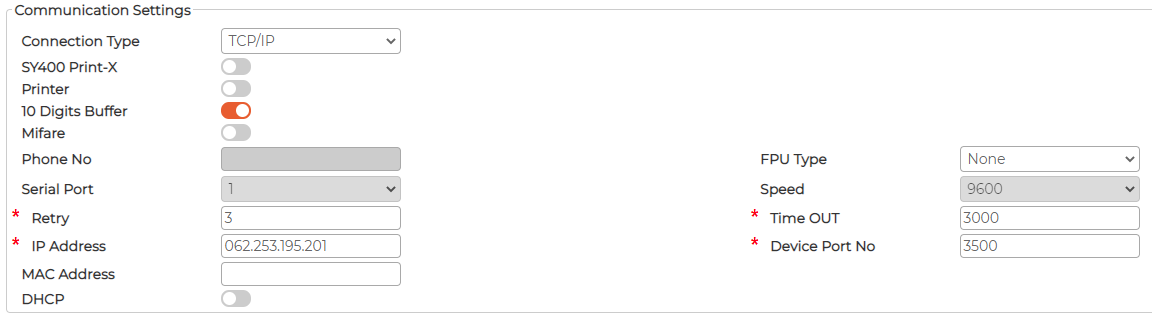
10 digits Buffer = must be switched ON
IP Address = Static IP address of the device (Synergy Workforce installed locally)
= Static External Public IP address (Hosted Installation with Port Forwarding rules)
Device Port No = Port no allocated to the device
Permitted Employees Tab
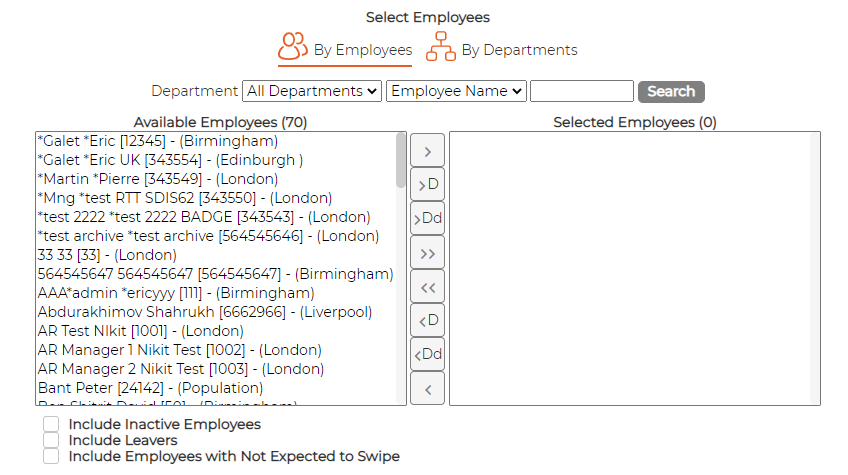
Optional
If selected, employees only those selected are permitted to use the device.
If none selected, everyone can use the device
Departments Tab
Optional
If selected, employees only from selected departments are permitted to use the device.
If none selected, everyone can use the device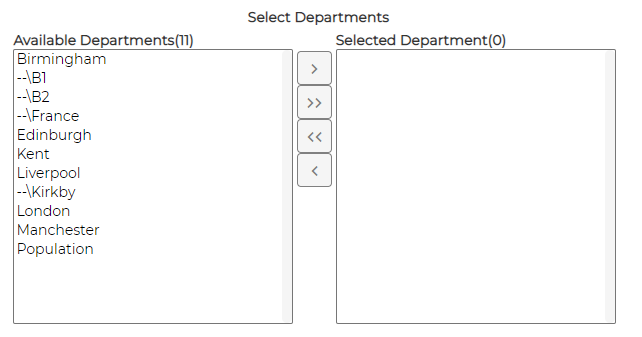
Click on the
icon to add device and fill in the respective parameters as required.General Tab
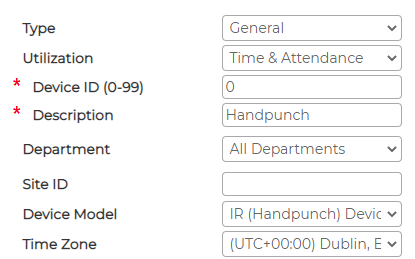
Type = General
Utilization = Select either Time and Attendance or Access Control or both Time and Attendance + Access Control depending on the usage
Device ID = Must be unique per each device
Description = Give a description of the device. Example Location Name
Department = Select department (optional)Site Id = Optional
Device Model = IR (Handpunch) Device
Time Zone = Select the correct Time Zone depending on the country of installation
Active = must be switched ON
10 digits Buffer = must be switched ON
IP Address = Static IP address of the device (Synergy Workforce installed locally)
= Static External Public IP address (Hosted Installation with Port Forwarding rules)
Device Port No = Port no allocated to the device
Permitted Employees Tab
Optional
If selected, employees only those selected are permitted to use the device.
If none selected, everyone can use the device
Departments Tab
Optional
If selected, employees only from selected departments are permitted to use the device.
If none selected, everyone can use the device