
Setup VM Kiosk Device
Go to menu – System Setup - Devices

Click on icon to Add VM device and add necessary parameters and save
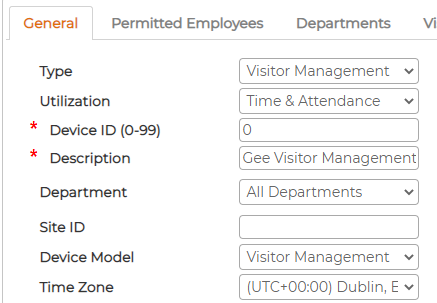
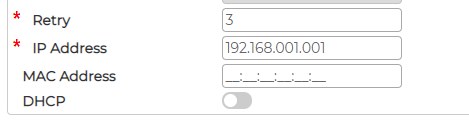
Additionally, go to Visitor Printer settings Tab and setup following items and click save
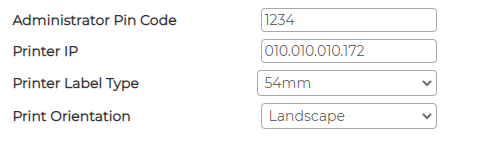
Printer IP - Must match the Static IP address assigned to Brother Label Printer
Printer Label Type - Must match the cassette loaded on Brother Label Printer
Print Orientation - Must match the orientation of cassette
Click on
icon to Add VM device and add necessary parameters and save
Additionally, go to Visitor Printer settings Tab and setup following items and click save
Printer IP - Must match the Static IP address assigned to Brother Label Printer
Printer Label Type - Must match the cassette loaded on Brother Label Printer
Print Orientation - Must match the orientation of cassette