Software - TimeLOG Web / Synergy WF
Synergy App
SynergyGeneral Settings:
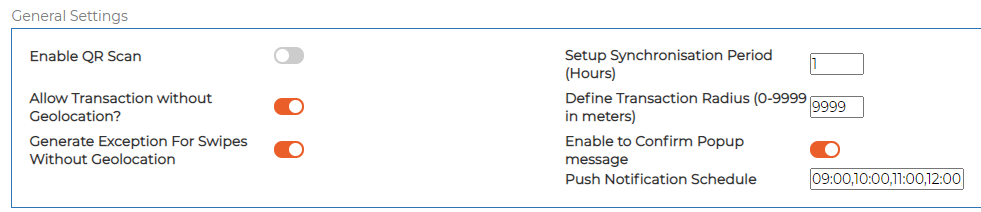
Enable QR Scan
-
Toggle on/off.
-
If enabled, the smartphone will always need camera access to scan QR Codes.
-
QR Codes must be printed by location: Menu → Reports → Device/Location QR Code.
Allow Transaction without Geolocation
-
Default = OFF (location services required).
-
If ON, location tag is no longer mandatory for swipes.
Generate Exceptions for Swipes without Geolocation
-
Depends on whether option 2 is enabled.
Setup Synchronisation Period (Hours)
-
Default = 1 hour.
Define Transaction Radius
-
Sets the swipe acceptance radius.
-
If outside range, the app notifies the employee.
Enable Confirm Popup Message
-
ON = user must tap OK.
-
OFF = popup disappears automatically.
Push Notification Schedule
-
Define times for notifications.
-
Prompts employees if swipes are waiting to sync when offline.
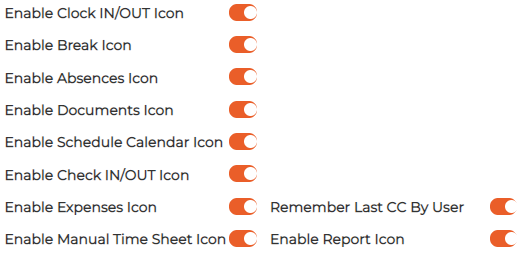
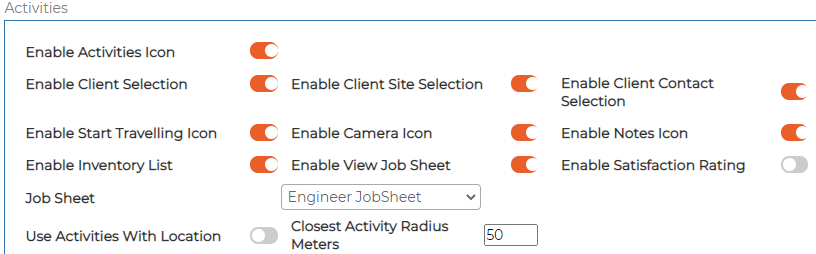
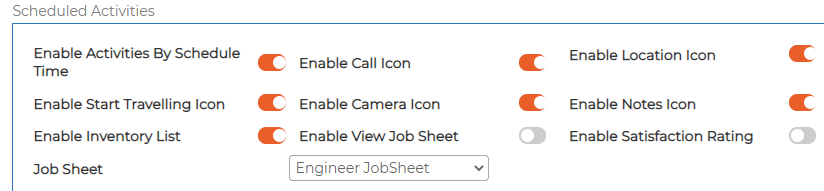
Icons and Modules
-
Enable items as required for the project.
-
Some items need additional modules enabled and configured.
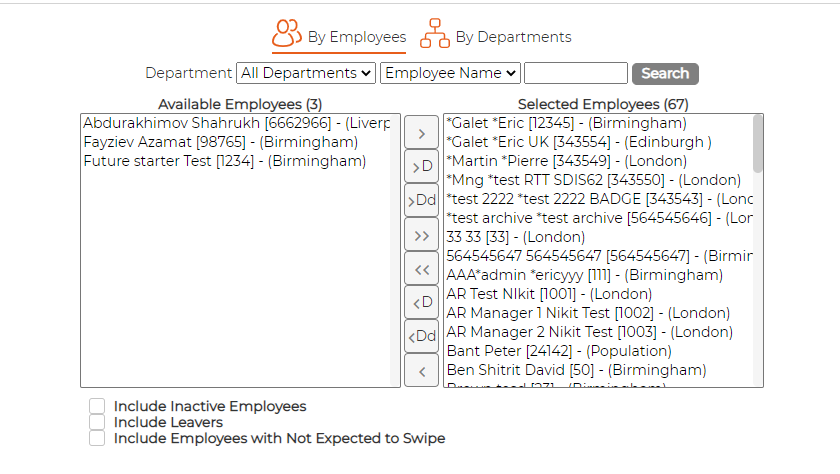
Employees Tab
-
Set permissions for employees to use the Synergy App.
-
Limited by the number of user licences purchased.
Documents Security Tab
Allows defining the security for Documents (E-Filing) Module per Software Group

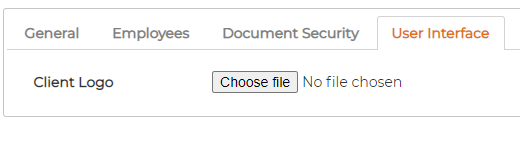
User Interface Tab
Allows uploading customer logo