
Visitor Activities
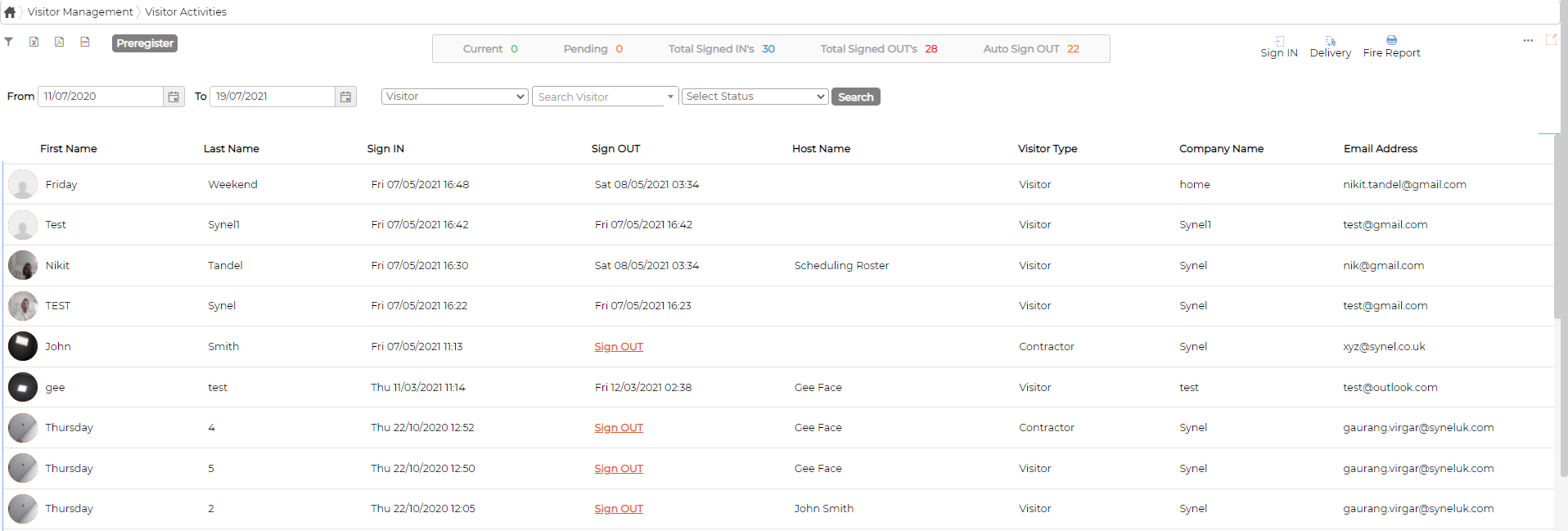
Visitor Activities screen allows authorized user to view real time data and visitor’s traffic
Counters
Depending on the date range selected, counters display overall cumulative totals of the Visitor Activities

Filters
Allows user to filter data

Print on PDF and Excel
 Icons allows user to print screen information either on PDF or Excel
Preregister Visitor
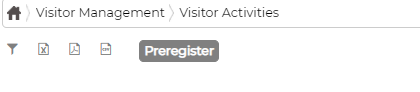
Preregister button allows users to preregister visitors arriving to site in future
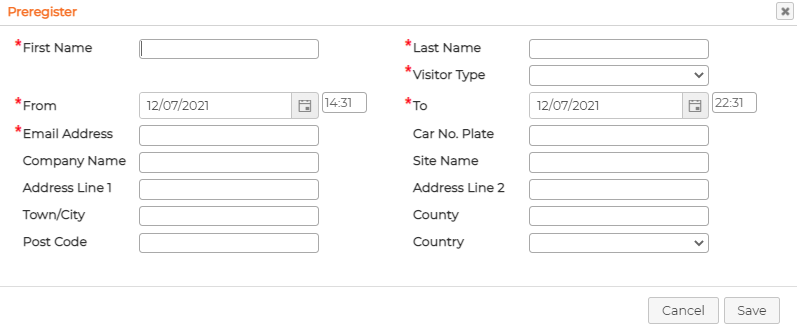
Fill the data as required and click on save
Visitor will get email notification with QR code.
Visitors can use the QR code to scan themselves IN and OUT, speeding up the Sign IN process.
Manual Sign IN
 icon allows user to manually sign in visitor on the PC/Laptop
Parcel Notification
 icon allows the user to notify the Hosts when their parcel has been delivered to reception
Fire Report
 icon allows the user to print attendance report of Visitors during an event of Fire in the building
Manual Sign OUT
User can manually Sign OUT Visitors if required by simply clicking on Sign OUT option against the visitor record.

Print Detailed Information
 icon against the individual record allows printing the detailed information of the Visitor
Print Card/Label
 icon against the individual record allows printing the card/label manually for the visitors
Card/Label design must exist and setup before printing is allowed. Please follow the section Card/Label Design on how to setup.
Counters
Depending on the date range selected, counters display overall cumulative totals of the Visitor Activities
Filters
Allows user to filter data
Print on PDF and Excel
Icons allows user to print screen information either on PDF or ExcelPreregister Visitor
Preregister button allows users to preregister visitors arriving to site in future
Fill the data as required and click on save
Visitor will get email notification with QR code.
Visitors can use the QR code to scan themselves IN and OUT, speeding up the Sign IN process.
Manual Sign IN
icon allows user to manually sign in visitor on the PC/LaptopParcel Notification
icon allows the user to notify the Hosts when their parcel has been delivered to receptionFire Report
icon allows the user to print attendance report of Visitors during an event of Fire in the buildingManual Sign OUT
User can manually Sign OUT Visitors if required by simply clicking on Sign OUT option against the visitor record.
Print Detailed Information
icon against the individual record allows printing the detailed information of the VisitorPrint Card/Label
icon against the individual record allows printing the card/label manually for the visitorsCard/Label design must exist and setup before printing is allowed. Please follow the section Card/Label Design on how to setup.