
Synergy Face 910 - Employee Face Enrolment Guide
SynergyFollow these guidelines for trouble-free enrolments.
During the enrolment process the employee should keep their eyes centred on the screen always.
Try to keep a solid box around your face by following the steps below:
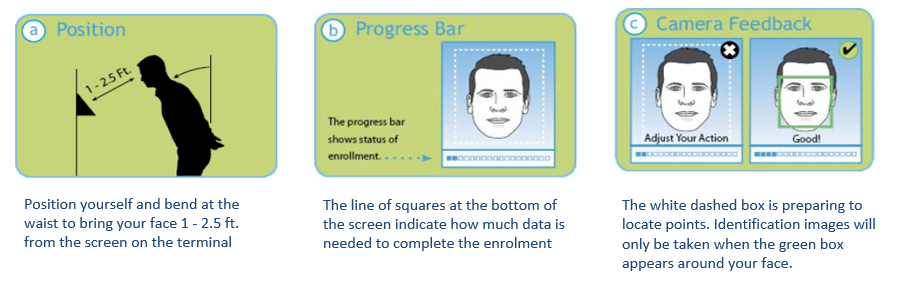
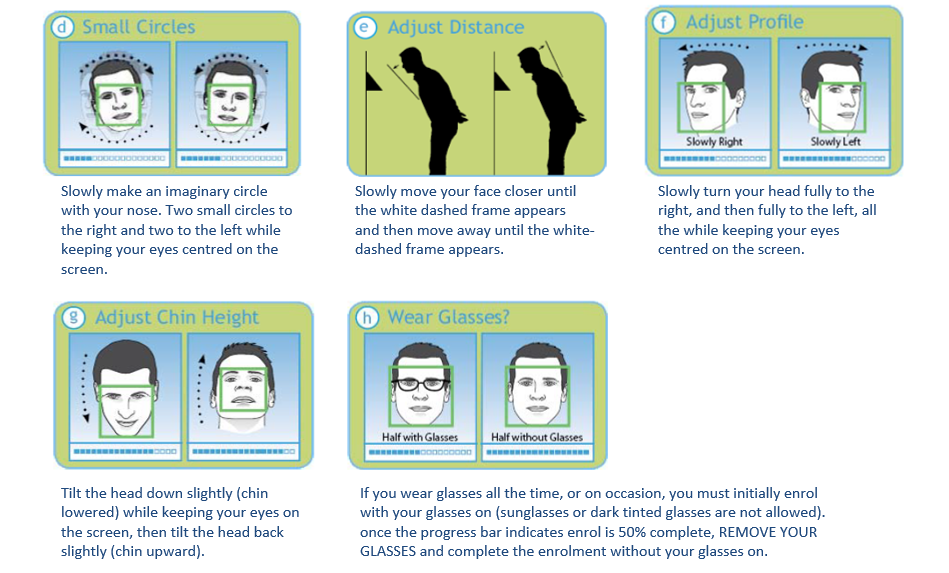
2. Guidelines:
Prior to enrolling finger template of an employee, System Administrators must make sure following:
Employee does exist and is Active within Synergy Workforce
Device must be ONLINE (Network symbol on top left-hand corner must be visible)
1. Press Menu key to enter function menu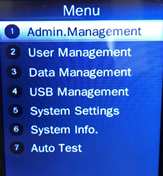
If device has admin setup, device will ask to verify the admin when menu key is pressed 2. Select option ”2” to enter “User Management”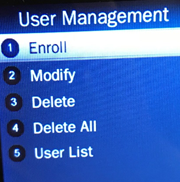
3. Select Option “1” Enrol
4. Insert Employee no within Input ID (Employee must exist within Synergy Workforce)
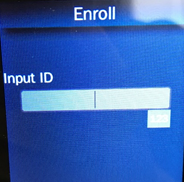
5. Do not Insert Employee Name, instead press “ENT” key to proceed. (Employee name will sync automatically from Synergy Workforce)
6. Verify Method - Select option “1” "Face" and proceed with enrolling employee Face template to the device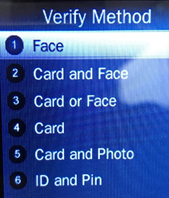
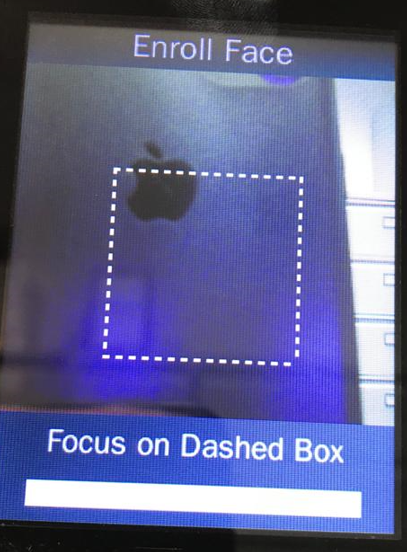
Follow on screen message during enrolment
7. Select Option “2” Attendance
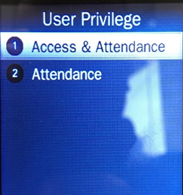
8. Optional step - Press ENTER key to capture and record picture of an employee on the device or press ESC to cancel taking picture.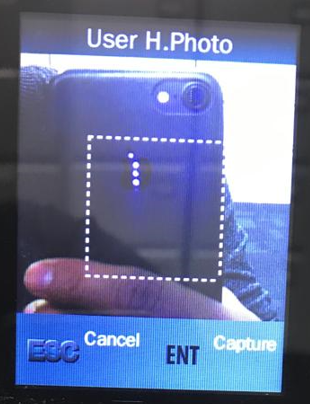
We don't recommend recording the picture of an employee
During the enrolment process the employee should keep their eyes centred on the screen always.
Try to keep a solid box around your face by following the steps below:
2. Guidelines:
- SY Face 910 terminal is for use indoors; do not position the terminal in direct sunlight.
- Use normal facial expressions and avoid wearing sunglasses whenever possible
- If glasses or a hat is worn, please take the glasses and/or hat off halfway through the enrolment process for better face recognition.
- Bend into the camera, keeping the distance between the face and screen at 9 to 25 inches for best results.
- Keep the face centred between the 2 cameras.
- The lined frame displays when the employees face is successfully being detected.
- If the white dashed frame appears, the employees face cannot be recognized, so please have the employee adjust their positioning.
Prior to enrolling finger template of an employee, System Administrators must make sure following:
Employee does exist and is Active within Synergy Workforce
Device must be ONLINE (Network symbol on top left-hand corner must be visible)
1. Press Menu key to enter function menu
If device has admin setup, device will ask to verify the admin when menu key is pressed 2. Select option ”2” to enter “User Management”
3. Select Option “1” Enrol
4. Insert Employee no within Input ID (Employee must exist within Synergy Workforce)
5. Do not Insert Employee Name, instead press “ENT” key to proceed. (Employee name will sync automatically from Synergy Workforce)
6. Verify Method - Select option “1” "Face" and proceed with enrolling employee Face template to the device
Follow on screen message during enrolment
7. Select Option “2” Attendance
8. Optional step - Press ENTER key to capture and record picture of an employee on the device or press ESC to cancel taking picture.
We don't recommend recording the picture of an employee