
Synergy Workforce - Maintenance Screen - Sync Guide
SynergyThis is the maintenance screen for the Synergy Face devices, reached from Menu > Maintenance > Synergy Face WS Devices. It works the same way as the Synergy A Devices screen, with By Devices and By Employees tabs.
On the By Devices tab, each device has a row with its sync actions: Sync Work Codes and Offline Data, Sync New Templates, Sync All Templates, Sync Firmware, and Stop Sync Firmware. Sync all Templates to all Devices, at the top right, runs the template sync across every device at once.
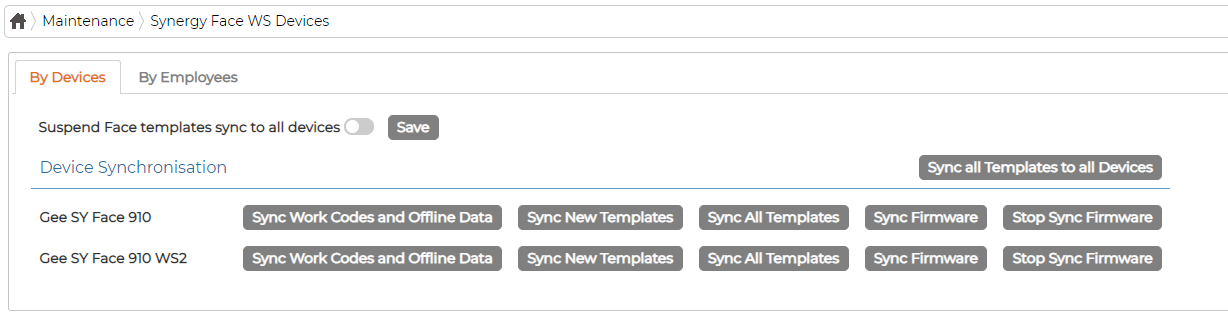
The Suspend Face templates sync to all devices toggle stops face template syncing until you turn it off; click Save after changing it. The By Employees tab syncs the templates and offline data of selected employees out to all devices.