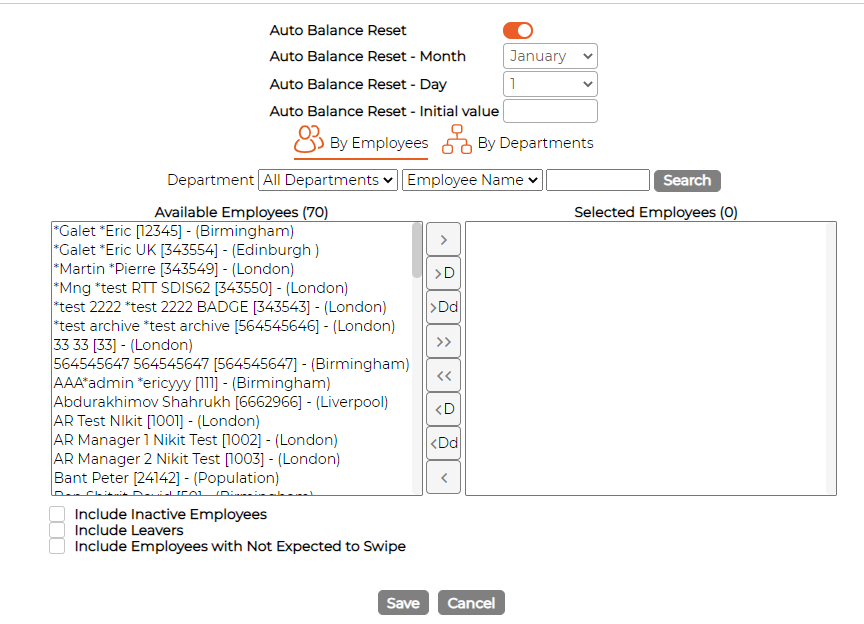
Balance Reset - Maintenance Screen
This screen resets employees' balances, either as a one-off or on a recurring schedule. Find it under Menu > Maintenance, on the Balance Reset screen.
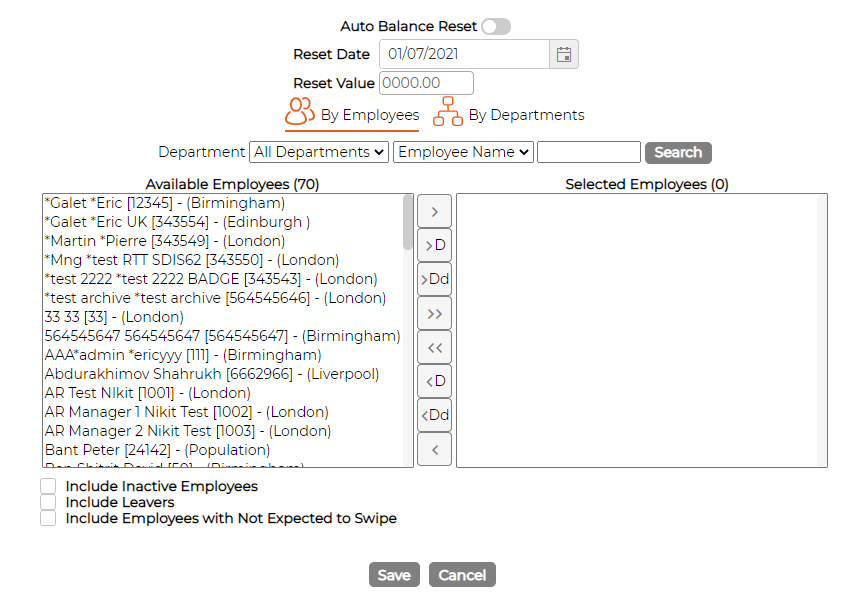
For a one-off reset, leave Auto Balance Reset off, set the Reset Date and the Reset Value the balance should start from (0 to zero it, or a fixed amount), choose the employees, and Save.
For a recurring reset, turn Auto Balance Reset on. The date fields are replaced by Auto Balance Reset Month, Day and Initial value, so the balance resets to that value on the month and day you choose. Choose the employees and Save.