
Using PIN for SY910
SY910If for whatever reason an employee is unable to register for Face and the customer wishes to use PIN instead of cards then the following must be done.
1. Set the verification method to Badge & Pin in personnel.
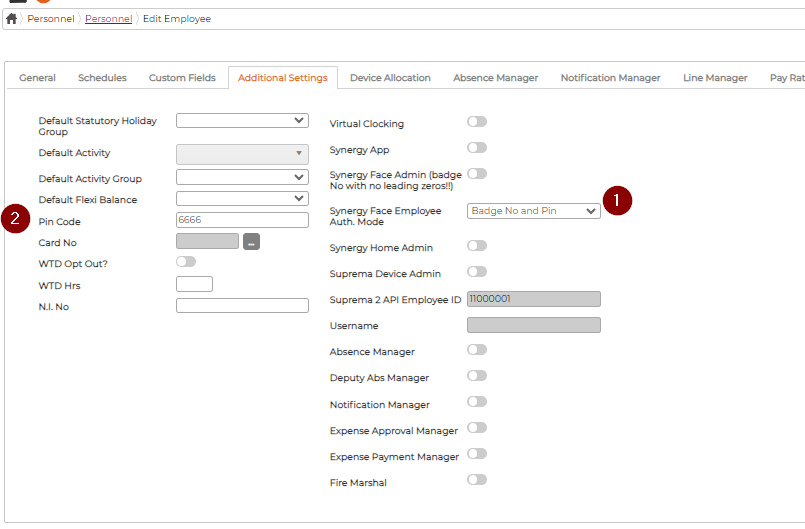
2. Set a pin in the Pin Code field then save.
3. You will need to sync employee.
To access device successfully using your PIN follow these steps:
From here you will have access to the device.
Need to sync an employee to SY910 instead? Follow this link.
1. Set the verification method to Badge & Pin in personnel.
2. Set a pin in the Pin Code field then save.
3. You will need to sync employee.
To access device successfully using your PIN follow these steps:
1. Press FUNC >> ESC
2. Enter your ID (badge number)
3. Press ENT
4. Enter your PIN
5. Press ENT
From here you will have access to the device.
Need to sync an employee to SY910 instead? Follow this link.