
Time Zones
Time zones informs the door/readers, how to behave on different days of the week or year when user tries to grant access

Add Time Zone
Click on the icon to add Time Zone
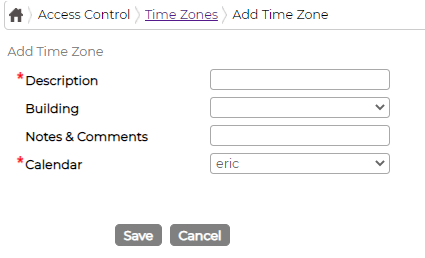
Next click on icon against the Time zone and fill in the details as required
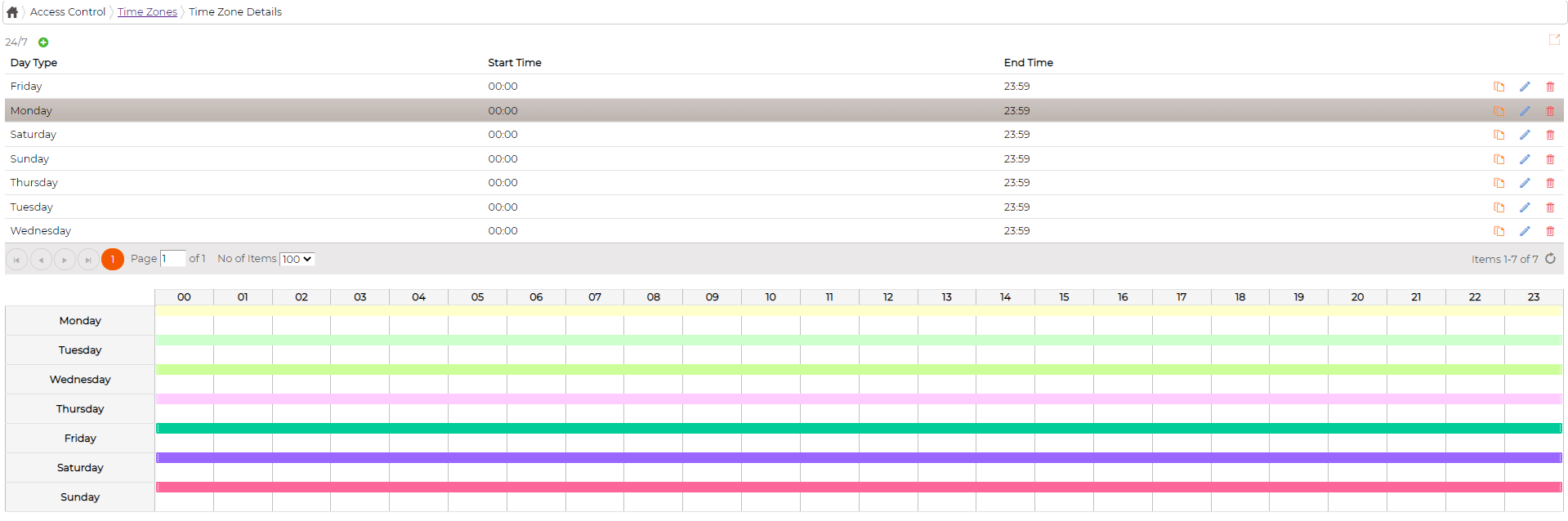
Edit Time Zone and its details
Click on icon against the items to edit parameters
Delete Time Zone and its details
Click on icon against Time Zone and the details to delete System will not allow deleting Time Zone and the details if its currently in use or have been used in past.
Duplicate Time Zone details
Click on icon to duplicate time zone details and amend as required and save it.
Add Time Zone
Click on the
icon to add Time Zone Next click on
icon against the Time zone and fill in the details as requiredEdit Time Zone and its details
Click on
icon against the items to edit parametersDelete Time Zone and its details
Click on
icon against Time Zone and the details to delete System will not allow deleting Time Zone and the details if its currently in use or have been used in past.Duplicate Time Zone details
Click on
icon to duplicate time zone details and amend as required and save it.