TLW - How to prove that a Synergy is not allowed to communicate towards the server/web service
Synergy, TLWIn hosted mode, the Synergy must be able to communicate with the web service on the hosting server. Some companies have very strict security and sometimes even outbound communications are controlled. It happens that even after you ask the customer's It to open that communication, the Synergy still does not go online. Most of the time, it is because the customer's It has not fully done the job.
This document shows how to prove that from the Synergy the communication towards the hosting server is not allowed.
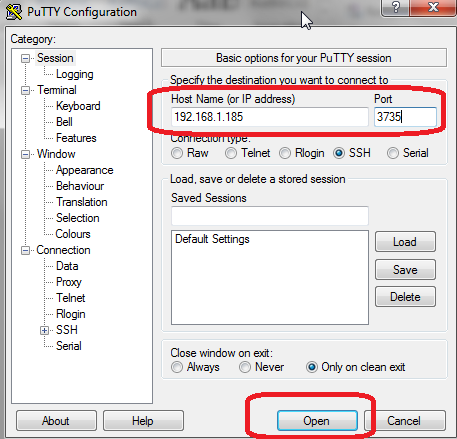
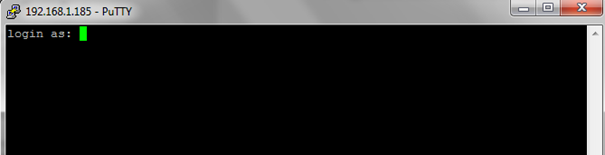
- Connect with PuTTY to the Synergy (port 3735)
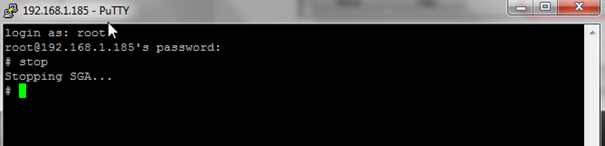
- Login with root/synergy
- Type stop and press ENTER
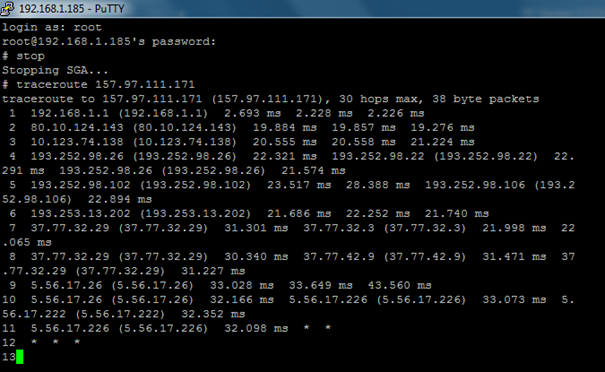
- Type traceroute followed by the IP of the hosting server, press ENTER
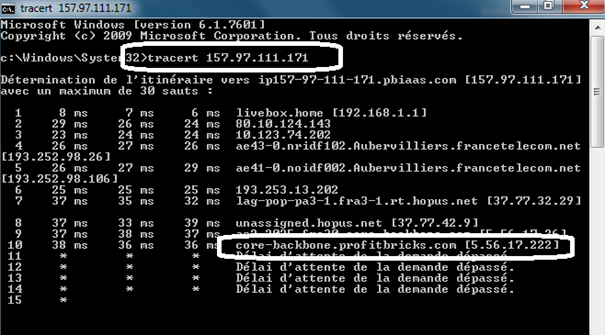
If you get something similar to the screenshot below, it means that the Synergy is allowed to communicate towards the server/web service
If you get no tracing or if you get just * * *, it means that the Synergy is NOT allowed to communicate towards the server/web service
You can run a similar command from a pc and you can clearly see that it reaches Profitbricks public IPs
Note that being able to access the web service from a pc on the customers LAN is not enough to prove that the Synergys are allowed the same operation.