Thermal kiosk Hardware Update
Thermal kiosk Hardware Update
Issues faced with old version:
- Abnormal temperature reading
- Stranger detection incorrect. Stranger is detected as an employee.
Upgrade File Path:
Two Versions 621 and 641 are available from two different batches of Temperature Hardware.
- V621xxxxx File on
H:\Synergy Workforce\Temperature Kiosk\Development\Temperature Hardware Firmware 62100039 - V641xxxxx File on
H:\Synergy Workforce\Temperature Kiosk\Development\Temperature Hardware Firmware 64100012
Steps to follow:
- It is very important to find the current hardware version available on the device. For this Connect to the device using a USB put in the password (123456)Application settings Others It gives the current version number.
- Depending on the current version choose the Latest version for upgrade.
- Extract the files from the provided paths to a formatted USB and connect to the root of the device.
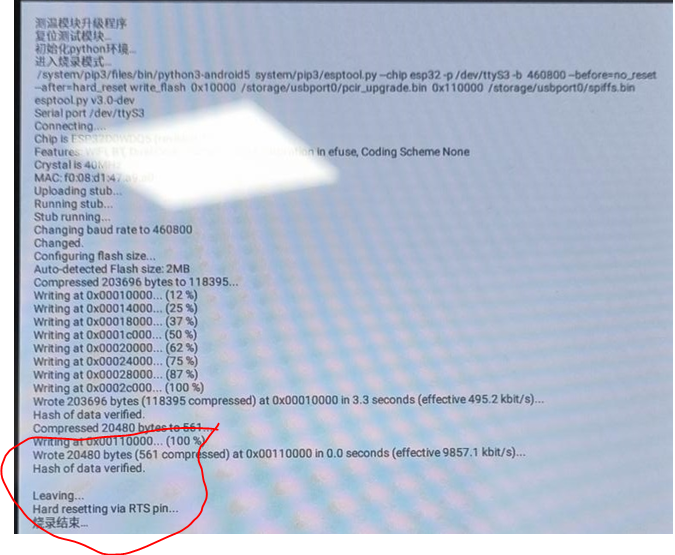
- Go to device settings External Storage Open USB folder Run pcirUpgrade.apk (with an Android image) file. It will automatically update the Thermal Kiosk hardware and when completed will show the below image:
- Once it hits 100%, right click on mouse to go back to main menu and reboot the device.
- Check and confirm that temperature hardware is updated to copied version.