
Synergy A - Delete All Users
SynergyTo Delete/Purge All Users:
Finger Template option can be found under Setup menu.
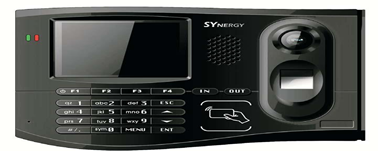
1. To Enter the Setup menu on device, press the “Menu” key. You will be asked to enter a password.
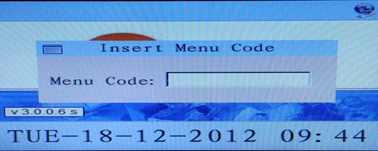
2. Insert code – 8888 and press Enter key
Menu Code may differ from customer to customer
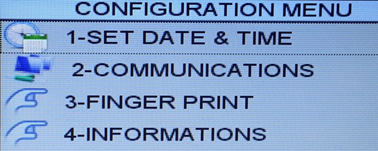
3. Select option 3 from the list “FINGER PRINT”
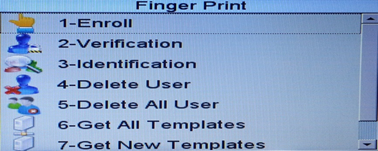
4. Select option 5 – Delete All User
Finger Template option can be found under Setup menu.
1. To Enter the Setup menu on device, press the “Menu” key. You will be asked to enter a password.
2. Insert code – 8888 and press Enter key
Menu Code may differ from customer to customer
3. Select option 3 from the list “FINGER PRINT”
4. Select option 5 – Delete All User