How to delete multiple personnel from the SWF system
SWFDeleting Multiple personnel from SWF system
Here is how to do it.
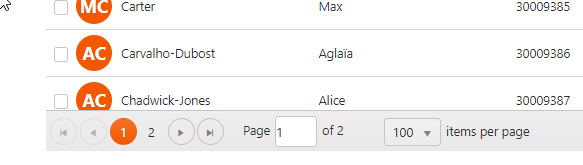
- Select a page of Personnel, there will be 100 on that page.
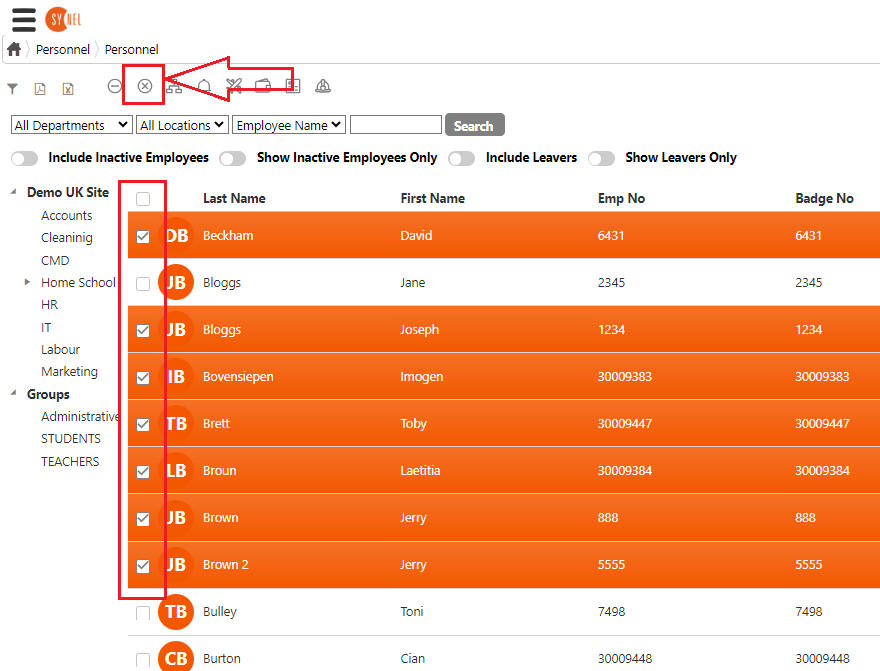
- Mark the persons on that page you wish to remove. then click the X to make all those Inactive Do the same on each page of 100 personnel until you have made all the relevant ones Inactive.
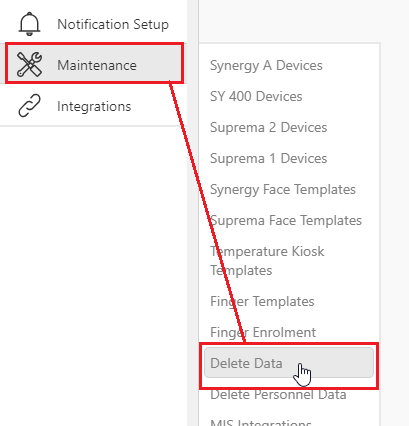
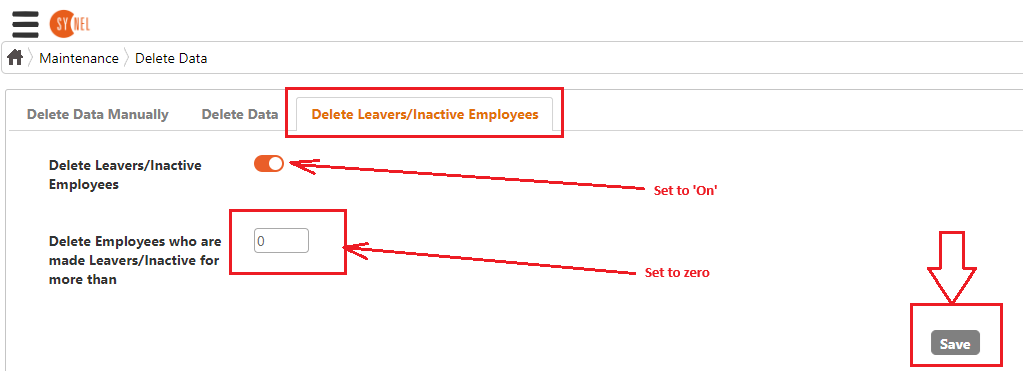
- Go to the menu called Maintenance > Delete Data
- Make sure that all the persons set to Leavers or Inactive should be deleted. Select the 'Delete Leavers/Inactive Employees' Tab
- Set the function to 'On'
- Then set the 'more than' to '0'
- Then click the 'save' button to permanently delete all those Inactive and Leavers.
The deleting is done overnight. The value for 'Delete Employees who are made leavers/inactive for more than' is the days past since employee was made leaver/inactive. If it's 1, then when the service executes overnight, employees that were made leaver/inactive before current date, i.e. 1 day will be deleted '0' is a valid value too, in which case if you set a person as inactive/leaver today, they will be deleted next time service runs at night after 00:00
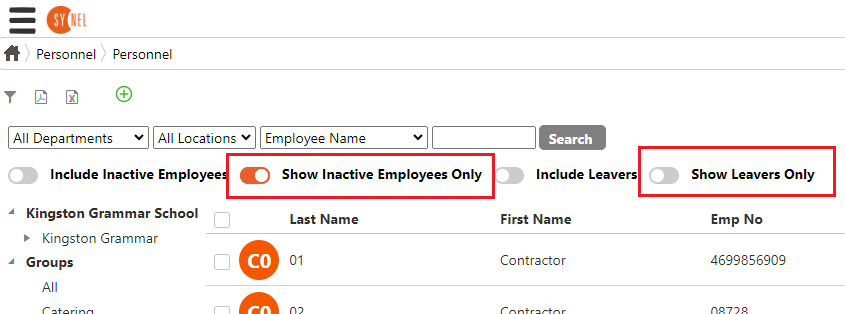
NOTE 1: You can of course just leave them as Inactive and so keep the data for them but not see them in the main screen until you select 'Show Inactive' as in step 5.
NOTE 2: If you don't want future persons to be deleted when they are set as a leaver/inactive then make sure to turn the setting off that was set in step 6