
Assign Contracts
A contract can be assigned to one employee at a time from the Personnel screen, or to many at once here under Work Rules > Assign Contracts.
Choose the contract from Select Contract, then set the date range. The start date must be the first day of the week, a Monday, and the end date the last day of the week, a Sunday; the screen states this next to each date.
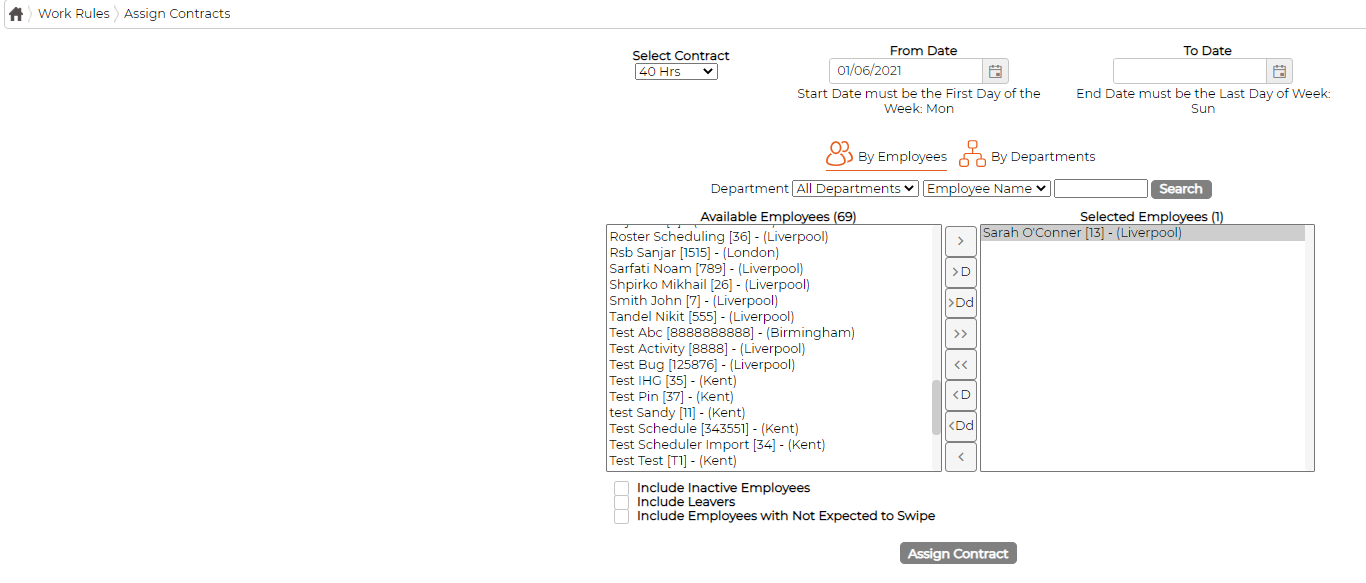
Switch between By Employees and By Departments, then move the people you want from Available Employees to Selected Employees. The three checkboxes below the lists pull in employees who would otherwise be hidden: inactive employees, leavers, and those set to not expected to swipe. Click Assign Contract to apply it.